EasyManua.ls Logo

Commodore PC - File Protection; How MS-DOS Keeps Track of Your Files

Commodore PC
414 pages
Print Icon
To Next Page IconTo Next Page
To Previous Page IconTo Previous Page
Loading...
2
MS-DOS
User's
Reference
Protecting
your
files
File
Protection
The
ms-dos
operating
system
is
a
powerful
and
useful
tool
for
pro
cessing
personal
and
business
information.
As
with
any
computer,
though,
errors
may
occur
and
information
may
be
misused.
So,
if
you
are
doing
work
that
cannot
be
replaced
or
that
requires
a
lot
of
security,
you
should
protect
your
programs.
You
can
take
simple
but
effective
measures
like
putting
your
disks
away
when
you're
not
using
them,
or
covering
the
write-protect
notch
on
your
program
disks.
Also,
if
your
disks
contain
valuable
information,
you
should
make
backup
copies
of
them on
a
regular
basis.
Another
way
to
protect
your
programs
is
by
installing
your
equipment
in
a
secure
office
or
work
area.
Allocation
Table
How
MS-DOS
Keeps
Track
of
Your
Files
As
you
learned
in
themsdos
User's
Guide,
ms-dos
stores
files
in
directories.
In
addition
to
directories,
it
uses
an
area
on
a
disk
called
the
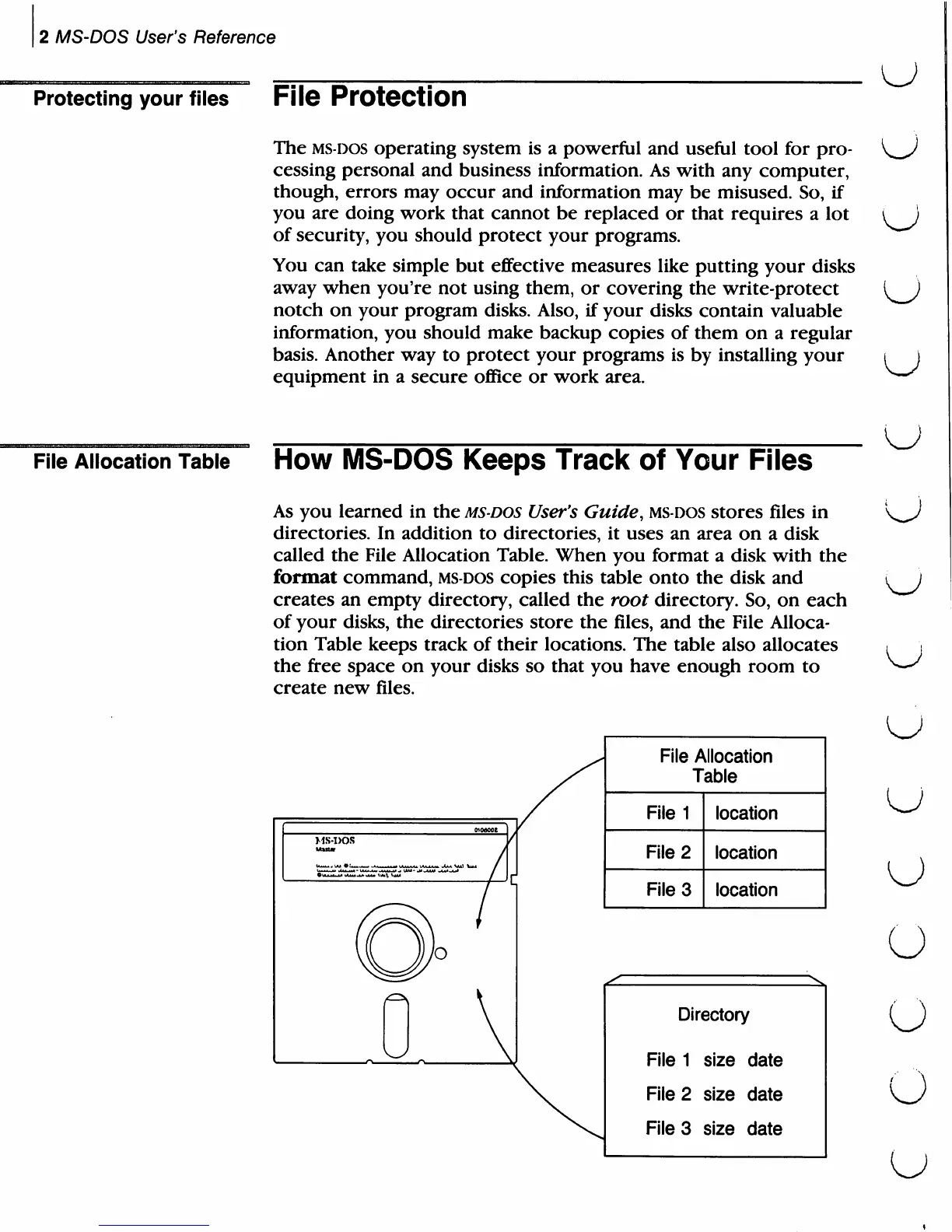
File
Allocation
Table.
When
you
format
a
disk
with
the
format
command,
ms-dos
copies
this
table
onto
the
disk
and
creates
an
empty
directory,
called
the
root
directory.
So,
on
each
of
your
disks,
the
directories
store
the
files,
and
the
File
Alloca
tion
Table
keeps
track
of
their
locations.
The
table
also
allocates
the
free
space
on
your
disks
so
that
you
have
enough
room
to
create
new
files.
File
Allocation
Table
File
1
File
2
File
3
location
location
location
File
File
File
Directory
1
2
3
size
date
size
date
size
date
u
u
u
u
u
u
o
O
O

Related product manuals