EasyManua.ls Logo

Commodore PC - How to Delete a Directory

Commodore PC
414 pages
Print Icon
To Next Page IconTo Next Page
To Previous Page IconTo Previous Page
Loading...
More
About
Files
and
Directories
11
n
Shortcut
You
can
also
type
the
letters
cd
for
the
chdir
com
mand
to
save
time.
For
example,
the
following
commands
are
the
/—^
same:
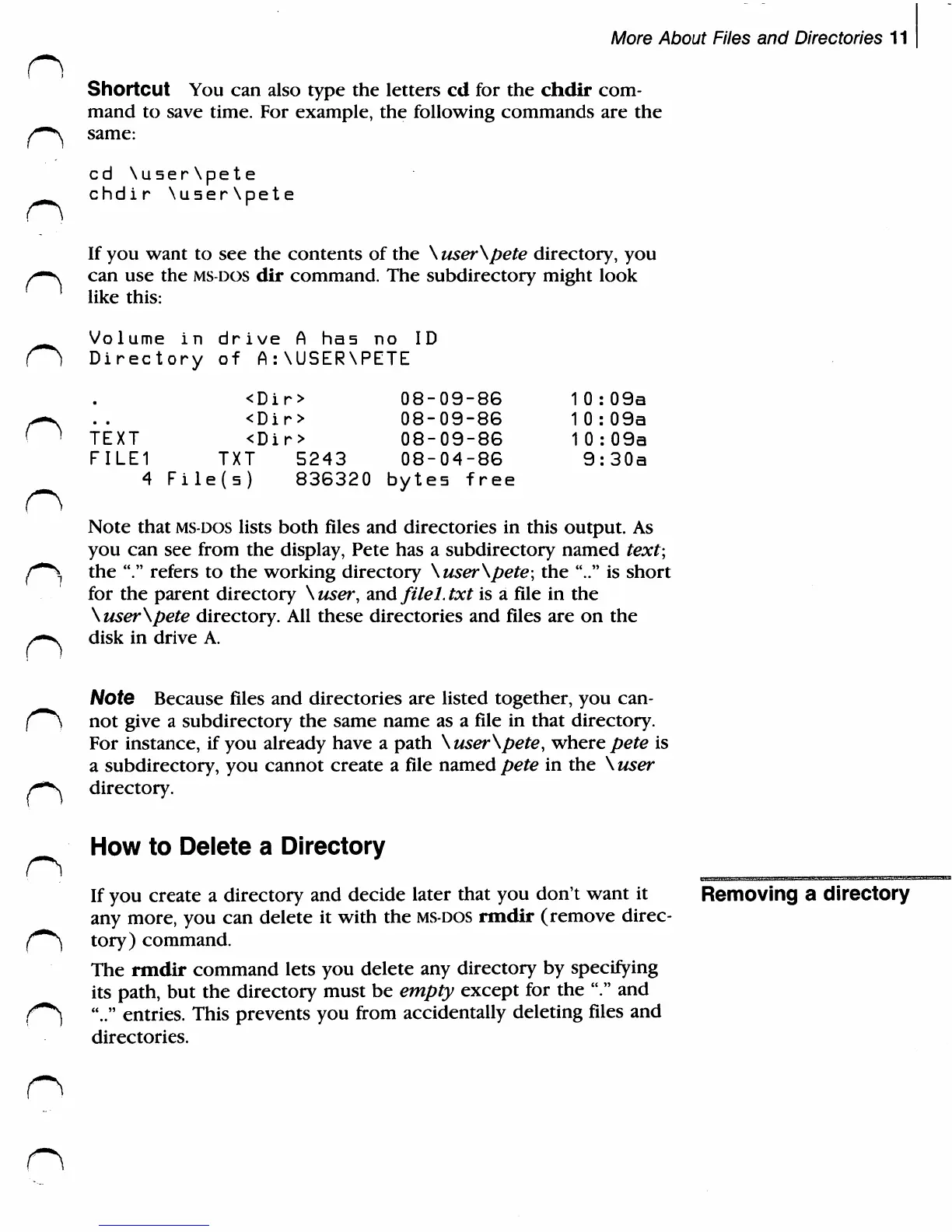
cd\user\pete
_
chdir
\user\pete
If
you
want
to
see
the
contents
of
the
\user\pete
directory,
you
/*—s
can
use
the
ms-dos
dir
command.
The
subdirectory
might
look
]
like
this:
Volume
in
drive
A
ha5
no
ID
()
Directory
of
A:\USER\PETE
n
TEXT
FILE1
4
<D
<D
<D
TXT
File(5)
ir
>
ir
>
i
r
>
5243
836320
08-09-86
08-09-86
08-09-86
08-04-86
bytes
free
1
1
1
0:09a
0:09a
0:09a
9:30a
Note
that
MS-DOS
lists
both
files
and
directories
in
this
output.
As
you
can
see
from
the
display,
Pete
has
a
subdirectory
named
text;
f~\
the
"."
refers
to
the
working
directory
\user\pete;
the
".."
is
short
for
the
parent
directory
\user,
and
filel.txt
is
a
file
in
the
\user\pete
directory.
All
these
directories
and
files
are
on
the
y*-N
disk
in
drive
A.
Note
Because
files
and
directories
are
listed
together,
you
can-
(~\
not
give
a
subdirectory
the
same
name
as
a
file
in
that
directory.
For
instance,
if
you
already
have
a
path
\user\pete,
where
pete
is
a
subdirectory,
you
cannot
create
a
file
named
pete
in
the
\
user
/**s
directory.
How
to
Delete
a
Directory
If
you
create
a
directory
and
decide
later
that
you
don't
want
it
Removing
a
directory
any
more,
you
can
delete
it
with
the
ms-dos
rmdir
(remove
direc-
f0**)
tory)
command.
The
rmdir
command
lets
you
delete
any
directory
by
specifying
its
path,
but
the
directory
must
be
empty
except
for
the
"."
and
f0*)
".."
entries.
This
prevents
you
from
accidentally
deleting
files
and
directories.

Related product manuals