EasyManua.ls Logo

Commodore Plus 4 - Page 105

Commodore Plus 4
464 pages
Print Icon
To Next Page IconTo Next Page
To Previous Page IconTo Previous Page
Loading...
BASIC
Version
3.5
Commands,
Functions,
and System
Variables
Parameter:
any
number
or
numeric
expression
93
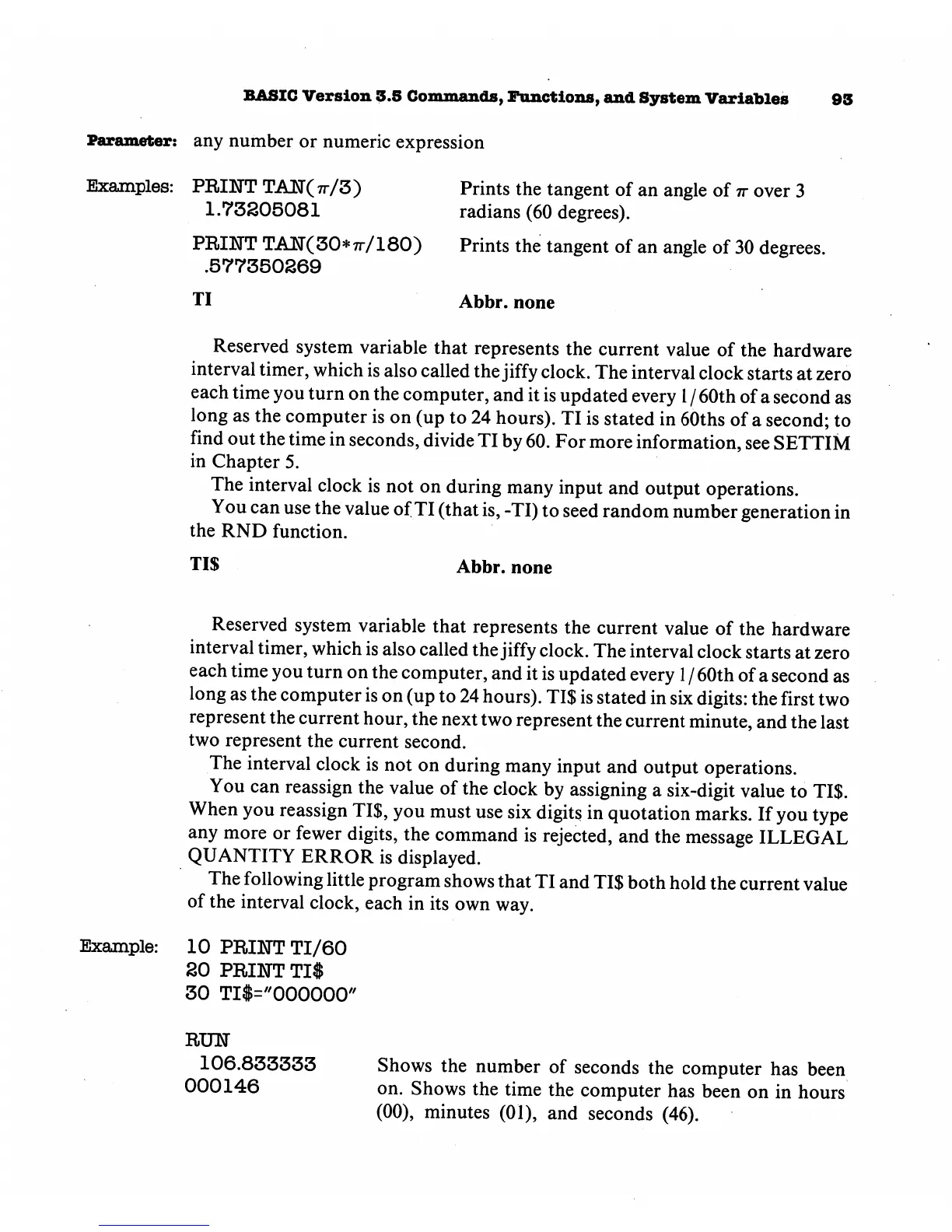
Examples:
PRIKTT
TAN(tt/3)
1.73205081
Prints
the
tangent
of
an
angle
of
ir
over
3
radians
(60
degrees).
PRINT
TAET(30*7r/180)
Prints
the
tangent
of
an
angle
of
30
degrees.
.577350269
TI
Abbr.
none
Reserved
system
variable
that
represents
the
current
value
of
the
hardware
interval
timer,
which
is
also called
the
jiffy
clock.
The
interval
clock
starts
at
zero
each
time
you
turn
on
the
computer,
and
it
is
updated
every
1
/
60th
of
a
second
as
long
as
the
computer
is
on
(up
to
24
hours).
TI
is
stated
in
60ths of a
second;
to
find
out
the
time
in
seconds,
divide
TI by
60.
For
more
information,
see
SETTIM
in
Chapter
5.
The
interval
clock
is
not
on
during
many
input
and
output
operations.
You
can
use
the
value
of
TI
(that
is,
-TI)
to
seed
random
number
generation
in
the
RND
function.
TI$
Abbr.
none
Example:
Reserved
system
variable
that
represents
the
current
value
of
the
hardware
interval
timer,
which
is
also
called
the
jiffy
clock.
The
interval
clock
starts
at
zero
each
time
you
turn
on
the
computer,
and
it
is
updated
every
1
/
60th
of
a
second
as
long
as
the
computer
is
on
(up
to
24
hours).
TI$
is
stated
in
six
digits:
the
first
two
represent
the
current
hour,
the
next
two
represent
the
current
minute,
and
the
last
two
represent
the
current
second.
The
interval
clock
is
not
on
during
many
input
and
output
operations.
You
can
reassign
the
value
of
the
clock
by
assigning
a
six-digit
value
to
TI$.
When
you
reassign
TI$,
you
must
use
six
digits
in
quotation
marks.
If
you
type
any
more
or
fewer
digits,
the
command
is
rejected,
and
the
message
ILLEGAL
QUANTITY
ERROR
is
displayed.
The
following
little
program
shows
that
TI
and
TI$
both
hold
the
current
value
of
the
interval
clock,
each
in
its
own
way.
10
PREKTT
TI/60
20
PRINT
TI$
30
TI$="000000"
RUN
106.833333
000146
Shows
the
number
of
seconds
the
computer
has
been
on.
Shows
the
time
the
computer
has
been
on
in
hours
(00),
minutes
(01),
and
seconds
(46).

Other manuals for Commodore Plus 4

Related product manuals