206
Programming
Graphics
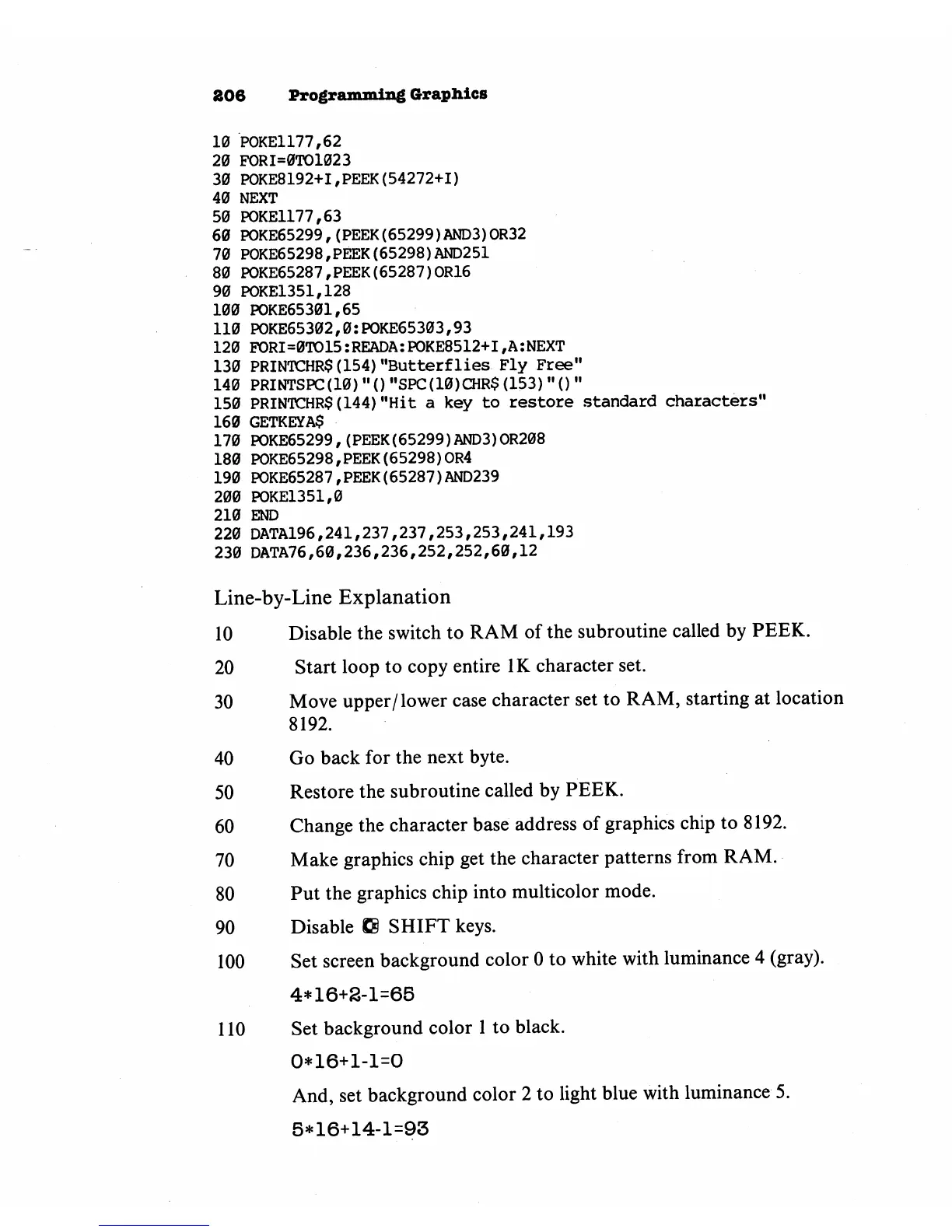
10
POKE1177,62
20
FORI=0TO1023
30
POKE8192+I,PEEK(54272+1)
40
NEXT
50
POKE1177,63
60
POKE65299r(PEEK(65299)AND3)OR32
70
POKE65298,PEEK(65298)AND251
80
POKE65287,PEEK(65287)OR16
90
POKE1351,128
100
POKE65301,65
110
POKE65302,0:POKE65303,93
120
PORI=0TO15:READA:POKE8512+I,A:NEXT
130
PRINTCHR$(154)"Butterflies
Fly
Free"
140
PRINTSPC(10)"()"SPC(10)CHR$(153)"()"
150
PRINTCHR$(144)"Hit
a
key
to
restore
standard
characters"
160
GETKEYA$
170
POKE65299,(PEEK(65299)AND3)OR208
180
POKE65298,PEEK(65298)0R4
190
POKE65287,PEEK(65287)AND239
200
POKE1351,0
210
END
220
DATA196,241,237,237,253,253,241,193
230
DATA76,60,236,236,252,252,60,12
Line-by-Line
Explanation
10
Disable
the
switch
to
RAM
of
the
subroutine
called
by
PEEK.
20
Start
loop
to
copy
entire
IK
character
set.
30
Move
upper/lower
case
character
set
to
RAM,
starting
at
location
8192.
40
Go
back
for
the
next
byte.
50
Restore
the
subroutine
called
by
PEEK.
60
Change
the
character
base
address
of
graphics
chip
to
8192.
70
Make
graphics chip
get
the
character
patterns
from
RAM.
80
Put
the
graphics chip
into
multicolor
mode.
90
Disable
8S
SHIFT
keys.
100 Set
screen
background
color
0
to
white
with
luminance
4
(gray).
4*16+8-1=65
110
Set
background
color
1
to
black.
0*16+1-1=0
And,
set
background
color
2
to
light
blue
with
luminance
5.
5*16+14-1=93



 To Next Page