EasyManua.ls Logo

Commodore Plus 4 - Page 246

Commodore Plus 4
464 pages
Print Icon
To Next Page IconTo Next Page
To Previous Page IconTo Previous Page
Loading...
234
Machine
Language
on
the
Commodore
Plus/4
displayed.
If
the
end
address
is
not
specified,
96
memory
locations
are
displayed.
If
no
addresses
are
specified,
the
memory
dump
begins
one
location
beyond
the
last
location
accessed.
Thus,
memory
is
continually
dumped
96
locations
at
a
time
when
you
enter
the
M
command
repeatedly.
The
memory
dump
is
displayed
on
the
screen
preceded
by
a
greater-than
sign
and by
the
address
at
which
the
line
starts.
Because
the
greater-than
sign
is
used
to
change
memory
locations,
cursoring
to
a
dumped
line,
changing
the desired
memory
location(s),
and
entering
a
RETURN
is
a
good
way
of
altering
the
contents
of
memory.
If
you
attempt
to
alter
ROM
locations
in
this
way,
the
contents
of
the
ROM
are redisplayed.
The
RAM
under
the
ROM
will
be
altered.
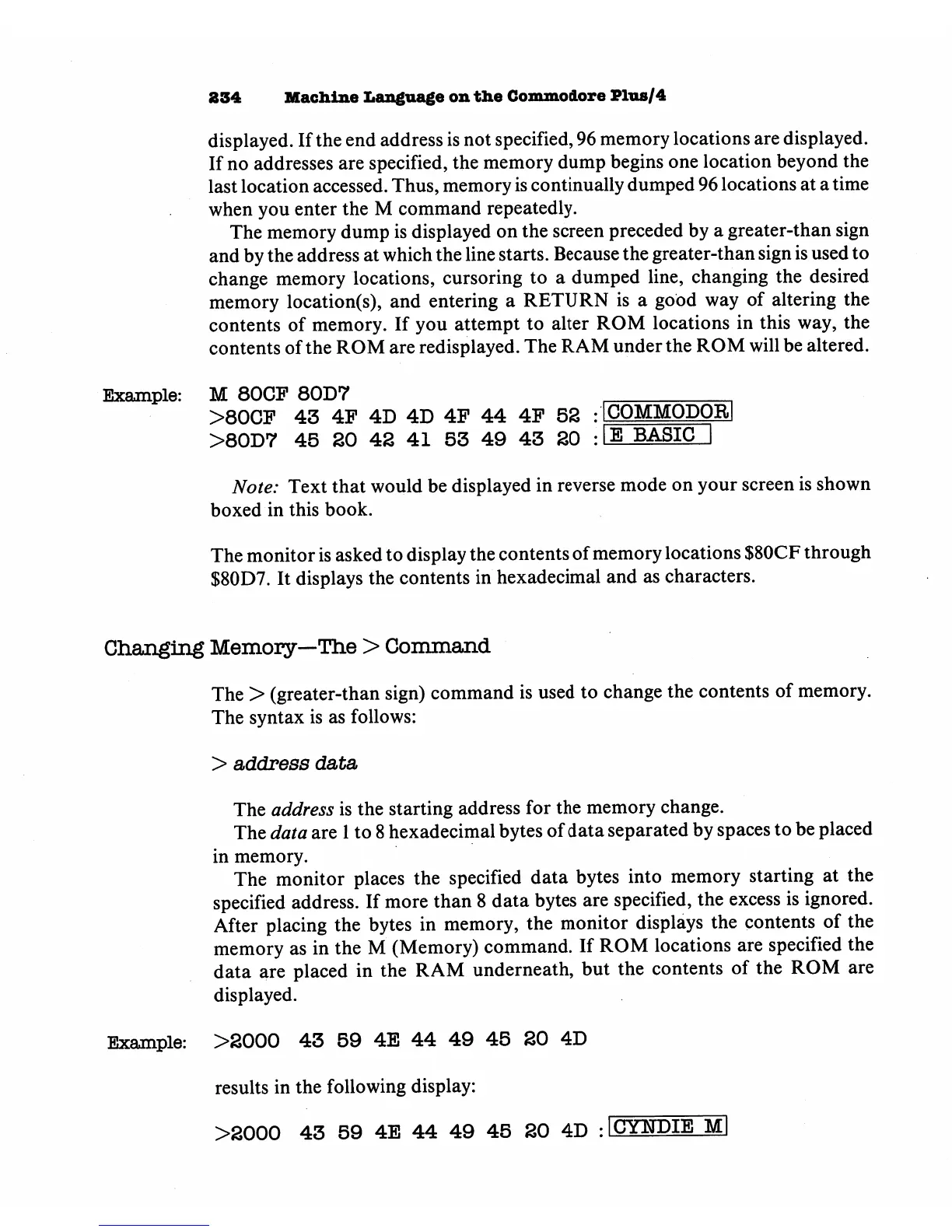
Example:
M
80CP
80D7
>80CF
43
4F
4D
4D
4F
44
4F
52
>80D7
45
SO
42
41
53
49 43
20
Note:
Text
that
would
be
displayed
in
reverse
mode
on
your
screen
is
shown
boxed
in
this
book.
The
monitor
is
asked
to
display
the
contents of
memory
locations
$80CF
through
$80D7.
It
displays
the
contents
in
hexadecimal
and
as
characters.
Changing
Memory—The
>
Command
The
>
(greater-than
sign)
command
is
used
to
change
the
contents
of
memory.
The
syntax
is
as
follows:
>
address
data
The
address
is
the
starting
address
for
the
memory
change.
The
data
are
1
to
8
hexadecimal
bytes
of
data
separated
by
spaces
to
be
placed
in
memory.
The
monitor
places
the
specified
data
bytes
into
memory
starting
at
the
specified
address.
If
more
than
8
data
bytes
are
specified,
the
excess
is
ignored.
After
placing
the
bytes
in
memory,
the
monitor
displays
the
contents
of
the
memory
as
in
the
M
(Memory)
command.
If
ROM
locations
are
specified
the
data
are
placed
in
the
RAM
underneath,
but
the
contents
of
the
ROM
are
displayed.
Example:
>2000
43
59
4E
44 49
45
20
4D
results
in
the
following
display:
>2000
43
59
4E
44
49
45
20
4D
:1CYKTDIE
M|

Other manuals for Commodore Plus 4

Related product manuals