EasyManua.ls Logo

Commodore Plus 4 - Page 274

Commodore Plus 4
464 pages
Print Icon
To Next Page IconTo Next Page
To Previous Page IconTo Previous Page
Loading...
Operation:
A^-M
-^
Addressing
Mode
Immediate
Zero
page
Zero
page,
X
Absolute
Absolute,
X
Absolute,
Y
(Indirect,
X)
(Indirect),
Y
A
Syntax
EOR
#$hh
EOR
$hh
EOR
$hh,X
EOR
Shhhh
EOR
$hhhh,X
EOR
$hhhh,Y
EOR
($hh,X)
EOR
($hh),Y
Flags
Affected:
N,
Z
Opcode
49
45
55
4D
5D
59
41
51
Bytes
2
2
2
3
3
3
2
2
Cycles
2
3
4
4
4*
4*
6
5*
*
Add
1
when
a
page
boundary
is
crossed.
Those
bits
that
are
set
to
1
in
the
value
in
the
accumulator
or
set
to
1
in
the
operand,
but
not
both,
are
set
to
1
in
the
result.
Bits
that
are
cleared
to
0
in
both
values
or
set
to
1
in
both
values
are
cleared
to
0
in
the
result.
If
the
result
has
the
high
bit
set
to
1,
the
N
flag
is
set
to
1;
otherwise
it
is
cleared
to
0.
If
the
result
is
zero,
the
Z
bit
is
set
to
1;
otherwise
it
is
cleared
to
0.
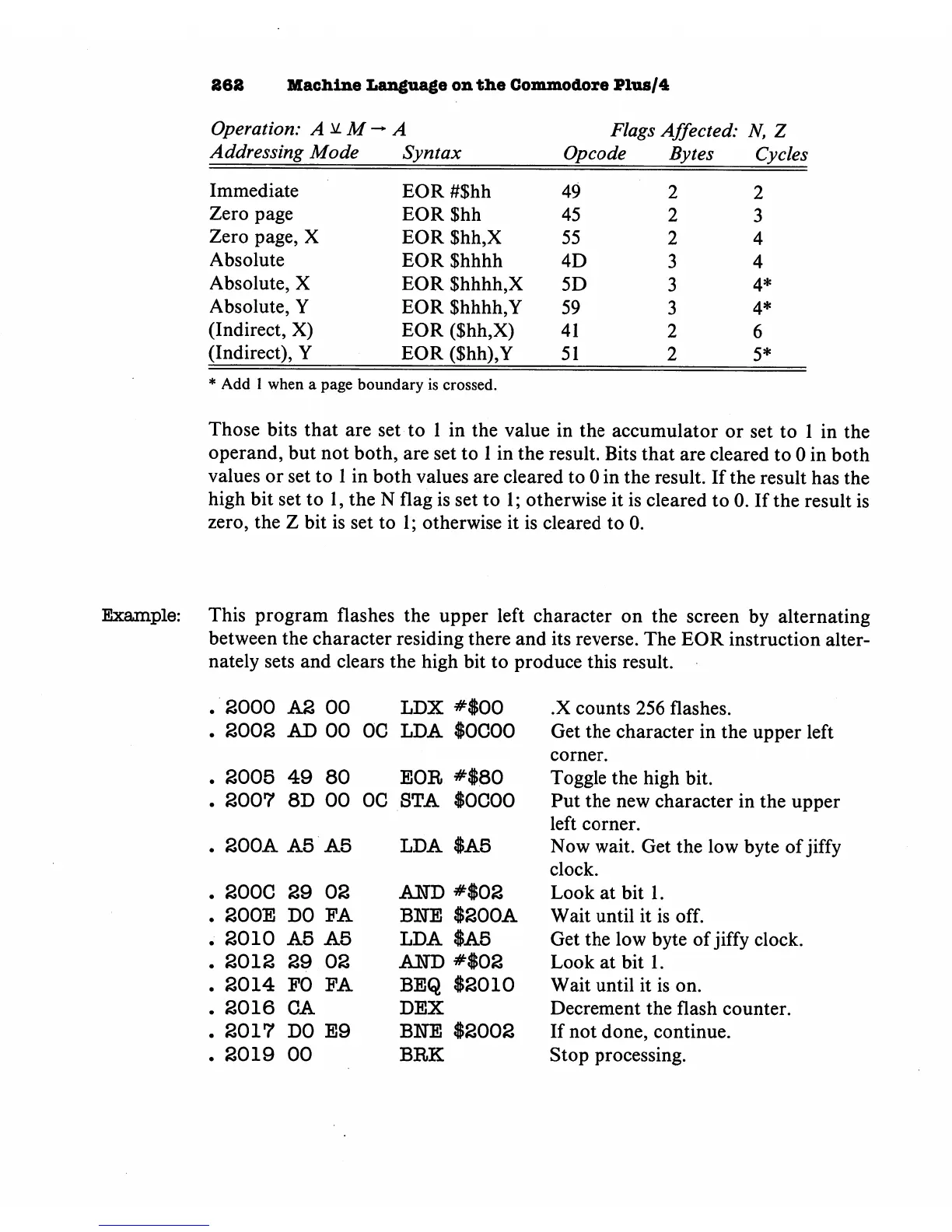
Example:
This
program
flashes
the
upper
left
character
on
the
screen
by
alternating
between
the
character
residing
there
and
its
reverse.
The
EOR
instruction
alter
nately
sets
and
clears
the
high
bit
to
produce
this
result.
2000
AS
00
LDX
#$00
SOOS
AD
00 OC
LDA
$0000
S005
49
80
EOR
#$80
2007
8D
00 OC
STA
$0000
S00A
A5
A5
LDA
$A5
200C
29
02
200E
DO
FA
2010
A5
A5
2012
29
02
2014
PO
PA
2016
CA
2017
DO
E9
2019
00
ATTO
#$02
BETE
$200A
LDA
$A5
A1H)
#$02
BEQ
$2010
DEX
BITE
$2002
BRK
.X
counts
256
flashes.
Get
the
character
in
the
upper
left
corner.
Toggle
the
high
bit.
Put
the
new
character
in
the
upper
left
corner.
Now
wait.
Get
the
low
byte
of
jiffy
clock.
Look
at
bit
1.
Wait
until
it
is
off.
Get
the
low
byte
of
jiffy
clock.
Look
at
bit
1.
Wait
until
it
is
on.
Decrement
the
flash
counter.
If
not
done,
continue.
Stop
processing.

Other manuals for Commodore Plus 4

Related product manuals