EasyManua.ls Logo

Commodore Plus 4 - Page 294

Commodore Plus 4
464 pages
Print Icon
To Next Page IconTo Next Page
To Previous Page IconTo Previous Page
Loading...
383
Machine
Language
on
the
Commodore
Plus/4
SOOC
00
200D
EE
2010
4C
BRK
19
PP DTC
&FF19
OE CE
JMP
$CEOE
Stop
processing.
Increment
the
border
color.
Jump
to
normal
IRQ
processing.
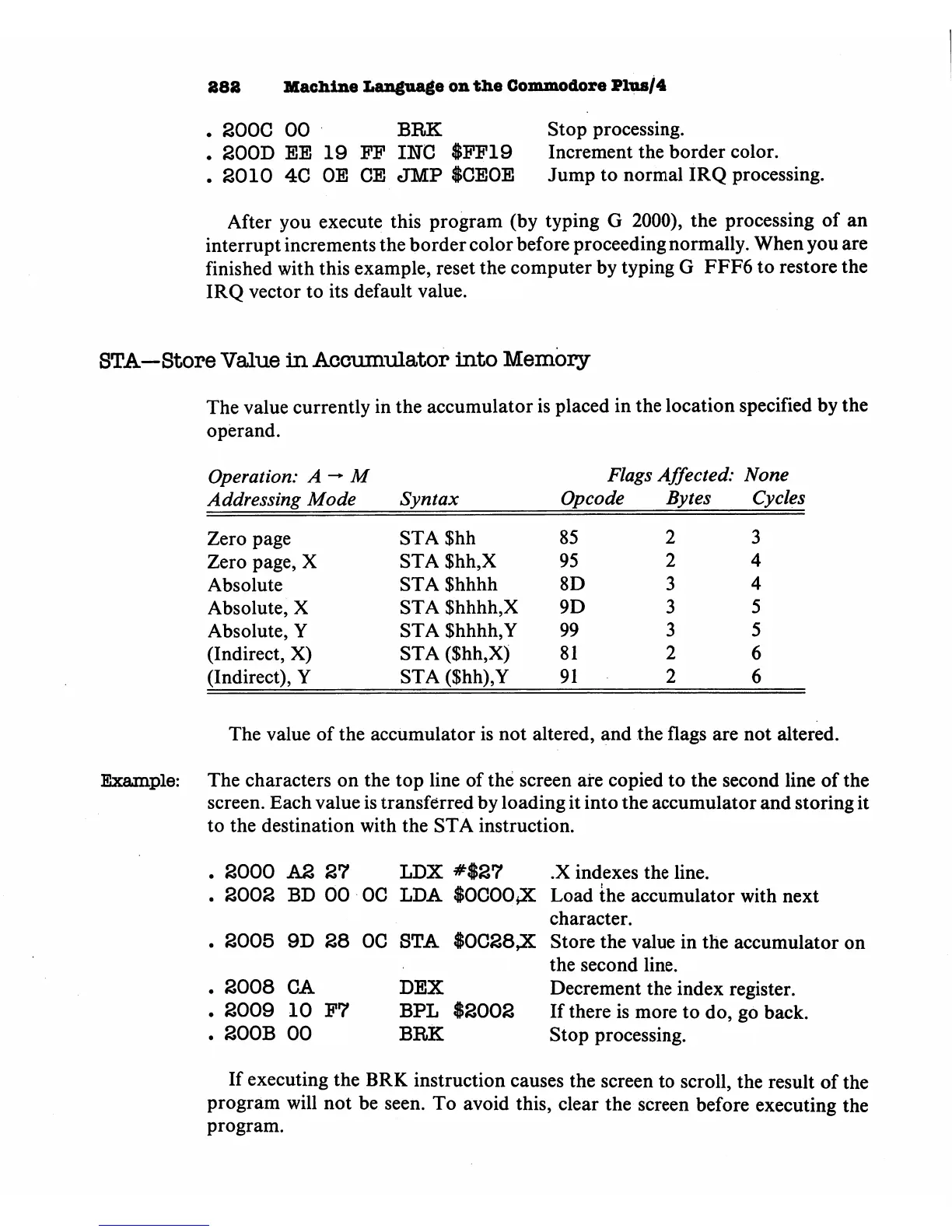
After
you
execute
this
program
(by typing
G
2000),
the
processing of
an
interrupt
increments
the
border
color
before
proceeding
normally.
When
you
are
finished
with
this
example,
reset
the
computer
by
typing
G
FFF6
to
restore
the
IRQ
vector
to
its
default
value.
STA—Store
Value
in
Accumulator
into
Memory
The
value
currently
in
the
accumulator
is
placed
in
the
location
specified
by
the
operand.
Example:
Operation:
A
M
Addressing
Mode
Zero
page
Zero
page,
X
Absolute
Absolute,
X
Absolute,
Y
(Indirect,
X)
(Indirect),
Y
Syntax
STA
$hh
STA
$hh,X
STA
Shhhh
STA
$hhhh,X
STA
$hhhh,Y
STA
($hh,X)
STA
($hh),Y
Flags
Affected:
None
Opcode
85
95
8D
9D
99
81
91
Bytes
2
2
3
3
3
2
2
Cycles
3
4
4
5
5
6
6
The
value
of
the
accumulator
is
not
altered,
and
the
flags
are
not
altered.
The
characters
on
the
top
line
of
the
screen
are
copied
to
the
second
line
of
the
screen.
Each
value
is
transferred
by
loading
it
into
the
accumulator
and
storing
it
to
the destination
with
the
STA
instruction.
.
2000
A2
27
LDX
#$27
.X
indexes
the
line.
.
2002
BD
00 OC
LDA
$0C00*X
Load
the
accumulator
with
next
character.
.
2005
9D
28 OC
STA
$0C28,X
2008
CA
2009
10
P7
200B
00
DEX
BPL
$2002
BRK
Store
the
value
in
the
accumulator
on
the
second
line.
Decrement
the
index
register.
If
there
is
more
to
do,
go
back.
Stop
processing.
If
executing
the
BRK
instruction
causes
the
screen
to
scroll,
the
result
of
the
program
will
not
be
seen.
To
avoid
this,
clear
the
screen
before
executing
the
program.

Other manuals for Commodore Plus 4

Related product manuals