EasyManua.ls Logo

Commodore Plus 4 - PROGRAMMABLE FUNCTION KEYS

Commodore Plus 4
464 pages
Print Icon
To Next Page IconTo Next Page
To Previous Page IconTo Previous Page
Loading...
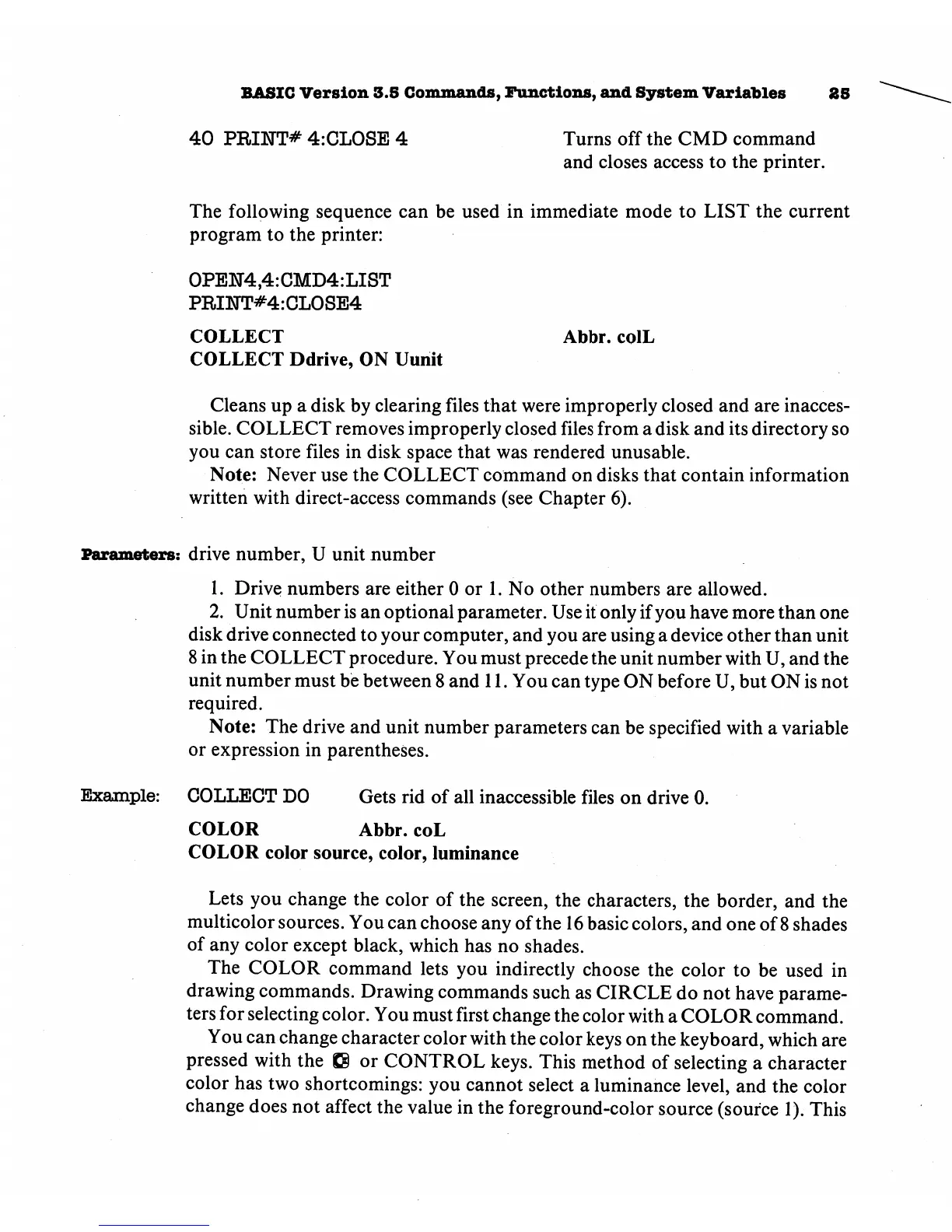
BASIC
Version
3.5
Commands,
Functions,
and
System
Variables
40
PRINT*
4:CL0SE
4
Turns
off
the
CMD
command
and
closes
access
to
the
printer.
The
following
sequence
can
be
used
in
immediate
mode
to
LIST
the
current
program
to
the
printer:
0PEH4,4:CMD4:LIST
PRINT#4:CL0SE4
COLLECT
Abbr.
colL
COLLECT
Ddrive,
ON
Uunit
Cleans
up
a
disk
by
clearing
files
that
were
improperly
closed
and
are
inacces
sible.
COLLECT
removes
improperly
closed
files
from
a
disk
and
its
directory
so
you
can
store
files
in
disk
space
that
was
rendered
unusable.
Note:
Never
use
the
COLLECT
command
on
disks
that
contain
information
written
with
direct-access
commands
(see
Chapter
6).
Parameters:
drive
number,
U
unit
number
1.
Drive
numbers
are
either
0
or
1.
No
other
numbers
are
allowed.
2.
Unit
number
is
an
optional
parameter.
Use
it
only
if
you
have
more
than
one
disk
drive
connected
to
your
computer,
and
you
are
using
a
device
other
than
unit
8 in
the
COLLECT
procedure.
You
must
precede
the
unit
number
with
U,
and
the
unit
number
must
be
between
8
and
11.
You
can
type
ON
before
U,
but
ON
is
not
required.
Note:
The
drive
and
unit
number
parameters
can
be
specified
with
a
variable
or
expression
in
parentheses.
Example:
COLLECT
DO
Gets
rid
of
all
inaccessible
files
on
drive
0.
COLOR
Abbr.
coL
COLOR
color source,
color,
luminance
Lets
you
change
the
color
of
the
screen,
the
characters,
the
border,
and
the
multicolor
sources.
You
can
choose
any
of
the
16
basic
colors,
and
one
of
8
shades
of
any
color
except
black,
which
has
no
shades.
The
COLOR
command
lets
you
indirectly
choose
the
color
to
be
used
in
drawing
commands.
Drawing
commands
such
as
CIRCLE
do
not
have
parame
ters
for
selecting
color.
You
must
first
change
the
color
with
a
COLOR
command.
You
can
change
character
color
with
the
color
keys
on
the
keyboard,
which
are
pressed
with
the
Q
or
CONTROL
keys.
This
method
of
selecting
a
character
color
has
two
shortcomings:
you
cannot
select
a
luminance
level,
and
the
color
change
does
not
affect
the
value
in
the
foreground-color
source
(source
1).
This

Other manuals for Commodore Plus 4

Related product manuals