EasyManua.ls Logo

Commodore Plus 4 - Page 383

Commodore Plus 4
464 pages
Print Icon
To Next Page IconTo Next Page
To Previous Page IconTo Previous Page
Loading...
The
Printer
371
2015
2017
2019
201C
201E
2021
2023
2026
2029
202C
202E
2030
2032
2035
2037
203A
203C
B0
A9
20
A2
20
B0
20
20
20
F0
C9
D0
20
A9
20
B0
00
69
0D
D2
02
C6
5D
CF
D2
B7
F5
40
4E
CC
02
C3
44
FF
FF
FF
FF
FF
FF
FF
BCS
LDA
JSR
LDX
JSR
BCS
JSR
JSR
JSR
BEQ
CMP
BNE
JSR
LDA
JSR
BCS
BRK
$2080
#$0D
$FFD2
#$02
$FFC6
$2080
$FFCF
$FFD2
$FFB7
$2023
#$40
$2080
$FFOC
#$02
$FFC3
$2080
If
error,
go
to
error
message
routine.
Carriage
return
character.
Send
to
screen.
Logical
file
number
of
file.
Set
to
input
channel.
If
error,
go
to
error
message
routine.
Get
a
character
from
the
file.
Send
to
the
screen.
Kheck
the
status
byte.
If
zero,
continue.
Conpare
to
end-of-file.
If
not,
go
to
error
message
routine.
Reset
I/O
channels.
Logical
file
number
of
file.
CLOSE.
If
error,
go
to
error
message
routine.
Stop
processing.
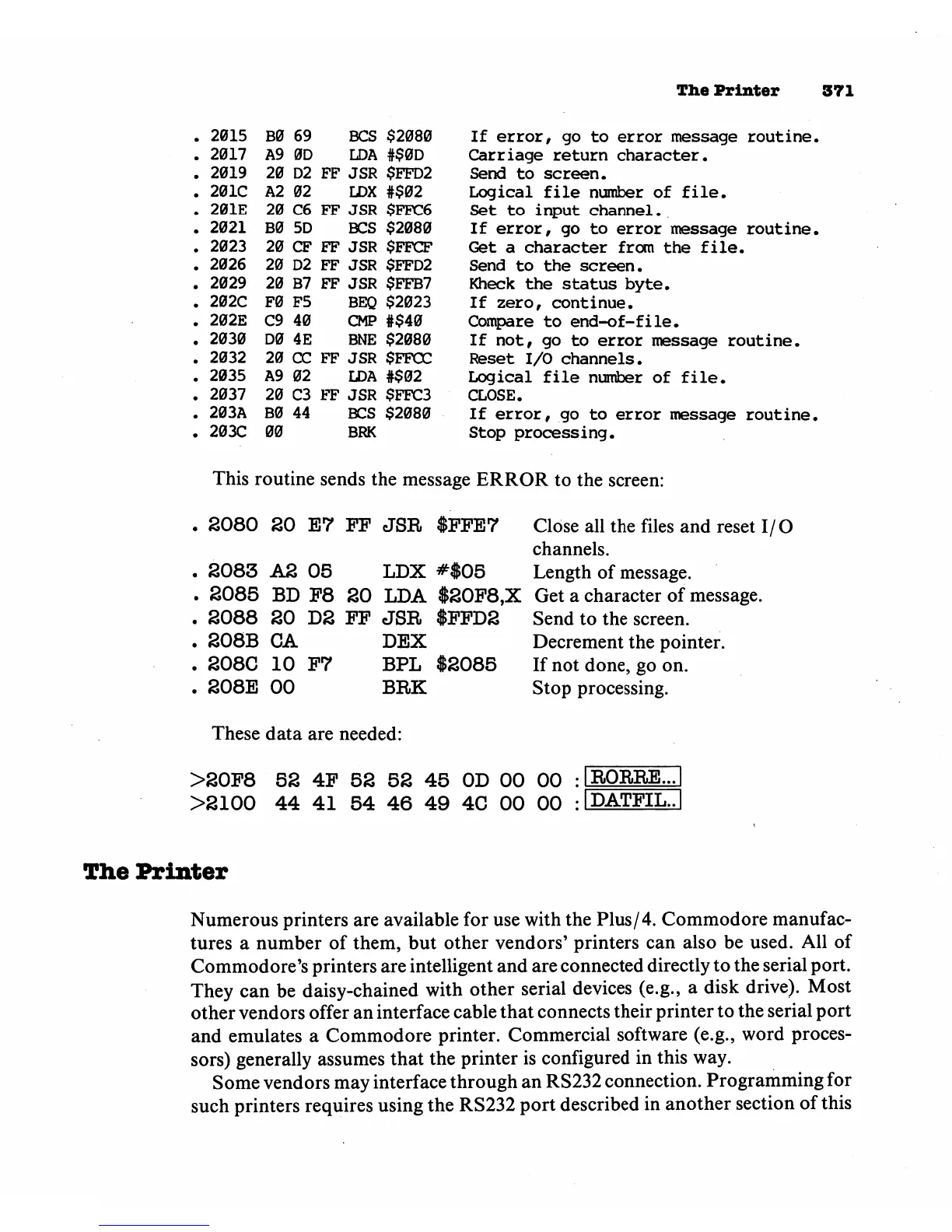
This
routine
sends
the
message
ERROR
to
the
screen:
2080
20
E7
FF
JSR
$FFE7
2083
A2
05
LDX
#$05
2085
BD
F8
20
LDA
$20F8,X
2088
20
D2
FF
JSR
$FFD2
208B
CA
DEX
208C
10
F7
BPL
$2085
208E
00
BRK
These
data
are
needed:
Close
all
the
files
and
reset
I/O
channels.
Length
of
message.
Get
a
character
of
message.
Send
to
the
screen.
Decrement
the
pointer.
If
not
done,
go
on.
Stop
processing.
>20F8
52
4F
52 52
45
OD
00
00
>2100
44
41
54
46
49
4C
00 00
The
Printer
Numerous
printers
are
available for
use
with
the
Plus/4.
Commodore
manufac
tures
a
number
of
them,
but
other
vendors'
printers
can
also
be
used.
All
of
Commodore's
printers
are
intelligent
and
are
connected
directly
to
the
serial
port.
They
can
be
daisy-chained
with
other
serial
devices
(e.g.,
a
disk
drive).
Most
other
vendors
offer
an
interface
cable
that
connects
their
printer
to
the
serial
port
and
emulates
a
Commodore
printer.
Commercial
software
(e.g.,
word
proces
sors)
generally
assumes
that
the
printer
is
configured
in
this
way.
Some
vendors
may
interface
through
an
RS232
connection.
Programming
for
such
printers
requires
using
the
RS232
port
described
in
another
section
of
this