EasyManua.ls Logo

Commodore Plus 4 - Color and reverse printing

Commodore Plus 4
464 pages
Print Icon
To Next Page IconTo Next Page
To Previous Page IconTo Previous Page
Loading...
42
The
BASIC
Language
10
F0RY
=
1T0
3
SO
FOR
Z
=
6
TO
1
STEP
-2
30
PRINT
"Z
=";Z;
40
PRINT
"Y
=";
Y
50
NEXT
Z:
NEXT
Y
This
line
could
also
read
NEXT
Z,Y.
RUN
Z
=
6
Y
=
1
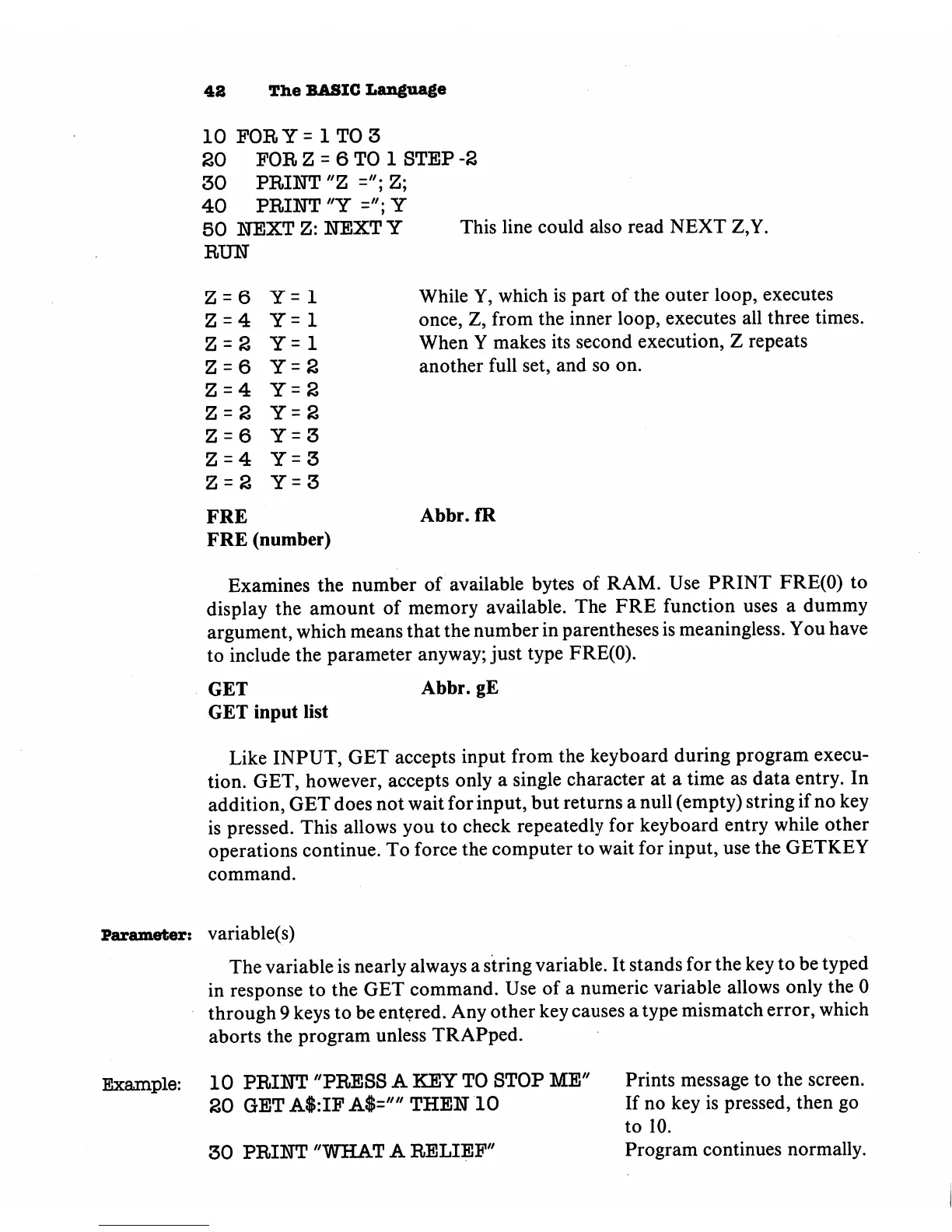
While
Y,
which
is
part
of
the
outer
loop,
executes
Z
=
4
Y
=
1
once,
Z5
from
the
inner
loop,
executes
all
three
times.
Z
=
2
Y
=
1
When
Y
makes
its
second
execution,
Z
repeats
Z
=
6
Y
=
2
another
full
set,
and
so
on.
Z=4
Y=2
Z=2
Y=2
Z=6
Y=3
Z=4
Y=3
Z=2
Y=3
FRE
Abbr.
fR
FRE
(number)
Examines
the
number
of
available
bytes
of
RAM.
Use
PRINT
FRE(O)
to
display
the
amount
of
memory
available.
The
FRE
function
uses
a
dummy
argument,
which
means
that
the
number
in
parentheses
is
meaningless.
You
have
to
include
the
parameter
anyway;
just
type
FRE(O).
GET
Abbr.
gE
GET
input
list
Like
INPUT,
GET
accepts
input
from
the
keyboard
during
program
execu
tion.
GET,
however,
accepts
only
a
single
character
at
a
time
as
data
entry.
In
addition,
GET
does
not
wait
for
input,
but
returns
a
null
(empty)
string
if
no
key
is
pressed.
This
allows
you
to
check
repeatedly
for
keyboard
entry
while
other
operations
continue.
To
force
the
computer
to
wait
for
input,
use
the
GETKEY
command.
Parameter:
variable(s)
The
variable
is
nearly
always
a
string
variable.
It
stands
for
the
key
to
be
typed
in
response
to
the
GET
command.
Use
of
a
numeric
variable
allows
only
the
0
through
9
keys
to
be
entered.
Any
other
key
causes a
type
mismatch
error,
which
aborts
the
program
unless
TRAPped.
Example:
10
PRINT
"PRESS
A
KEY
TO
STOP
ME"
Prints
message
to
the
screen.
SO
GET
A$:IP
A$=""
THEN
10
If
no
key
is
pressed,
then
go
to
10.
30
PRINT
"WHAT
A
RELIEF"
Program
continues
normally.

Other manuals for Commodore Plus 4

Related product manuals