EasyManua.ls Logo

Commodore Plus 4 - Page 56

Commodore Plus 4
464 pages
Print Icon
To Next Page IconTo Next Page
To Previous Page IconTo Previous Page
Loading...
44
The
BASIC
Language
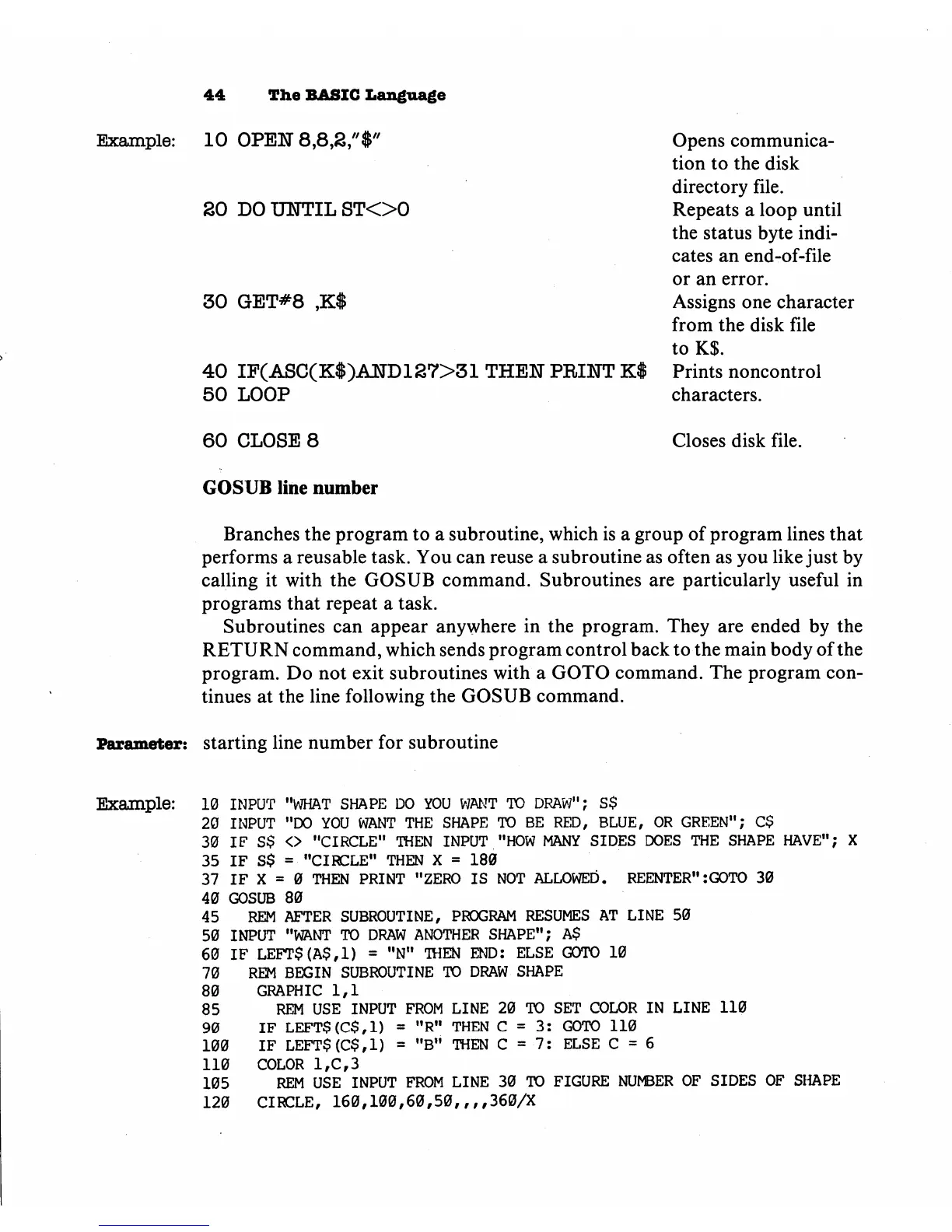
Example:
10
OPEN
SO
DO
UIITIL
STOO
30
GET#8
,K$
40
IF(ASC(K$)AND137>31
THEN
PRINT
K$
50
LOOP
Opens
communica
tion to
the
disk
directory
file.
Repeats
a
loop
until
the
status
byte
indi
cates
an
end-of-file
or
an
error.
Assigns
one
character
from
the disk
file
toK$.
Prints
noncontrol
characters.
60
CLOSE
8
Closes
disk
file.
GOSUB
line
number
Branches
the
program
to
a
subroutine,
which
is
a
group
of
program
lines
that
performs
a
reusable
task.
You
can
reuse
a
subroutine
as
often
as
you
like
just
by
calling
it
with
the
GOSUB
command.
Subroutines
are
particularly
useful
in
programs
that
repeat
a
task.
Subroutines
can
appear
anywhere
in
the
program.
They
are
ended
by
the
RETURN
command,
which
sends
program
control
back
to
the
main
body
of
the
program.
Do
not
exit
subroutines
with
a
GOTO
command.
The
program
con
tinues
at
the
line
following
the
GOSUB
command.
Parameter:
starting
line
number
for
subroutine
Example:
10
INPUT "WHAT
SHAPE
DO
YOU
WANT
TO
DRAW";
S$
20
INPUT
"DO
YOU
WANT
THE
SHAPE
TO
BE
RED,
BLUE,
OR
GREEN";
C$
30
IF
S$
<>
"CIRCLE"
THEN
INPUT
"HOW
MANY
SIDES
DOES
THE
SHAPE
HAVE"; X
35
IF S$
=
"CIRCLE"
THEN
X
=
180
37
IF
X
=
0
THEN
PRINT
"ZERO
IS
NOT
ALLOWED.
REENTER":GOTO
30
40
GOSUB
80
45
REM
AFTER
SUBROUTINE,
PROGRAM
RESUMES AT
LINE
50
50
INPUT
"WANT
TO
DRAW
ANOTHER
SHAPE";
A$
60
IF
LEFT$(A$,1)
=
"N"
THEN
END:
ELSE
GOTO
10
70
REM
BEGIN SUBROUTINE
TO
DRAW
SHAPE
80
GRAPHIC
1,1
85
REM
USE
INPUT
FROM
LINE
20
TO
SET
COLOR
IN
LINE
110
90
IF
LEFTS(C$,1)
=
"R"
THEN
C
=
3:
GOTO
110
100
IF
LEFT$(C$,1)
=
"B"
THEN
C
=
7:
ELSE
C
=
6
110
COLOR
1,C,3
105
REM
USE
INPUT
FROM
LINE
30
TO
FIGURE NUMBER
OF
SIDES
OF
SHAPE
120
CIRCLE,
160,100,60,50,,,,360/X

Other manuals for Commodore Plus 4

Related product manuals