EasyManua.ls Logo

Commodore Plus 4 - Programming modes

Commodore Plus 4
464 pages
Print Icon
To Next Page IconTo Next Page
To Previous Page IconTo Previous Page
Loading...
BASIC
Version
3.5
Commands,
Functions,
and System
Variables
65
Parameters:
logical
file
number,
device
number,
secondary
address,
"file
name"
1.
The
logical
file
number
can
be
from
1
to
255.
Normally,
use
1
to
127.
For
some
devices,
0
is
a
valid
logical
file
number.
Logical
file
numbers
greater
than
127
cause
a
line
feed
character
to
be
sent
after
the
carriage
return
at
the
end
of
each
line.
Some
non-Commodore
printers
or
RS232
devices
may
require
this.
The
file
number
is
not
actually
a
part
of
the
file
or
device
you
are
opening.
The
file
number
is
just
a
temporary
number
used
until
you
CLOSE
the
file.
It
gives
the
computer
a
way
to
keep
track
of
which
device
or
file
you
are
accessing.
The
file
number
is
like
a
number
you
take
at
a
deli
counter
or
laundry—it
is
associated
with
you
and
your
order
only
while
your
business
is
being
transacted.
Once
the
device
or
file
is
OPEN,
you
must
use
the
same
file
number
for
the
device
or
file
when
you
address
other
commands
to
it.
These
other
commands
are
CLOSE,
CMD,
GET#,
INPUT#,
PRINT#,
and
PRINT#
USING.
Once
the
file
is
CLOSEd,
the
logical
file
number
is
no
longer
associated
with
the
file
and
you
do
not
have
to
use
the
same
logical
file
number
the
next
time
you
OPEN
the
file.
2.
The
device
number
identifies
the
other
end
(device
or
file)
of
the
communi
cation
channel
you
are
opening
through
the
computer.
If
you
are
accessing
a
disk
file,
use
the
disk
drive
device
number;
if
you
are
accessing
a
tape
file,
use
the
cassette
recorder
device
number,
and
so
on.
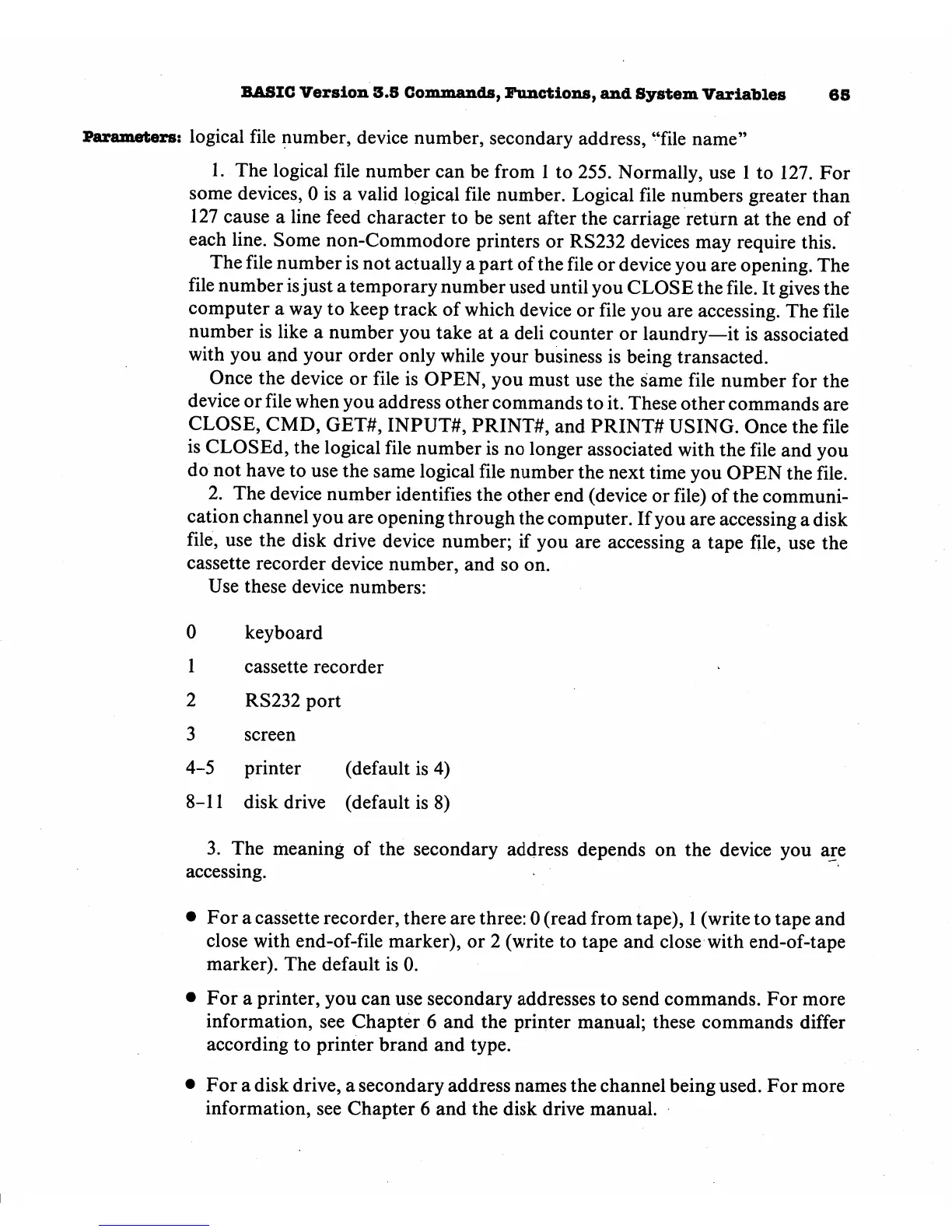
Use
these
device
numbers:
0
1
2
3
4-5
keyboard
cassette
recorder
RS232
port
screen
printer
(default
is
4)
8-11
disk
drive
(default
is
8)
3.
The
meaning
of
the
secondary
address
depends
on
the device
you
are
accessing.
For
a
cassette
recorder,
there
are
three:
0
(read
from
tape),
1
(write
to
tape
and
close
with
end-of-file
marker),
or
2
(write
to
tape
and
close
with
end-of-tape
marker).
The
default
is
0.
For
a
printer,
you
can
use
secondary
addresses
to
send
commands.
For
more
information,
see
Chapter
6
and
the
printer
manual;
these
commands
differ
according
to
printer
brand
and
type.
For
a
disk
drive,
a
secondary
address
names
the
channel
being
used.
For
more
information,
see
Chapter
6
and
the
disk
drive
manual.

Other manuals for Commodore Plus 4

Related product manuals