EasyManua.ls Logo

Commodore Plus 4 - COMMAND AND STATEMENT FORMAT

Commodore Plus 4
234 pages
Print Icon
To Next Page IconTo Next Page
To Previous Page IconTo Previous Page
Loading...
COMMAND
AND
STATEMENT
FORMAT
The
commands
and
statements
presented
in
this
section
of
the
ency
clopedia
are
governed
by
consistent
format
conventions
designed
to
make
them
as
clear
as
possible.
In
most
cases,
there
are
several
ac
tual
examples
to
illustrate
what
the
actual
command
looks
like.
The
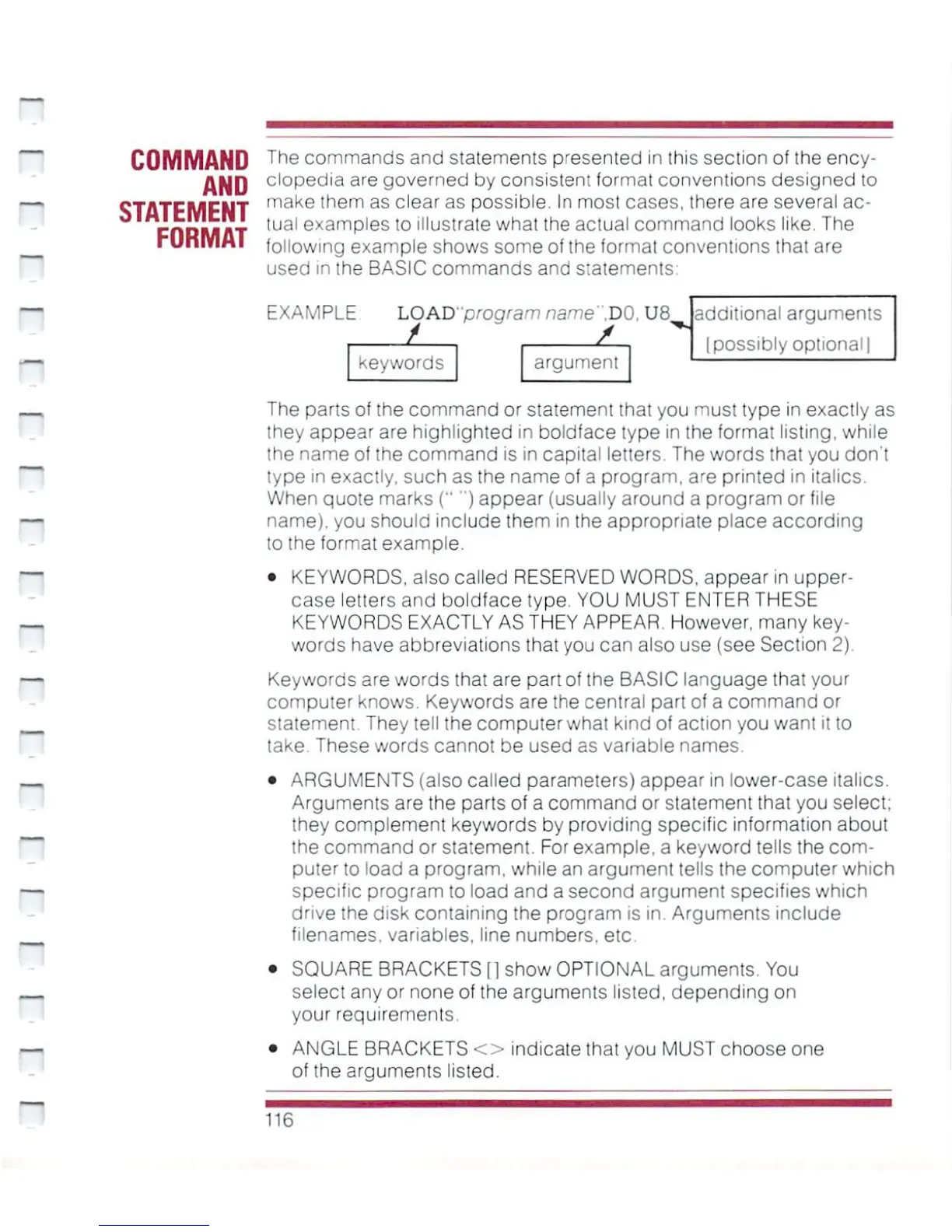
following
example
shows
some
of
the
format
conventions
that
are
used
in
the
BASIC
commands
and
s;atements
EXAMPLE
LOAD1'program
name
".DO.
U8
keywords
argument
additional
arguments
Ipossibly
optional
|
The
parts
of
the
command
or
statement
that
you
must
type
in
exactly
as
they
appear
are
highlighted
in
boldface
type
in
the
format
listing,
while
the
name
of
the
command
is in
capital
letters.
The
words
that
you
don't
type
in
exactly,
such
as
the
name
of
a
program,
are
printed
in
italics.
When
quote
marks
("')
appear
(usually
around
a
program
or
file
name),
you
should
include
them
in
the
appropriate
place
according
to
the
format
example.
KEYWORDS,
also
called
RESERVED
WORDS,
appear
in
upper
case
letters
and
boldface
type.
YOU
MUST
ENTER
THESE
KEYWORDS
EXACTLY
AS
THEY
APPEAR.
However,
many
key
words
have
abbreviations
that
you
can
also
use
(see
Section
2)
Keywords
are
words
that
are
part
of
the
BASIC
language
that
your
computer
knows.
Keywords
are
the
central
part
of
a
command
or
statement
They
tell
the
computer
what
kind
of
action
you
want
it
to
take.
These words
cannot
be used
as
variable
names.
ARGUMENTS
(also
called
parameters)
appear
in
lower-case
italics.
Arguments
are
the
parts
of
a
command
or
statement
that
you
select;
they
complement
keywords
by
providing
specific
information
about
the
command
or
statement.
For
example,
a
keyword
tells
the
com
puter
to
load
a
program,
while
an
argument
tells
the
computer
which
specific
program
to
load
and
a
second
argument
specifies
which
drive
the disk
containing
the
program
is
in.
Arguments
include
filenames,
variables,
line
numbers,
etc
SQUARE
BRACKETS
[1
show
OPTIONAL
arguments.
You
select
any
or
none
of
the
arguments
listed,
depending
on
your
requirements.
ANGLE
BRACKETS
<>
indicate
that
you
MUST
choose
one
of
the
arguments
listed.
116

Other manuals for Commodore Plus 4

Related product manuals