EasyManua.ls Logo

Commodore Plus 4 - Page 129

Commodore Plus 4
234 pages
Print Icon
To Next Page IconTo Next Page
To Previous Page IconTo Previous Page
Loading...
n
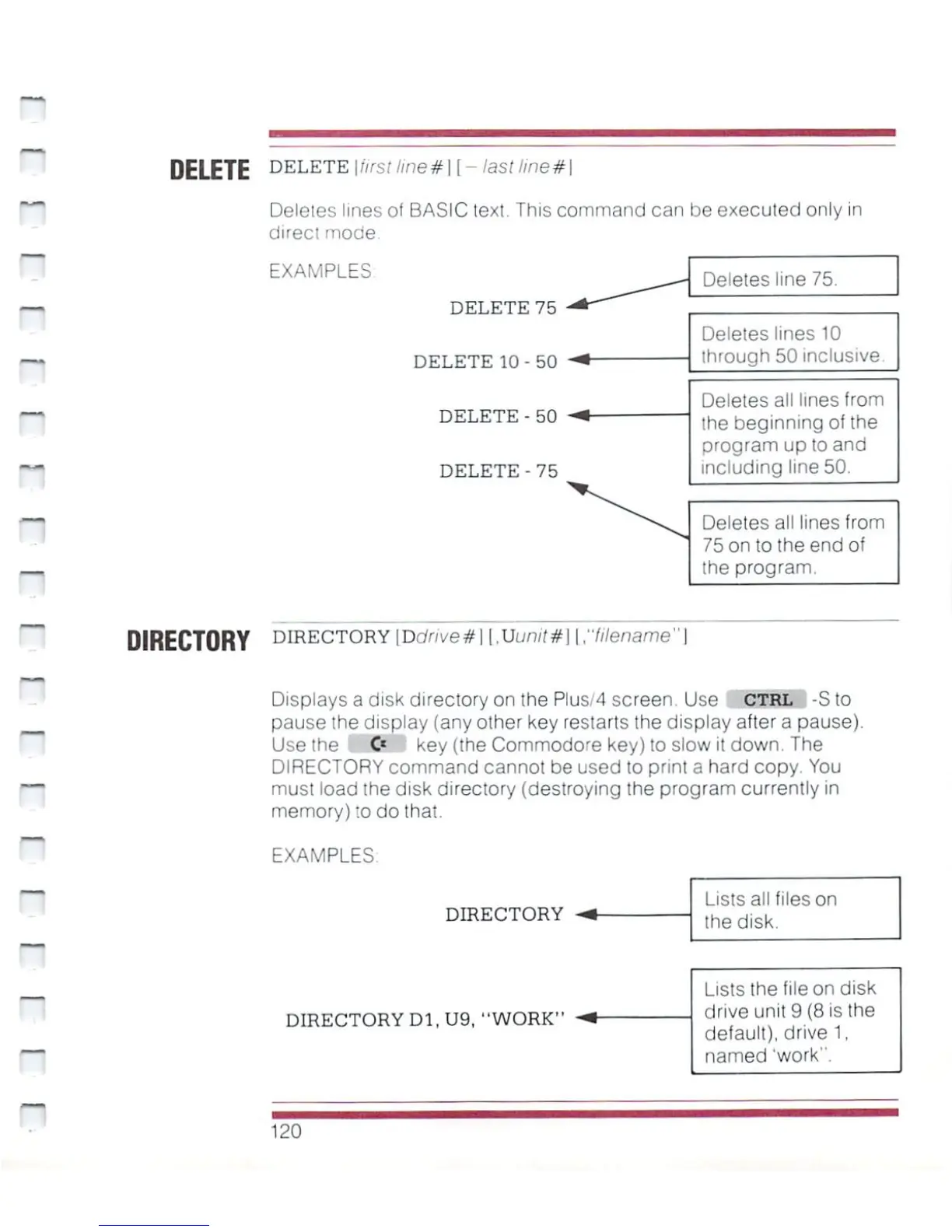
DELETE
DELETE
\fifsi
ime#]
[
-
last
line*
I
Deletes
lines
of
BASIC
text.
This
command
can be
executed
only
in
direct
mode.
~
~
n
n
EXAMPLES
DELETE
75
DELETE
10-50
DELETE
-
50
DELETE
-
75
Deletes
line
75.
Deletes
lines
10
through
50
inclusive
Deletes
all
lines
from
the
beginning
of
the
program
up
to
and
including
line
50.
Deletes
all
lines
from
75
on
to
the
end
of
the
program.
DIRECTORY
DIRECTORY
|Ddrwe#l
l,Uun/!#]
\rlilename"\
~
*
~
Displays
a
disk
directory
on
the
Plus/4
screen.
Use
CTRL
-S
to
pause
the
display
(any
other
key
restarts
the
display
after
a
pause).
Use
the
C*
key
(the
Commodore
key)
to
slow
it
down.
The
DIRECTORY
command
cannot
be used
to
print
a
hard
copy.
You
must
load
the disk
directory
(destroying
the
program
currently
in
memory)
:o
do
that.
EXAMPLES
DIRECTORY
DIRECTORY
D1,U9,
"WORK"
Lists
all
files
on
the
disk.
Lists
the
file
on
disk
drive
unit
9
(8
is
the
default),
drive
1,
named
'work11.
120

Other manuals for Commodore Plus 4

Related product manuals