EasyManua.ls Logo

Commodore Plus 4 - Page 131

Commodore Plus 4
234 pages
Print Icon
To Next Page IconTo Next Page
To Previous Page IconTo Previous Page
Loading...
-
n
n
n
-
*—1
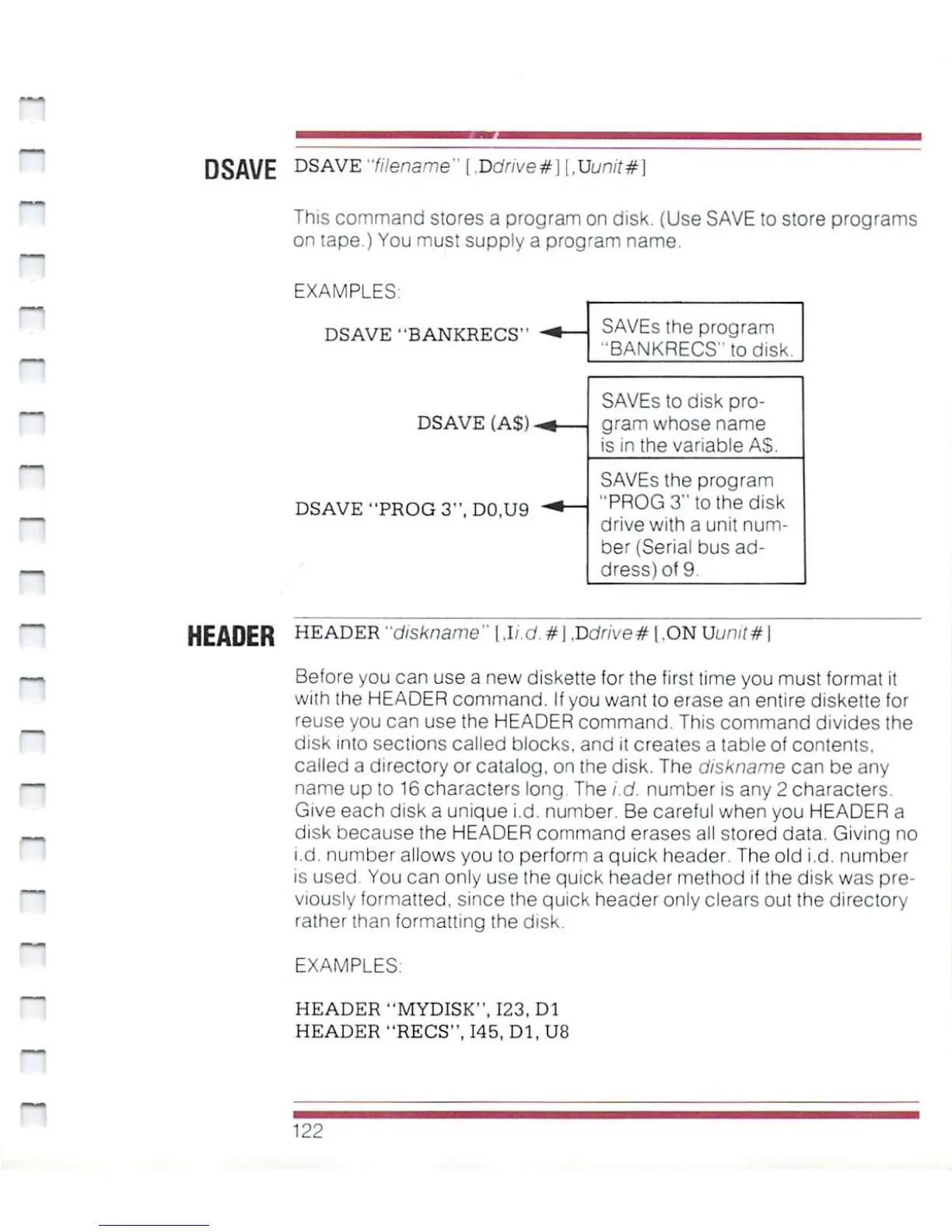
SAVEs
the
program
■'BANKRECS"todisk.
SAVEs
to
disk
pro
gram
whose
name
is
in
the
variable
AS.
SAVEs
the
program
"PROG
3"
to
the
disk
drive
with
a
unit
num
ber
(Serial
bus
ad
dress)
of
9
~
DSAVE
DSAVE
"filename"
[.Ddrive#\
[,Uunit#]
This
command
stores
a
program
on
disk.
(Use
SAVE
to
store
programs
on
tape.)
You
must
supply
a
program
name
EXAMPLES
DSAVE
"BANKRECS"
DSAVE
(AS)
DSAVE "PROG
3",
D0.U9
HEADER
HEADER
"diskname"
\.li.d.#\
,Vdrive#
[,ONUuntt#\
Before
you
can
use
a
new
diskette
for
the
first
time
you
must
format
it
with
the
HEADER
command.
If
you
want
to
erase
an
entire
diskette
for
reuse
you
can
use
the
HEADER
command.
This
command
divides
the
disk
into
sections
called
blocks,
and
it
creates
a
table
of
contents,
called a
directory
or catalog,
on
the
disk.
The
diskname
can be
any
name
up
to
16
characters
long.
The
i.d.
number
is
any
2
characters.
Give
each
disk
a
unique
i.d.
number.
Be
careful
when
you
HEADER
a
disk
because
the
HEADER
command
erases
a!!
stored
data.
Giving
no
i.d.
number
allows
you
to
perform
a
quick
header.
The
old
i.d.
number
is
used.
You
can
only
use
the
quick
header
method
if
the
disk
was
pre
viously
formatted,
since
[he
quick
header
only
clears
out the
directory
rather
than
formatting
the
disk.
EXAMPLES:
HEADER
"MYDISK",
123,
Dl
HEADER
"RECS",
145,
Dl,
U8
H
122

Other manuals for Commodore Plus 4

Related product manuals