EasyManua.ls Logo

Commodore Plus 4 - Page 142

Commodore Plus 4
234 pages
Print Icon
To Next Page IconTo Next Page
To Previous Page IconTo Previous Page
Loading...
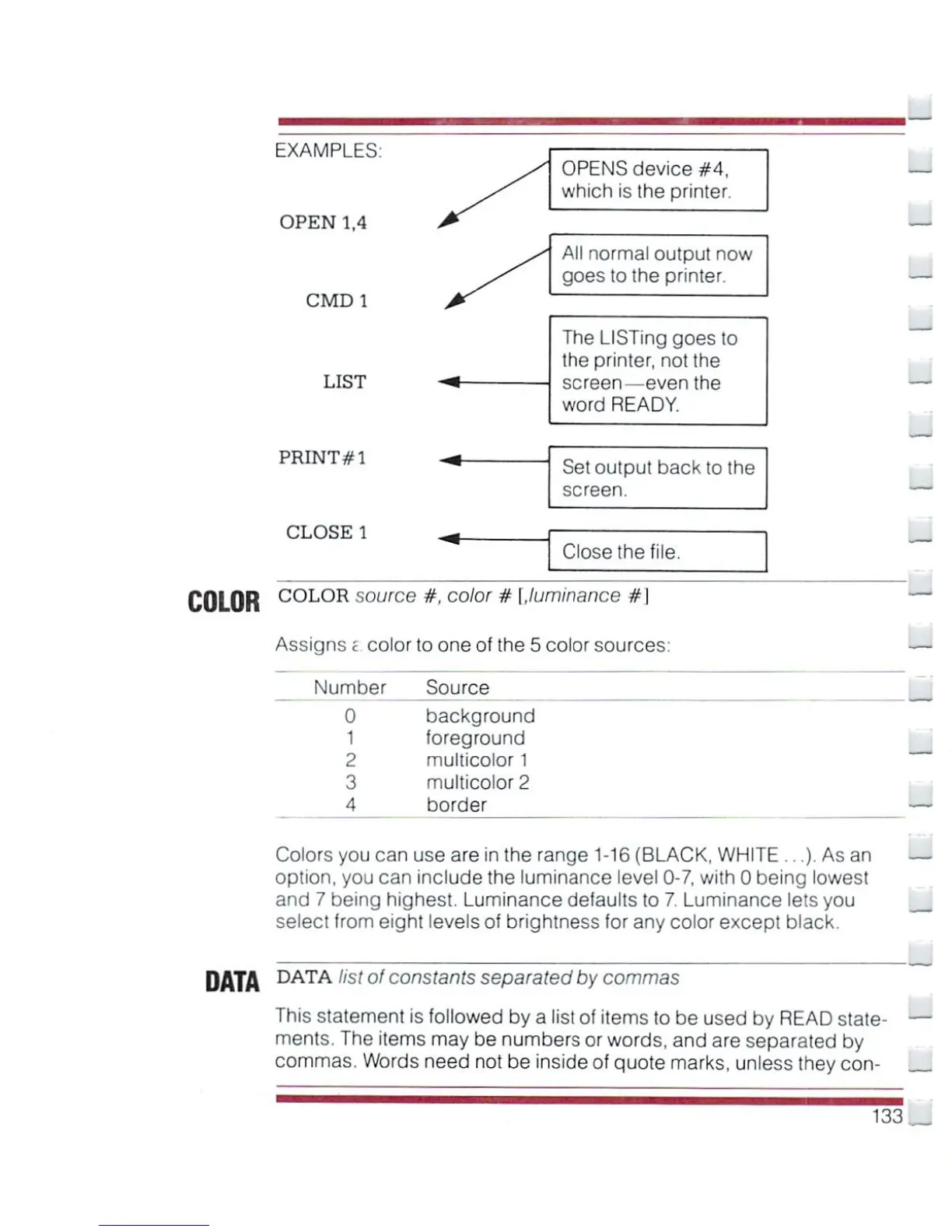
EXAMPLES
OPEN
1,4
CMD1
LIST
PRINT#1
CLOSE
1
OPENS
device
#4,
which
is
the
printer.
All
normal
output
now
goes
to
the
printer.
The
LISTing
goes
to
the
printer,
not the
screen—even
the
word
READY.
Set
output
back
to
the
screen.
Close
the
file.
COLOR
C0L0R
source
#.
color
#
[.luminance
#
I
Assigns
t
color
to
one
of
the
5
color
sources:
Number
Source
background
foreground
multicolor
1
multicolor
2
border
Colors
you
can
use
are
in
the
range
1-16
(BLACK,
WHITE
...).
As
an
option,
you
can
include
the
luminance
level
0-7,
with
0
being
lowest
and
7
being
highest.
Luminance
defaults
to
7.
Luminance
lets
you
select
from
eight
levels
of
brightness
for
any
color
except
black.
DATA
DATA
list
of
constants
separated
by
commas
This
statement
is
followed
by
a
list
of
items
to
be used
by
READ
state
ments.
The
items
may
be
numbers
or
words,
and
are
separated
by
commas.
Words
need
not
be
inside
of
quote
marks,
unless
they
con-
133

Other manuals for Commodore Plus 4

Related product manuals