EasyManua.ls Logo

Commodore Plus 4 - Numbers and basic operators

Commodore Plus 4
234 pages
Print Icon
To Next Page IconTo Next Page
To Previous Page IconTo Previous Page
Loading...
_J
NUMBERS
AND
BASIC
OPERATORS
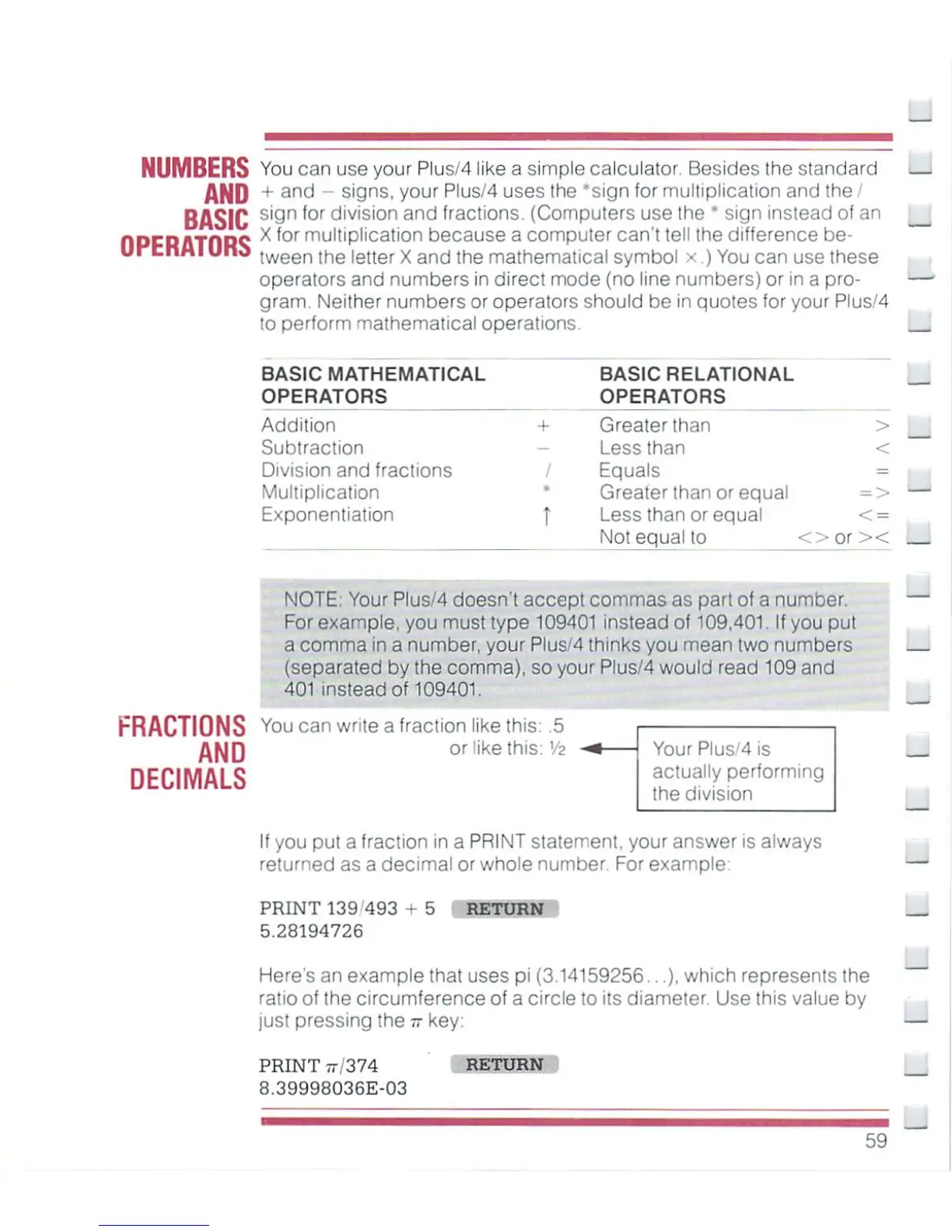
You
can
use
your
Plus/4
like
a simple
calculator
Besides
the
standard
+
and
-
signs,
your
Plus/4
uses
the
'sign
for
multiplication
and
the
/
sign
for
division
and
fractions.
(Computers
use
the
*
sign
instead
of
an
X
(or
multiplication
because
a
computer
can't
tell
the
difference
be
tween
the
letter
X
and
the
mathematical
symbol
x.)
You
can
use
these
operators
and
numbers
in
direct
mode
(no
line
numbers)
or
in
a
pro
gram.
Neither
numbers
or
operators
should
be
in
quotes
for
your
Plus/4
to
perform
mathematical
operations.
BASIC
MATHEMATICAL
OPERATORS
Addition
Subtraction
Division
and
fractions
Multiplication
Exponentiation
+
-
/
*
BASIC
RELATIONAL
OPERATORS
Greater
lhan
>
Less
than
<
Equals
=
Greater
than
or
equal
=>
Less
than
or
equal
<
=
Not
equal
to
oorx
FRACTIONS
AND
DECIMALS
NOTE;
Your
Plus/4
doesn't
accept
commas
as
part
of
a
number.
For
example,
you must
type
109401
instead
of
109,401.
If
you
put
a
comma
in
a
number,
your
Plus/4
thinks
you
mean
two
numbers
(separated
by
the
comma),
so
your
Plus/4
would
read
109
and
401
instead
of
109401.
You can
write
a
fraction
like
this:
.5
or
like
this:
V2
Your
Plus/4
is
actually
performing
the
division
If
you
put a
fraction
in
a
PRINT
statement,
your
answer
is
always
returned
as a
decimal
or
whole
number.
For
example:
PRINT
139
493
5.28194726
RETURN
Here's
an
example
that
uses
pi
(3.14159256...),
which
represents
the
ratio
of
the
circumference
of
a
circle
to
its
diameter.
Use
this
value
by
just
pressing
the
77
key
PRINT
77,
374
B.39998036E-03
RETURN
59

Other manuals for Commodore Plus 4

Related product manuals