EasyManua.ls Logo

Commodore Plus 4 - Performing calculations; CHAPTER 6 Beginning BASIC Programming

Commodore Plus 4
234 pages
Print Icon
To Next Page IconTo Next Page
To Previous Page IconTo Previous Page
Loading...
PERFORMING
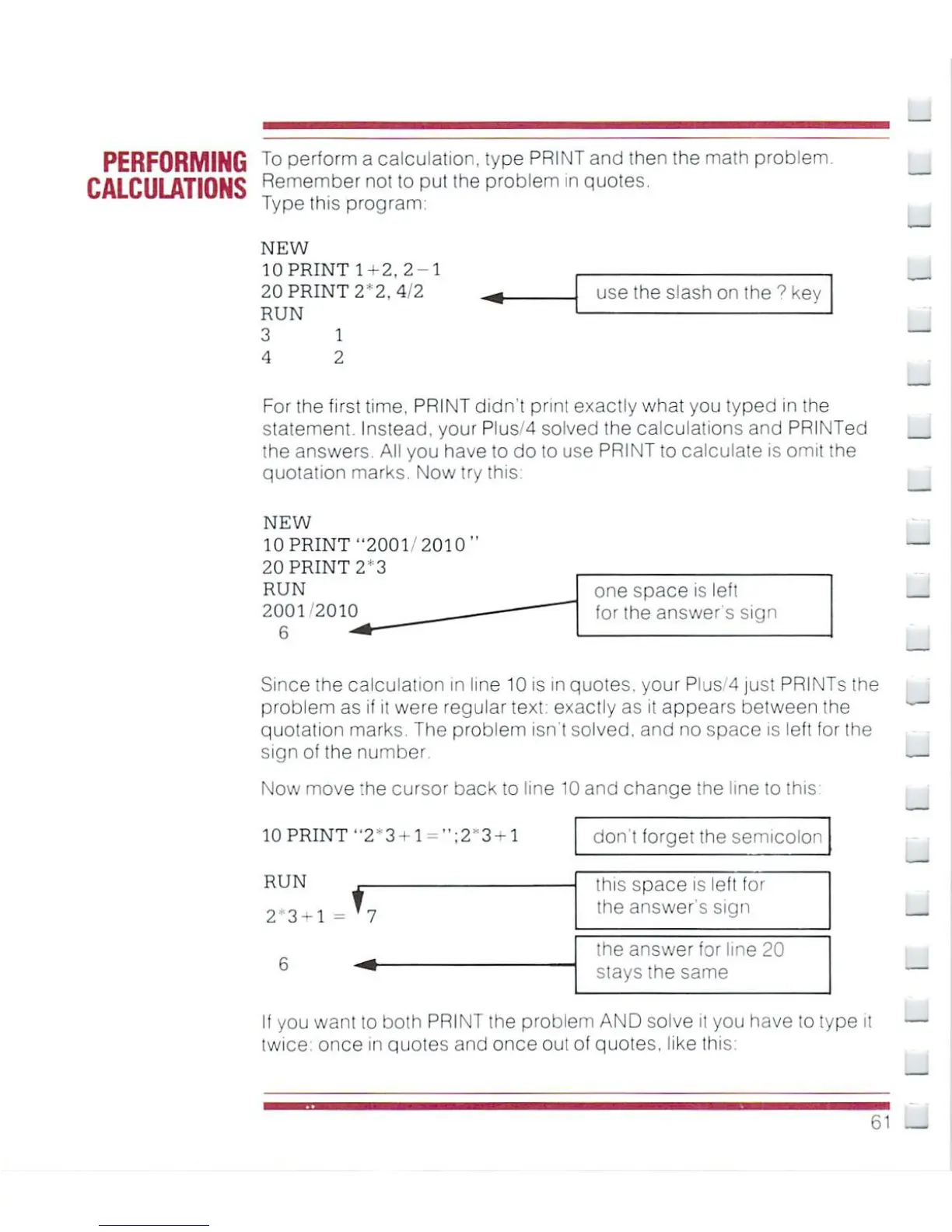
To
P^orm
a
calculation
type
PRINT
and
then
the
math
problem.
CALCULATIONS
Remerntjer
not
t0
Put
tne
problem
in
quotes.
Type
this
program:
NEW
10
PRINT
1^2.
2-1
20
PRINT
2
2,
4/2
RUN
3
1
4 2
use
the
slash
on
the
9
kev
u
For the
first
time.
PRINT
didn't
print
exactly
what
you
typed
in
the
statement.
Instead,
your
Plus'4
solved
the
calculations
and
PRINTed
the
answers.
All
you
have
to
do
to
use
PRINT
to
calculate
is
omit
the
quotation
marks.
Now
try
this.
NEW
10PRINT"2001'20l0"
20
PRINT
2
h
3
RUN
2001 2010
6
one
space
is
left
for
the
answers
sign
Since
the
calculation
in
line
10
is
in
quotes,
your
Plus*'4
just
PRINTs
the
problem
as
if
it
were
regular
text"
exactly
as
it
appears
between
the
quotation
marks.
The
problem
isn't
solved,
and
no
space
is
left
for
the
sign
of
the
number
I—
Now
move
the
cursor
back
to
line
10
and
change
the
line to (his
3-1
don't
forget
the
semicolon
RUN
2
3-1
=
If
you
want
lo
both
PRINT
the
problem
AND
solve
it
you
have
to
type
twice
once
in
quotes
and
once
out
of
quotes,
like
this1
this
space
is
left
for
the
answer's
sign
the
answer
for
line
20
stays
the
same
61

Other manuals for Commodore Plus 4

Related product manuals