EasyManua.ls Logo

Commodore Plus 4 - Page 79

Commodore Plus 4
234 pages
Print Icon
To Next Page IconTo Next Page
To Previous Page IconTo Previous Page
Loading...
not
allowed
in
the
controf
room.
The
easiest
way
would
be
to
PRINT
your statement as
a
text
string.
Text
strings
are
printed
out
exactly
as
you
type
them
in.
They
must
be
surrounded
by
double
quotes
("").
For
example
100
PRINT
"YOU
ARE
BROKE!"
would
tell
the
user
that
there
is
no
money
left,
while
150
PRINT
"YOU
CAN'T BRING
YOUR
FRIEND
INTO
THE
CONTROLROOM"
could
be used
in
the
second
example.
Whatever
appears
between
the
quotation
marks
is
known
as a
literal,
because
it
is
PRINTed
exactly
as
it
appears.
It
doesn't
matter
whether
it
is
words,
letters,
numbers,
punctuation
marks,
etc.
Certain
keys,
like
the
cursor
and
color
keys, act
differently
when
used
in
text
strings.
Instead
of
changing
the
color
or
moving
the
cursor
when
you
type
the key,
a
reverse
character
is
printed
in
the
string.
When
the
program
is
RUN.
the
character
is
translated
into
what
you
wanted
typed
in
the
first
place.
This
lets
you
clear
the
screen,
change
the color
your
are
PRINTing
in,
move
the
cursor,
all
within
your
program.
For
example,
try
this:
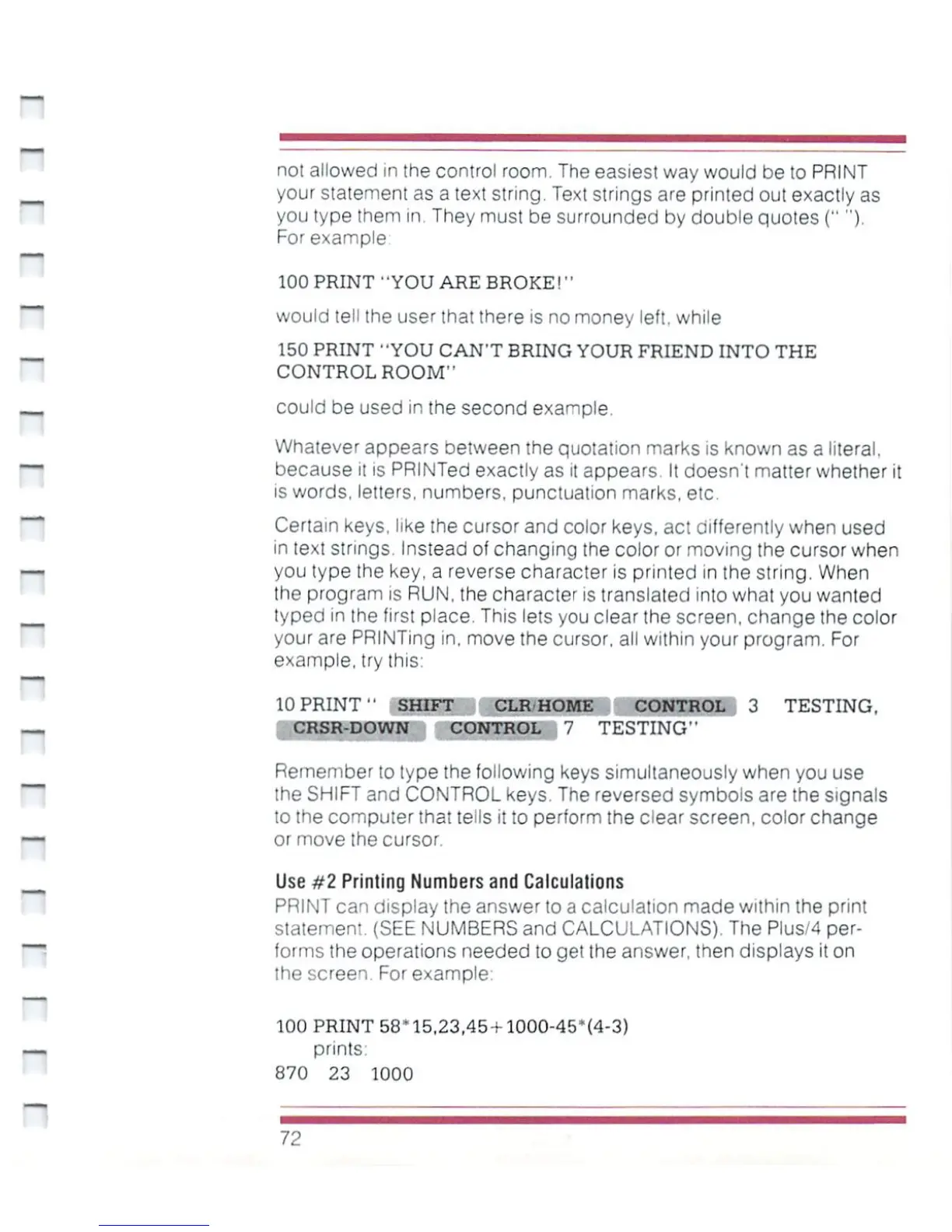
10
PRINT"
SHIFT
CLR'HOME
CONTROL
3
TESTING.
CRSR-DOWN
CONTROL
7
TESTING''
t>i^i\
Remember
to
type
the
following
keys
simultaneously
when
you use
the
SHIFT
and
CONTROL
keys.
The
reversed
symbols
are
the signals
to
[he
computer
that
tells
it
to
perform
the
dear
screen,
color
change
or
move
the
cursor.
Use
#2
Printing
Numbers
and
Calculations
PRINT
can
display
the
answer
to
a
calculation
made
within
the
print
statement.
(SEE
NUMBERS
and
CALCULATIONS).
The
Plus/4
per
forms
the
operations
needed
to
gel the
answer,
then displays
it
on
the
screen
For
example.
100
PRINT
58*15,23,45-1-100O-45*(4-3)
prints
870
23 1000
72

Other manuals for Commodore Plus 4

Related product manuals