102
The
VIC
20
User
Guide
If
you separate variables with commas, as above, then the VIC
computer automatically assigns
11
character spaces for each variable
displayed.
In
other words, it splits each line into two halves. Try executing
the statement illustrated above"in immediate mode
to
prove this
to
yourself.
If
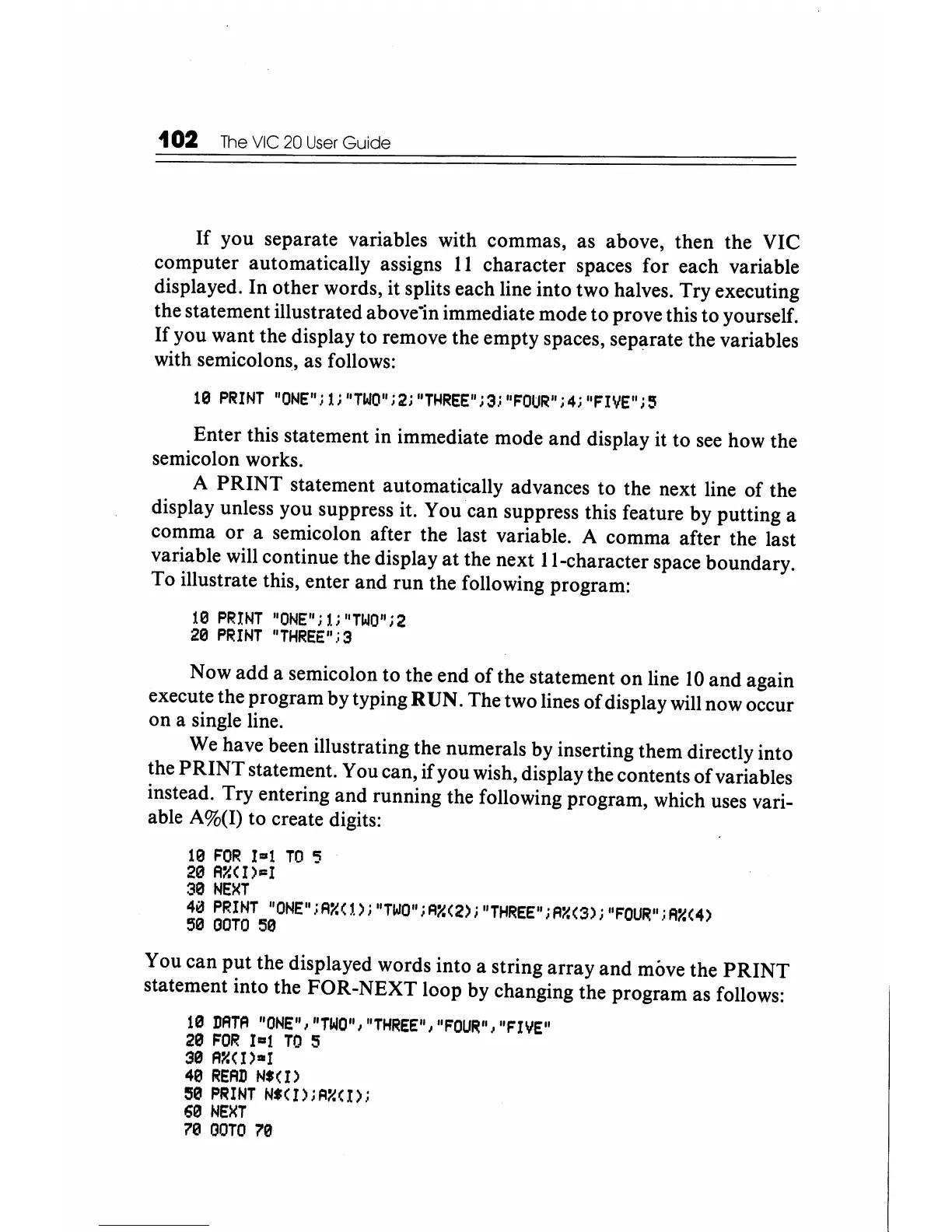
you want the display to remove the empty spaces, separate the variables
with semicolons, as follows:
19
PRINT
"ONE"jli"TWO"j2i"THREE"j3j"FOUR"i4i"FIVE";3
Enter this statement in immediate mode and display it to
see
how the
semicolon works.
A
PRINT
statement automatically advances to the next line of the
display unless you suppress it. You can suppress this feature by putting a
comma
or
a semicolon after the last variable. A comma after the last
variable will continue the display
at
the next II-character space boundary.
To illustrate this, enter and run the following program:
19
PRINT
"ONE";1i"TWO";2
29
PRINT
"THREE"j3
Now
add
a semicolon to the end
of
the statement on line
10
and again
execute the program by typing RUN. The two lines of display will now occur
on a single line.
We have been illustrating the numerals by inserting them directly into
the
PRINT
statement. You can,
if
you wish, display the contents
of
variables
instead. Try entering and running the following program, which uses vari-
able A%(I) to create digits:
19
FOR
1-1
TO
'5
20
A"(I)-I
39
NE)(T
40
PRINT
"ONE"jA"(1)j"TIJO"jFl"(2)i"THREE"iA"(S);"FOUR"iA"(4)
59
aOTO
59
You can
put
the displayed words into a string array
and
move the
PRINT
statement into the FOR-NEXT loop by changing the program as follows:
10
DATA
"ONE","TWO","THREE","FOUR","FIVE"
29
FOR
I-I
TO
5
30
A:Y.(I)-r
49
READ
N'(I)
59
PRINT
N'(I)jFl"(I);
69
NE)(T
79
OOTO
79






 To Next Page