Chapter 4 Advanced
BASIC
Programming 149
5 PRINT"j:EAL TIME":
PRINT:
PRINT
10
J=TI
15
T$=TIME$
20
H=INT(Jl26000)
30
IF
H00
THE~~
J=J-H!lE216000
40
M=INT(J/3600)
50
IF
t100
THEN
J=J-M-3600
60
S=INT<J/60)
70
HS=RIOHT$(STR$(H),2)
90
M$=RIGHT$(STR$(M),2)
90
$$=RIOHT$(STR$(S),2)
100
PRINT"H:
M:
S:
";
H$,:
" :
";
M$;
":
":"
:
",:
S$
105
PRINT"TIMES:
";
T$
110
PRINT"lIII.lllOO"
,:
:
GDTD
10
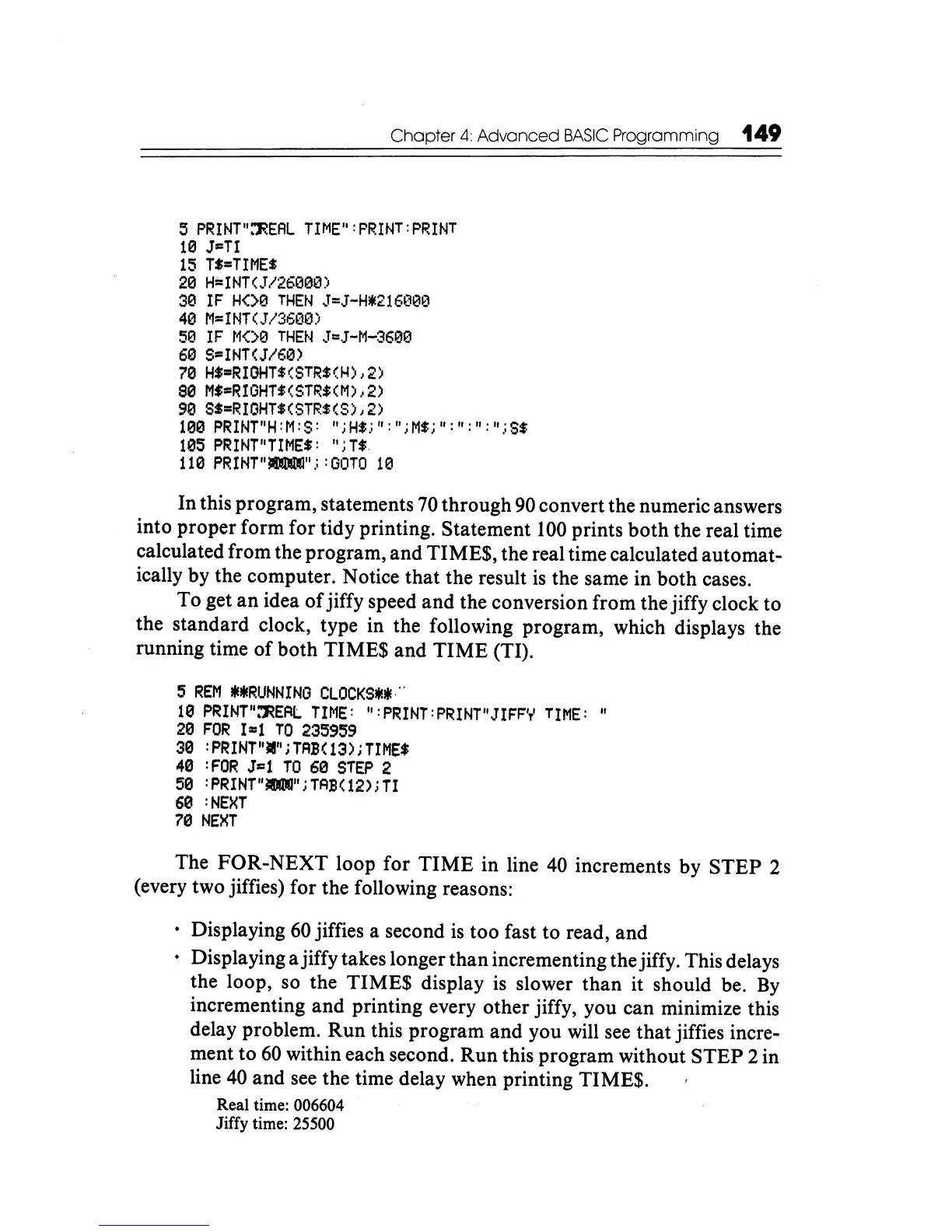
In this program, statements
70
through
90
convert the numeric answers
into proper form for tidy printing. Statement
100
prints both the real time
calculated from the program, and TIME$, the real time calculated automat-
ically by the computer. Notice that the result
is
the same in both cases.
To get
an
idea
of
jiffy speed and the conversion from the jiffy clock to
the standard clock, type in the following program, which displays the
running time
of
both TIME$ and TIME (TI).
5
REM
IlEIIERUNNING
CLOCKS*IIE"
10
PRINT"~E~L
TIME:
":
PRINT:
PRINT"JIFF"T'
TIME:
"
20
FOR
1=1
TO
235959
30
:PRINT"liI";TAB(13);TIME$
40
:FOR
J=1
TO
60
STEP
2
50
:
PRINT"lIOOO";
TAB(12); TI
60
:NEXT
70
NEXT
The FOR-NEXT loop for
TIME
in line
40
increments by STEP 2
(every two jiffies) for the following reasons:
. Displaying
60
jiffies a second
is
too fast to read, and
. Displaying a jiffy takes longer than incrementing the jiffy. This delays
the loop, so the TIME$ display
is
slower than it should be.
By
incrementing and printing every other jiffy, you can minimize this
delay problem. Run this program and you will
see
that jiffies incre-
ment to
60
within each second. Run this program without STEP 2 in
line
40
and
see
the time delay when printing TIME$.
Real time:
006604
Jiffy time:
25500






 To Next Page