Chapter
5:
Game
Controllers
167
CHOOSING
THE
KEYS
We
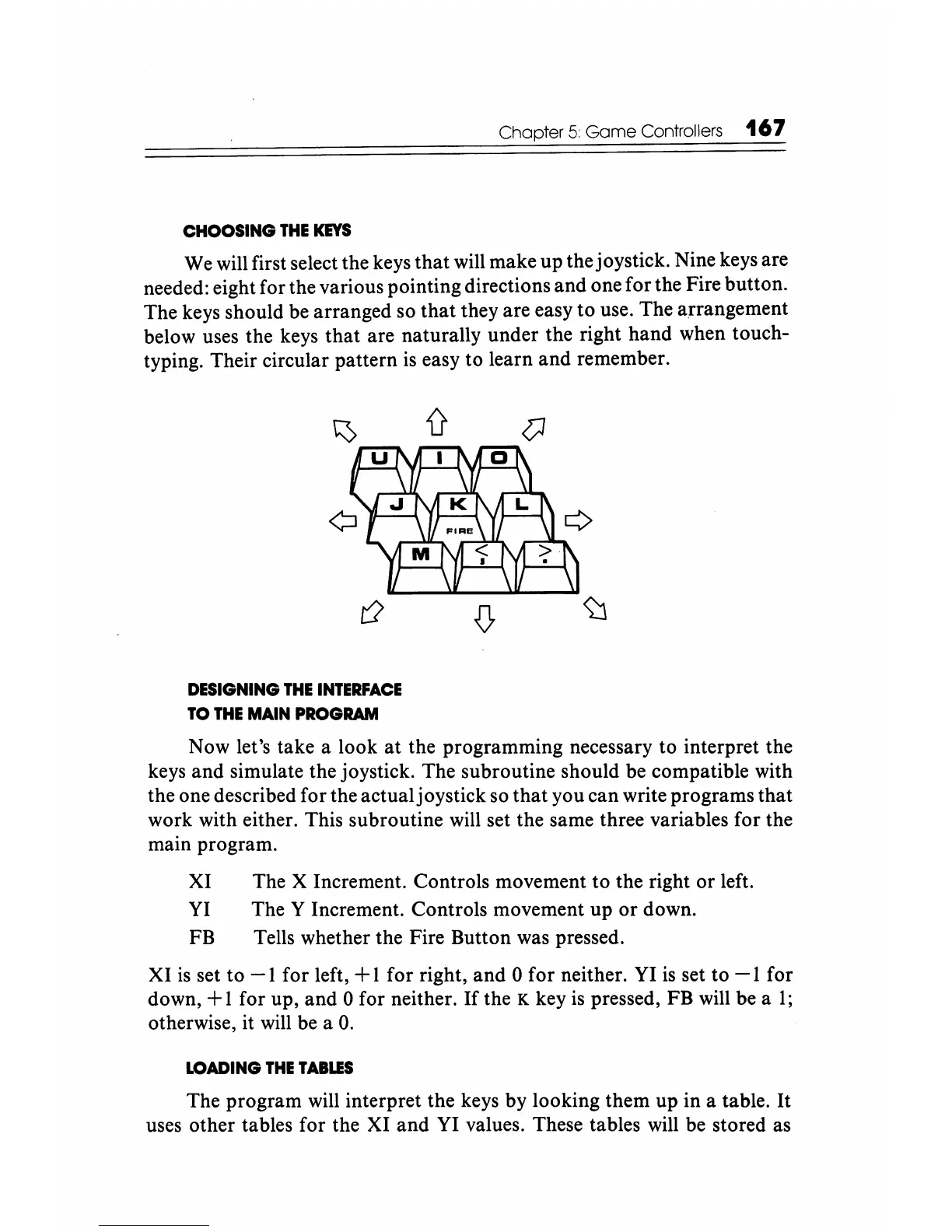
will first select the keys that will make up thejoystick. Nine keys are
needed: eight for the various pointing directions and one for the Fire button.
The keys should be arranged so that they are easy
to
use. The arrangement
below uses the keys
that
are naturally under the right hand when touch-
typing. Their circular pattern
is
easy to learn and remember.
DESIGNING
THE
INTERFACE
TO
THE
MAIN
PROGRAM
Now let's take a look
at
the programming necessary to interpret the
keys and simulate the joystick. The subroutine should be compatible with
the one described for the actualjoystick so
that
you can write programs that
work with either. This subroutine will set the same three variables for the
main program.
XI The X Increment. Controls movement to the right
or
left.
YI
The Y Increment. Controls movement up
or
down.
FB Tells whether the Fire Button was pressed.
XI
is
set to
-1
for left, + 1 for right, and 0 for neither.
YI
is
set to
-1
for
down,
+ 1 for up, and 0 for neither.
If
the K key
is
pressed, FB will be a
1;
otherwise, it will
be
a
O.
LOADING
THE
TABLES
The program will interpret the keys by looking them up in a table. It
uses other tables for the XI and
YI
values. These tables will be stored as






 To Next Page