194
The
VIC
20
User
Guide
Here, for comparison,
is
the checkerboard character.
Displayed
Dots
Binary
Decimal
#
# # #
10101010
170
# #
# #
01010101
85
# # # #
10101010
170
# #
#
#
01010101
85
# # # #
10101010
170
# # #
#
01010101
85
#
#
#
#
10101010
170
# #
# #
01010101
85
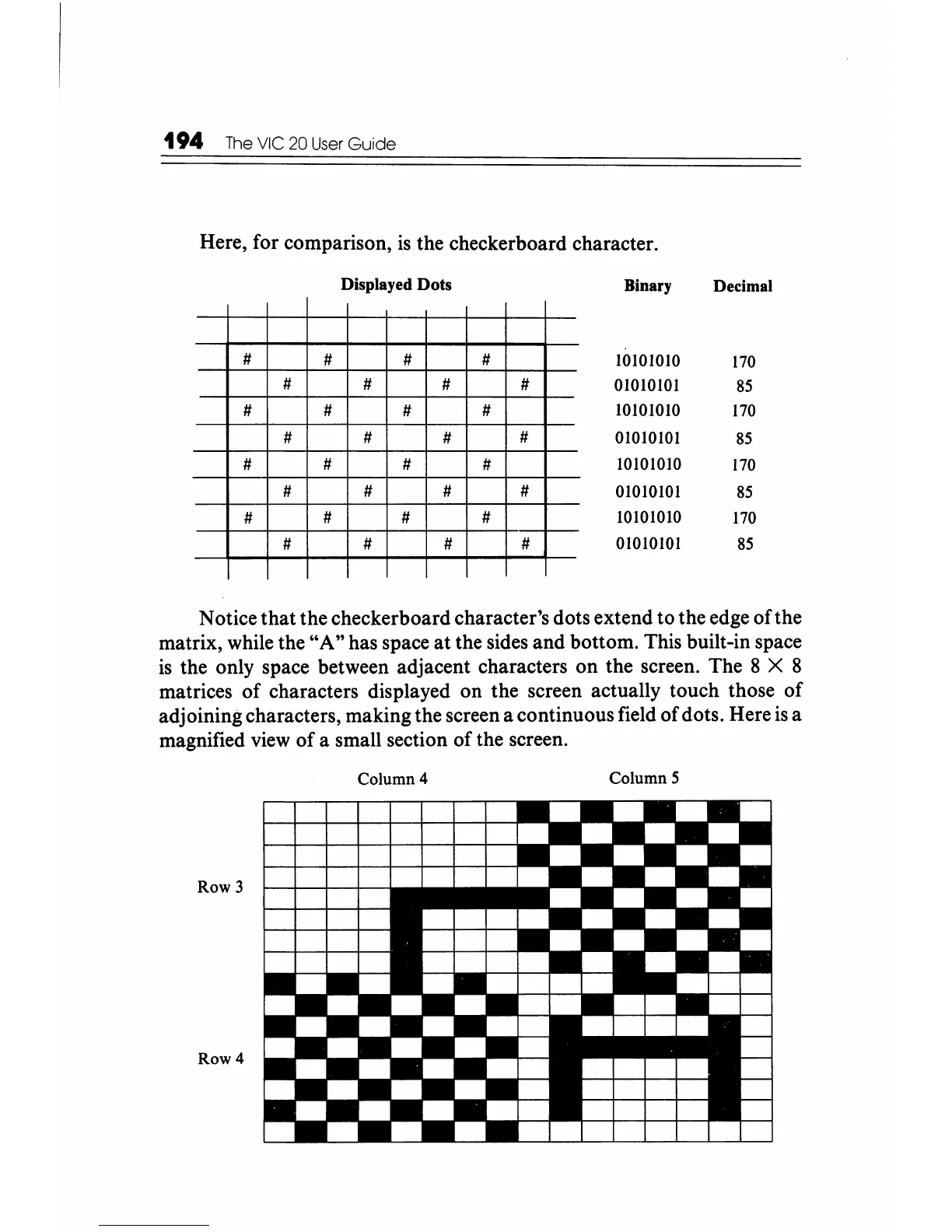
Notice that the checkerboard character's dots extend to the edge of the
matrix, while the
"A"
has space
at
the sides and bottom. This built-in space
is
the only space between adjacent characters on the screen. The 8 X 8
matrices
of
characters displayed on the screen actually touch those
of
adjoining characters, making the screen a continuous field of dots. Here
is
a
magnified
view
of
a small section
of
the screen.
Column 4
Column 5
Row 3
Row 4






 To Next Page