236
The
VIC
20
User
Guide
POKE
36876, 200
(pulse on)
POKE
36876,
200-
(pulse on)
1------
I-
----I-
----r- ----r-
----
.--POKE
36878,15
<l.l
S
;:s
"0
>
Time
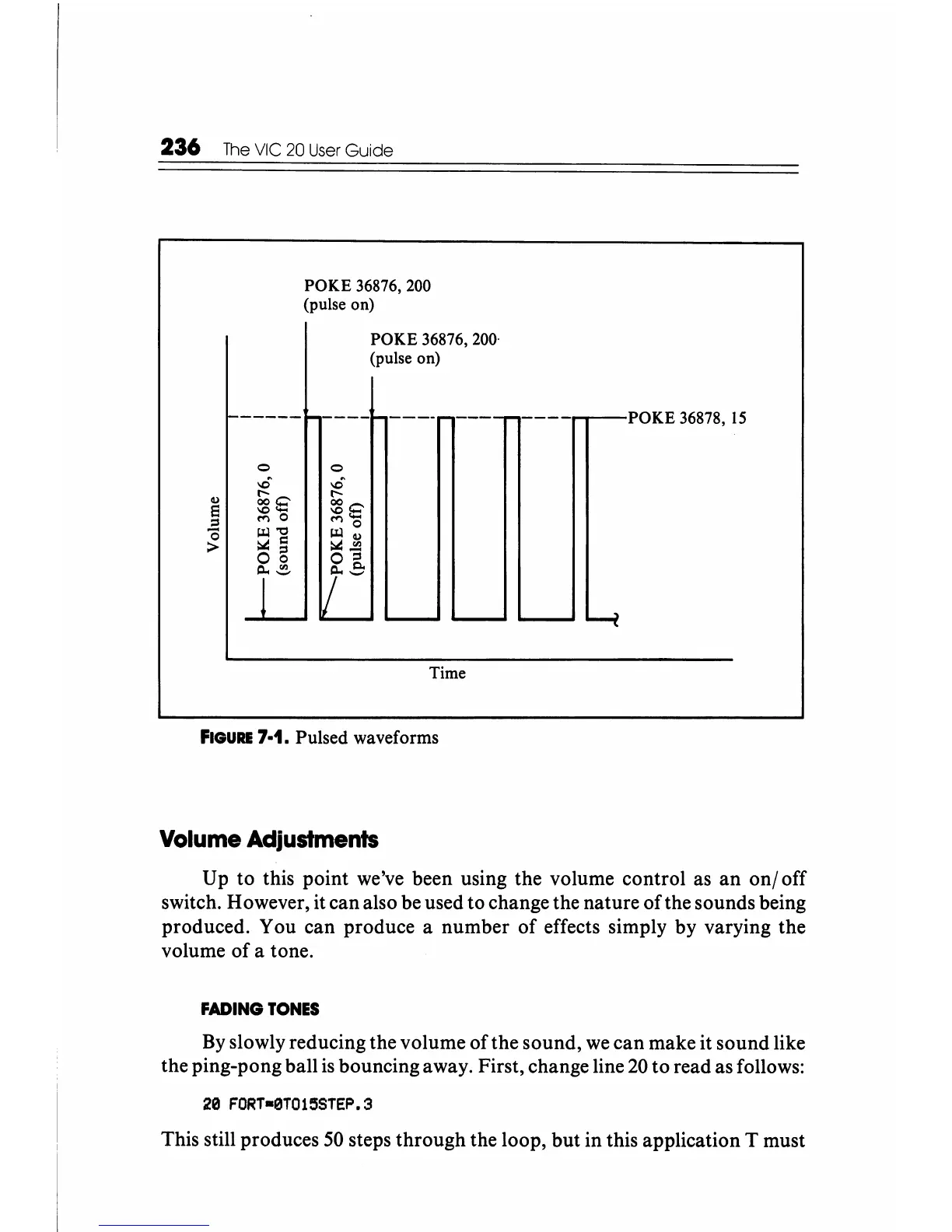
FIGURE
7·1. Pulsed waveforms
Volume
Adjustments
Up
to
this point we've been using the volume control as
an
onloff
switch. However, it can also be used to change the nature
of
the sounds being
produced. You can produce a number
of
effects simply by varying the
volume of a tone.
FADING
TONES
By
slowly reducing the volume of the sound,
we
can
make it sound like
the ping-pong ball
is
bouncing away. First, change line
20
to
read as follows:
20
FORT-0T015STEP.3
This still produces
50
steps through the loop, but in this application T must






 To Next Page