CommRadio CR-1a User Manual – New Edition: 1 May 2014
5
C. Operating the CR-1a
1. On/Off - Volume - Menu Knob [M]
• ON: Push-In momentarily until…………………..
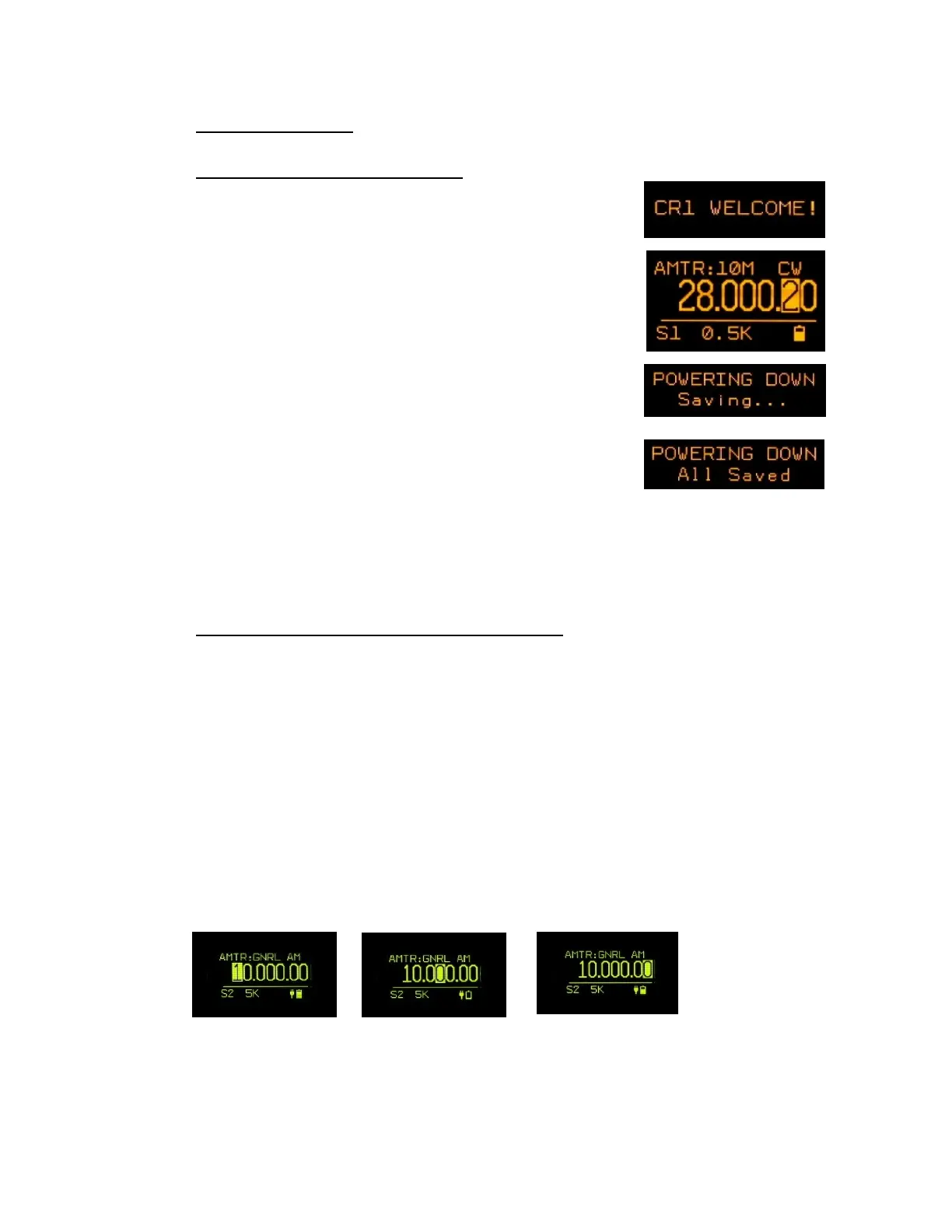
In 4 seconds the CR-1a is ready and
displays the last frequency and
mode used before the last shut-down.
• OFF: Push-In and hold until…………………………
Release and then wait 3 seconds………..
If the CR-1a does not shut down in 3 seconds, hold-in (about 6 seconds)
to force shut down.
2. Tuning Step Size - Frequency Cursor Positioning
• Cursor Positioning – Decade Control
The solid-highlighted boxes below indicate the position of the Cursor.
When the tuning knob [T] is rotated CW or CCW, the tuned frequency changes
accordingly.
There are 2 ways to change the position of the cursor:
• Use [<] or [>] to position the cursor. This is the default use of the arrow keys.
• Push [T] (momentarily) and rotate CW or CCW. Push [T] again to exit.
• Note the sequence of successive cursor position changes.
Push [>] 3 times Push [>] 3 more times


 To Next Page
 Loading...