Compaq.com - Compaq Presario 1200 Series Maintenance and Service Guide - Models: 1255, 1256, 1260, 1262, 1266, 1267, 1272, 1273, 1274, and 1275
Maintenance & Service Guide
Presario 1200 Series
Models: 1255, 1256, 1260, 1262, 1266, 1267, 1272, 1273, 1274, and 1275
| Home Page | Notice | Preface | Product Description | Troubleshooting
Illustrated Parts Catalog | Removal & Replacement Procedures | Specifications
Pin Assignments | Battery Pack Operations
Clearing the Power-on Password
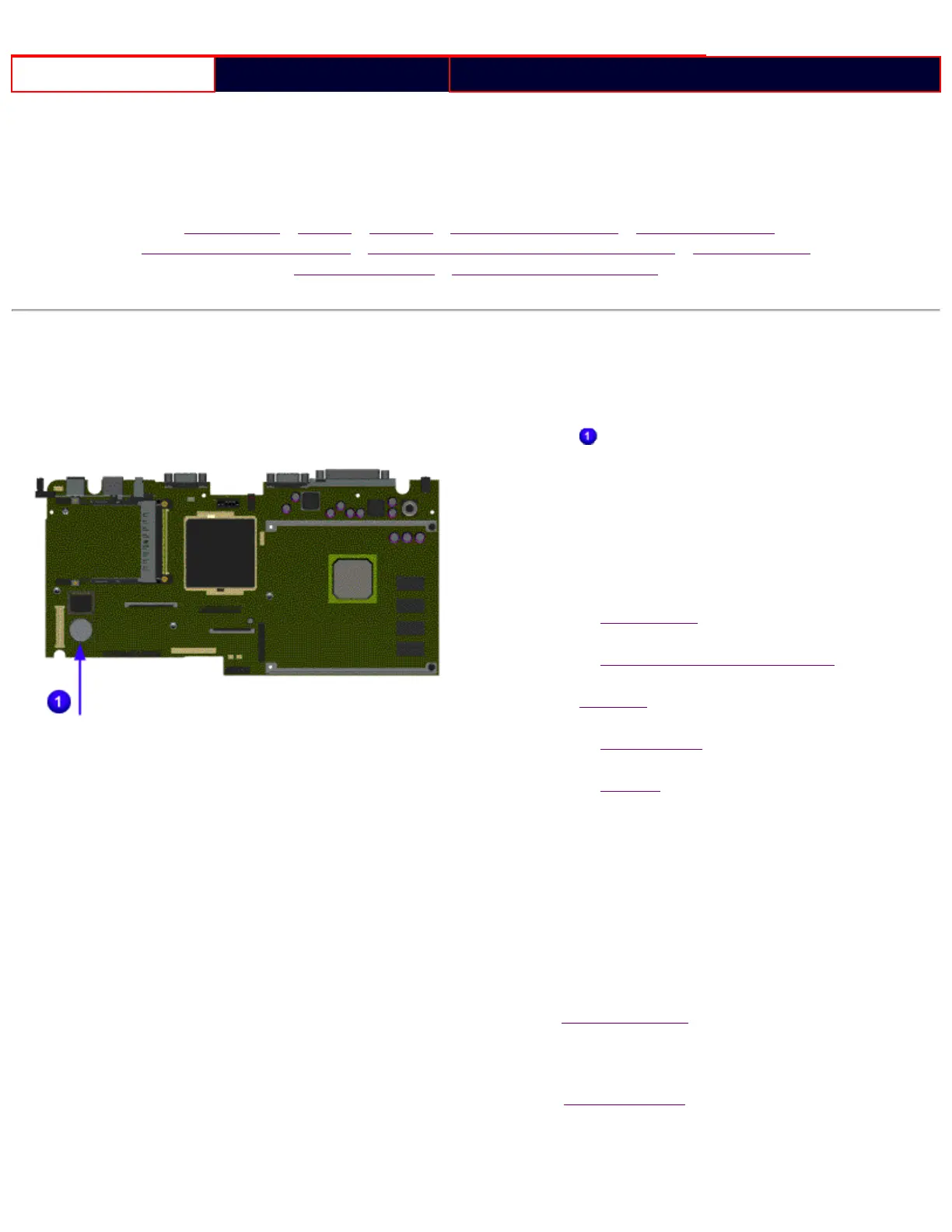
Clearing the power-on password requires removing all
Setup attributes that are programmed in the CMOS. The
RTC battery
is located on the system board.
If the password is not known, clear it by performing the
following steps:
1. Turn off the computer.
2. Disconnect the power cord.
3. Remove the battery pack.
4. Remove the Palmrest Cover with Touch Pad.
5. Move the keyboard to allow access to the heatspreader.
6. Remove the heatspreader.
7. Remove the modem.
8. Remove the RTC battery for 30 seconds and
replace it.
9. Reassemble the computer by reversing the previous
steps.
10. Turn on the computer to verify that the power-on
password has been cleared. If it has not been cleared,
repeat Steps 1 through 10.
Return to preliminary steps page.
or
Return to Troubleshooting index page.
file:///C|/SERVICE%20MANUALS/COMPAQ%20_%20check...1272,%201273,%201274,%20and%201275/ponpass.html (1 of 2)6/28/2004 9:23:04 AM










 To Next Page