2–14 Reference Guide
Basic Operation
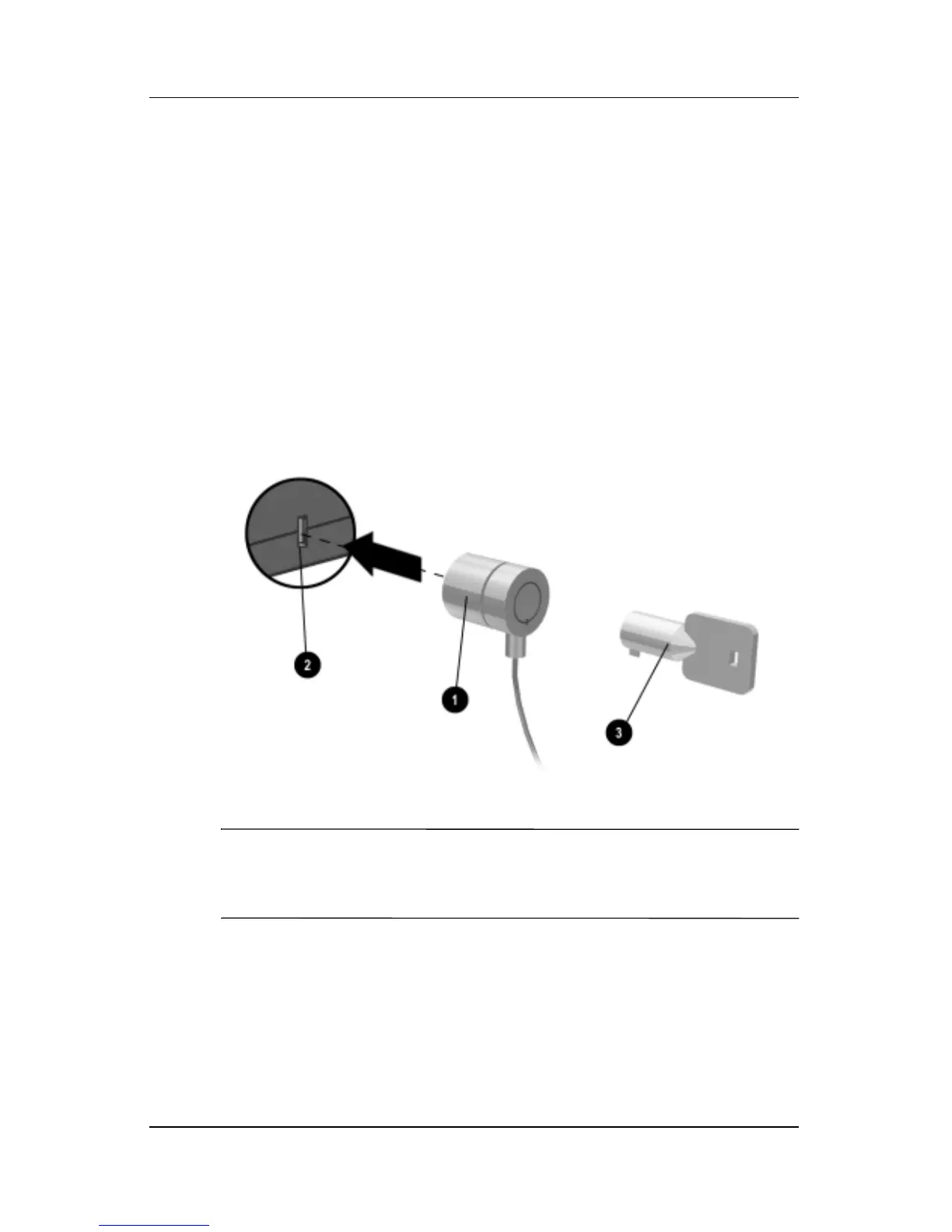
To Attach an Optional Security Cable
Your notebook includes a built-in connector to secure the
notebook with an optional cable and a lock (not included with the
notebook).
1. Wrap the cable around a secure object.
2. Insert the cable into the security cable slot on the notebook.
3. Lock it with the cable lock key, then store the key in a safe
place away from the notebook.
✎
The purpose of security solutions is to act as a deterrent. These
solutions do not prevent the product from being mishandled or
stolen.









 To Next Page