Item Component Function
To learn more about power settings, follow these steps:
●
In Windows Vista, select Start > Control Panel >
System and Maintenance > Power Options.
●
In Windows XP, select Start > Control Panel >
Performance and Maintenance > Power Options.
(7) Power light
●
On: The computer is on.
●
Blinking: The computer is in the Sleep state (Windows
Vista) or Standby (Windows XP).
●
Off: The computer is off or in Hibernation.
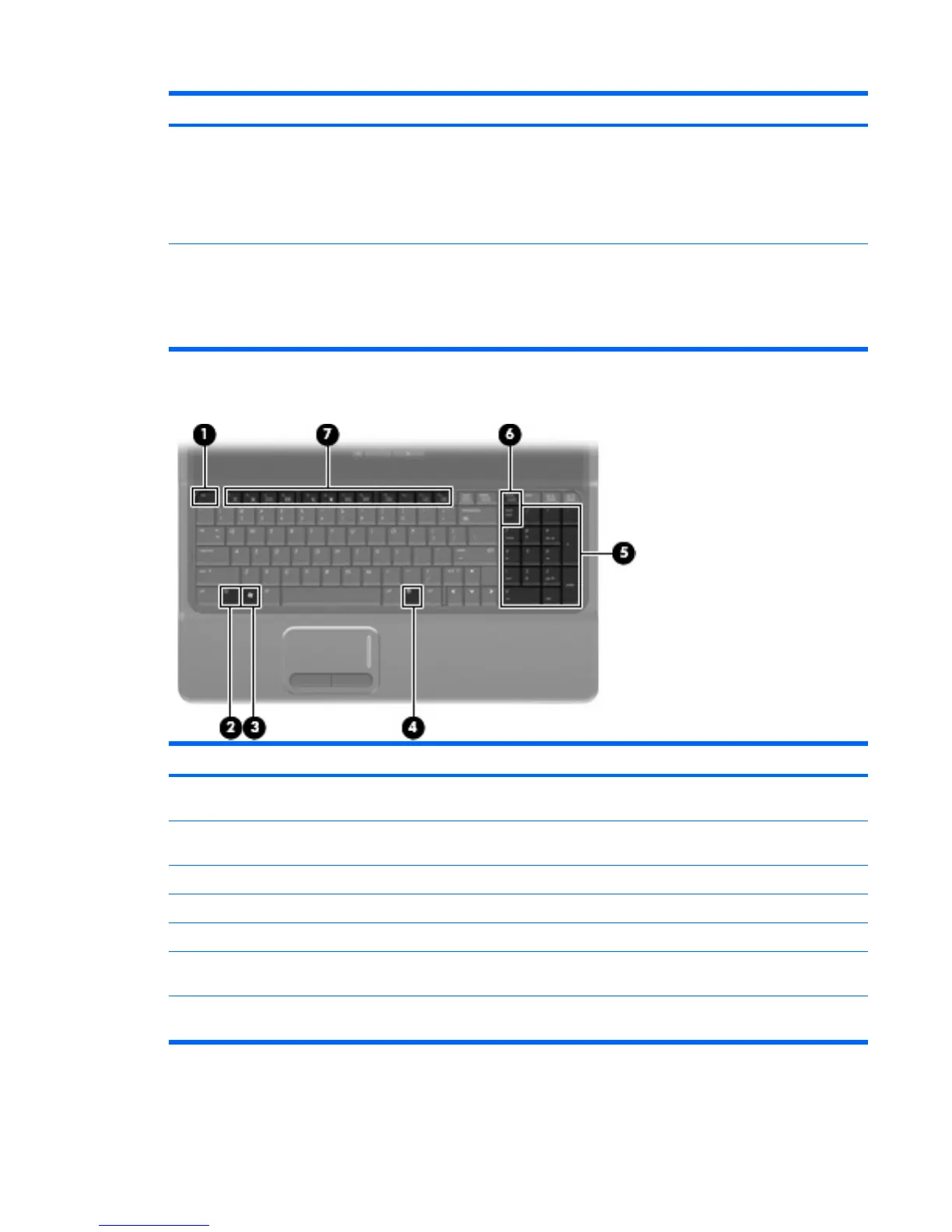
Keys
Item Component Function
(1) esc key Displays system information when pressed in combination
with the fn key.
(2) fn key Executes frequently used system functions when pressed
in combination with a function key or the esc key.
(3) Windows logo key Displays the Windows Start menu.
(4) Windows applications key Displays a shortcut menu for items beneath the pointer.
(5) Integrated numeric keypad keys Can be used like the keys on an external numeric keypad.
(6) num lk key Alternates between the navigation and numeric functions
on the integrated numeric keypad.
(7) Function keys Execute frequently used system functions when pressed
in combination with the fn key.
Top components 11





 To Next Page