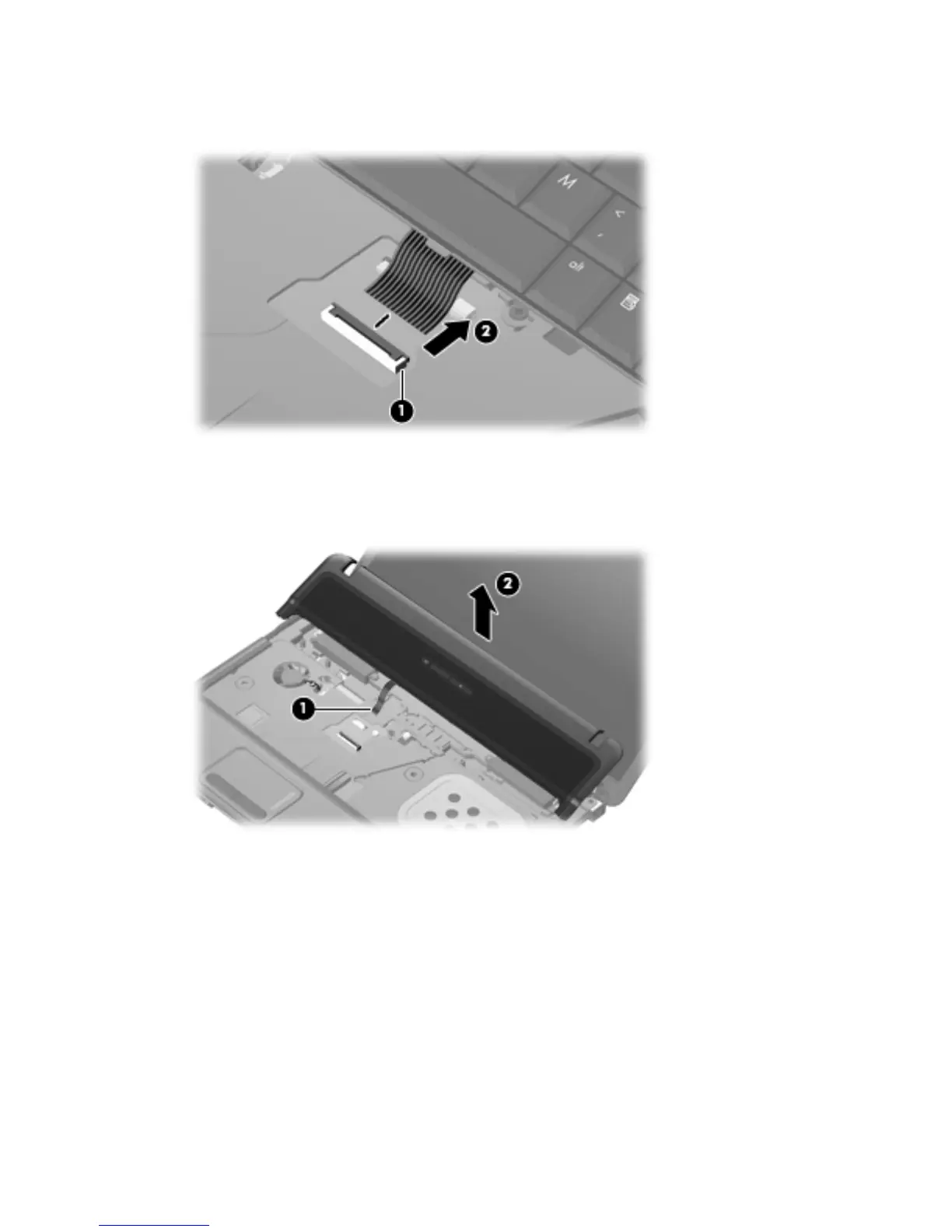
7. Release the zero insertion force (ZIF) connector (1) to which the keyboard cable is attached, and
disconnect the keyboard cable (2) from the system board.
8. Remove the keyboard.
9. Release the ZIF connector and disconnect the LED ribbon cable from the system board (1), and
then lift the switch cover up to remove it (2) from the system board.
10. Turn the switch cover over.
11. Remove the two Phillips 2.0-mm broadhead screws (1) from the switch cover.
52 Chapter 4 Removal and replacement procedures





 To Next Page