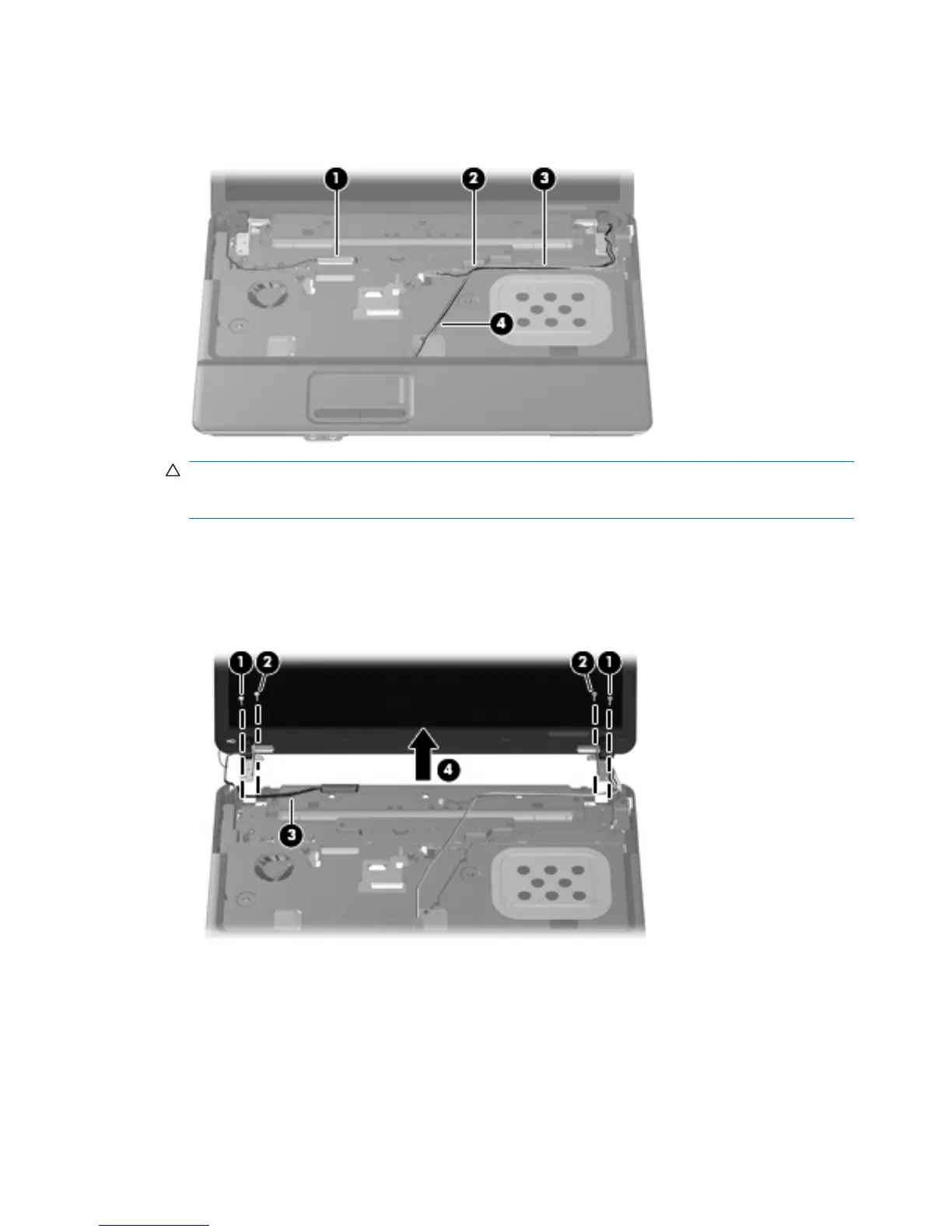
4. Make sure that the wireless antenna cables are disconnected from the WLAN module on the bottom
of the computer, then remove the wireless antenna cables (4) from the clips and routing channels
built into the top cover.
CAUTION: Support the display assembly when removing the following screws. Failure to support
the display assembly can result in damage to the display assembly and other computer
components.
5. Remove the two Slotted Torx 10-mm screws (1) and the two Torx 7.0-mm screws (2) that secure
the display assembly to the computer.
6. Release the display panel cable ground loop (3) from the system board.
7. Lift the display assembly (4) straight up and remove it.
56 Chapter 4 Removal and replacement procedures





 To Next Page