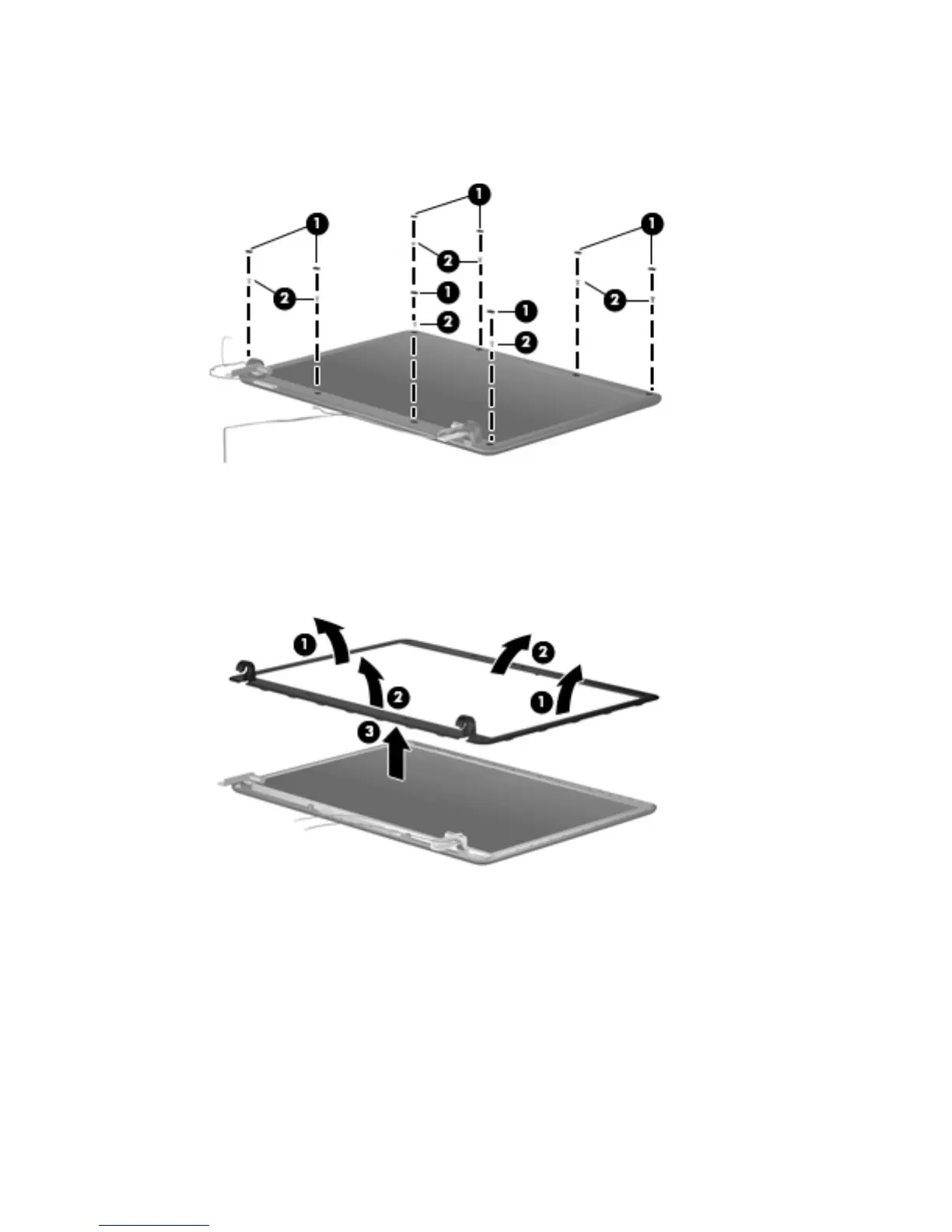
8. If it is necessary to replace the display bezel, display inverter, or display hinges, remove the eight
rubber screw covers (1) and the eight Torx 6.0-mm screws (2) that secure the display bezel to the
display assembly. The rubber screw covers are available in the Rubber Kit, spare part number
490339-001.
9. Flex the inside edges of the left and right sides (1) and the top and bottom sides (2) of the display
bezel until the bezel disengages from the display enclosure.
10. Remove the display bezel (3). The display bezel is available using spare part number
495738-001.
Component replacement procedures 57





 To Next Page