Flash ROM Upgrade 59
Part Number: 216023-001 - Writer: Carey Gregg - Saved by: The Integrity Group
Pages: 2 Words: 186 File Name: Flash ROM Upgrade Saved date: 09/22/00 10:02 AM
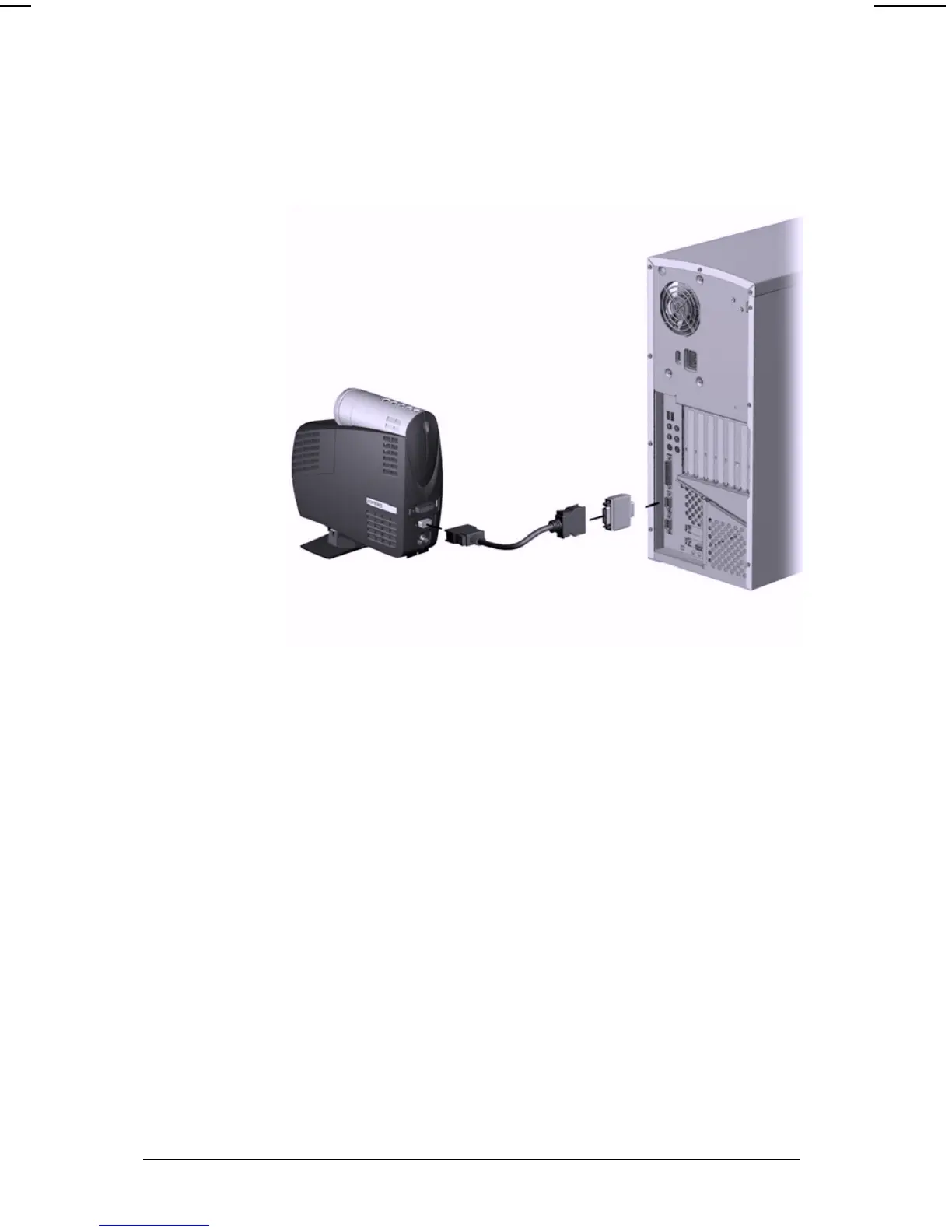
Complete the following steps to upgrade the projector’s ROM:
1. Connect one end of the cable to the DVI connector on the
projector and the other end to the RS232 (serial) connector
on the computer.
2. Power on the computer and monitor only (if applicable).
3. Access the Compaq website at:
http://www.compaq.com
4. Follow the steps outlined on the website.
5. Power on the projector.
6. Wait about two minutes to allow the Flash Upgrade
program to complete the upgrade, then the projector will
automatically reset and be ready to use.


 To Next Page
 Loading...