1-6 English
Part Number:380213-001 - Writer: JD Poteet- Saved by: JD Poteet
Pages: 15 Words: 2558 Saved date: 07/23/99 5:00 PM File Name:
Andretti
Operating the Monitor
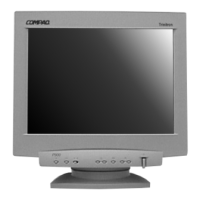
Front Panel Controls
No./Icon Control Function
1
Reset Button Pressing this button resets the following items:
Contrast, brightness, size/center, geometry, screen,
zoom, and color. OSD Position and Language can not
be reset.
2
Brightness or OSD
Select Button
Down arrow decreases brightness or is used to select
menu adjustment.
3
Brightness or OSD
Select Button
Up arrow increases brightness or is used to select OSD
menu adjustment.
4
Menu and Select
button
Launches on-screen menus and selects the functions.
Also, exits menus and on-screen display.
5
Contrast button Left arrow decreases contrast or is used to adjust
selected OSD adjustment item.
6
Contrast button Right arrow increases contrast or is used to adjust
selected OSD adjustment item.
7
Power Switch Turns the monitor on and off.
8
LED Indicates monitor mode.
1. Green LED indicates monitor is turned on.
2. Alternating Amber/Green LED indicates Standby/
Suspend.
3. Amber LED Indicates Sleep Mode.



 To Next Page