EasyManua.ls Logo

Compass 07 172 - User Manual

Compass 07 172
12 pages
Go to English
Print Icon
To Next Page IconTo Next Page
Loading...
C Zátěžový tester autobaterie
S Záťažový tester autobatérie
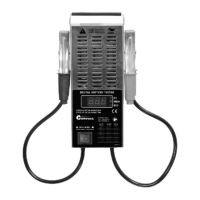
E Battery tester
digitalní
digitálny
digital
analogový
analógový
analogue
item 07 172 item 07 173
Question and Answer IconNeed help?

Do you have a question about the Compass 07 172 and is the answer not in the manual?

Summary

Battery Tester Introduction

Product Properties

General Safety Conditions

Environmental Protection

Operation of the Tester

Testing the Accumulator (Digital Model)

Connect tester terminals to accumulator, check voltage and indicator diodes for accumulator status (OK, WEAK, BAD).

Testing Accumulator Under Load (Digital Model)

Perform initial load test, noting potential smoke. Connect tester and activate load switch for 10 sec.

Testing the Accumulator (Analog Model)

Ensure arrow is at '0', connect terminals, check voltage indicated by arrow position (green, yellow, red areas).

Testing Accumulator Under Load (Analog Model)

Perform initial load test, noting potential smoke. Connect tester and activate load switch for up to 10 sec.

Load Test Procedures

Digital Tester Load Test

Apply 100A for 10 sec, assess accumulator capacity via 'OK', 'WEAK', or 'BAD' diodes and voltage.

Analog Tester Load Test

Apply load, observe arrow position in green area for full capacity; outside green but not lowest value indicates partial capacity.

Accumulator Charging and Starter Tests

Testing Accumulator Charging

With engine running (1200-1500 rpm), check indicator for charging system voltage (13.5-15V) or arrow position.

Starter Test

After load test, compare starter test voltage with load test voltage using provided table for vehicle capacity.

Maintenance of the Device

Summary

Battery Tester Introduction

Product Properties

General Safety Conditions

Environmental Protection

Operation of the Tester

Testing the Accumulator (Digital Model)

Connect tester terminals to accumulator, check voltage and indicator diodes for accumulator status (OK, WEAK, BAD).

Testing Accumulator Under Load (Digital Model)

Perform initial load test, noting potential smoke. Connect tester and activate load switch for 10 sec.

Testing the Accumulator (Analog Model)

Ensure arrow is at '0', connect terminals, check voltage indicated by arrow position (green, yellow, red areas).

Testing Accumulator Under Load (Analog Model)

Perform initial load test, noting potential smoke. Connect tester and activate load switch for up to 10 sec.

Load Test Procedures

Digital Tester Load Test

Apply 100A for 10 sec, assess accumulator capacity via 'OK', 'WEAK', or 'BAD' diodes and voltage.

Analog Tester Load Test

Apply load, observe arrow position in green area for full capacity; outside green but not lowest value indicates partial capacity.

Accumulator Charging and Starter Tests

Testing Accumulator Charging

With engine running (1200-1500 rpm), check indicator for charging system voltage (13.5-15V) or arrow position.

Starter Test

After load test, compare starter test voltage with load test voltage using provided table for vehicle capacity.

Maintenance of the Device

Compass 07 172 Specifications

General IconGeneral
BrandCompass
Model07 172
CategoryTest Equipment
LanguageEnglish

Related product manuals