3
Operation Controls and Functions
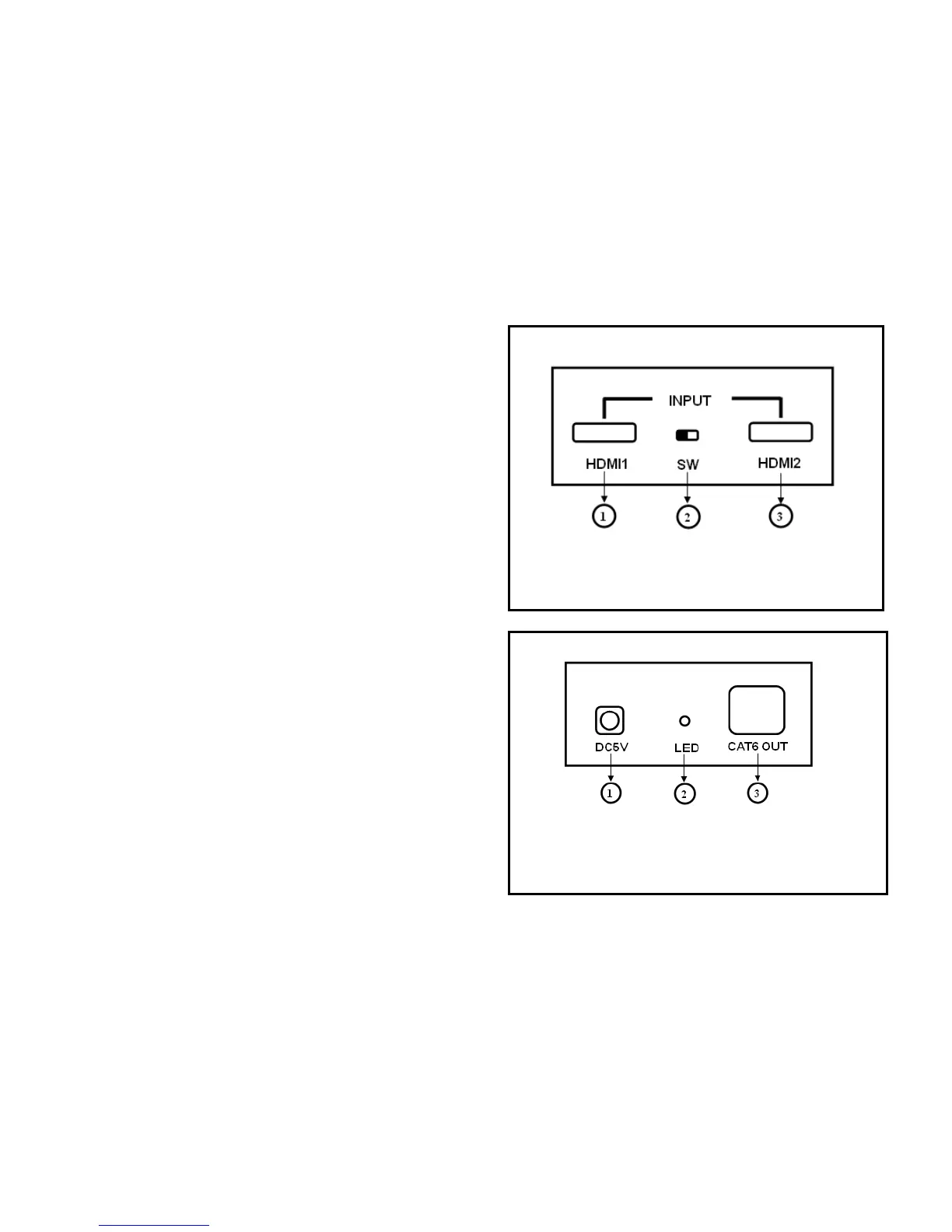
1. HDMI Extender Transmitter
Front Panel
1) HDMI1:HDMI1 Input port.
2) SW: Switch the HDMI1 and HDMI2 input port.
3) HDMI2:HDMI2 Input port.
Rear Panel
1) Power: Plug the 5VDC power supply into the unit
and connect the adaptor to AC wall outlet.
2) LED indicator: When the DC5V power on, the
Indicator will be light.
3) CAT5E/CAT6 OUT: Connect the CAT5E/CAT6
output of the transmitter with the CAT5E/CAT6 input



 To Next Page