Compressor Supreme Force Feedback
User Manual
Page 2
2. In PS2/PSX: Selecting different operating modes
There are three modes - Teach (Orange Light),
Dual Shock 2/Dual Shock (Red Light) and Digital
(Green Light).
DUAL SHOCK 2 DIGITAL
DUAL SHOCK controller
controller
Press MODE button 8 Dual Shock 2/Dual Shock mode, red light on
Press MODE button 8 Digital mode, green light on
3. In PS2/PSX: Difference between operating modes
When Dual Shock 2/Dual Shock mode (Red) is selected, for those games that are compatible to
Dual Shock 2/Dual Shock controllers, the Compressor Supreme will interactively generate vibration
to the games commands.
In Digital Mode (Green), the steering acts more like a standard digital controller and not like an
analogue controller.
The Teach mode (Orange) is used to set up your button layout as required. The only buttons that
cannot be set up are the Start and Select button.
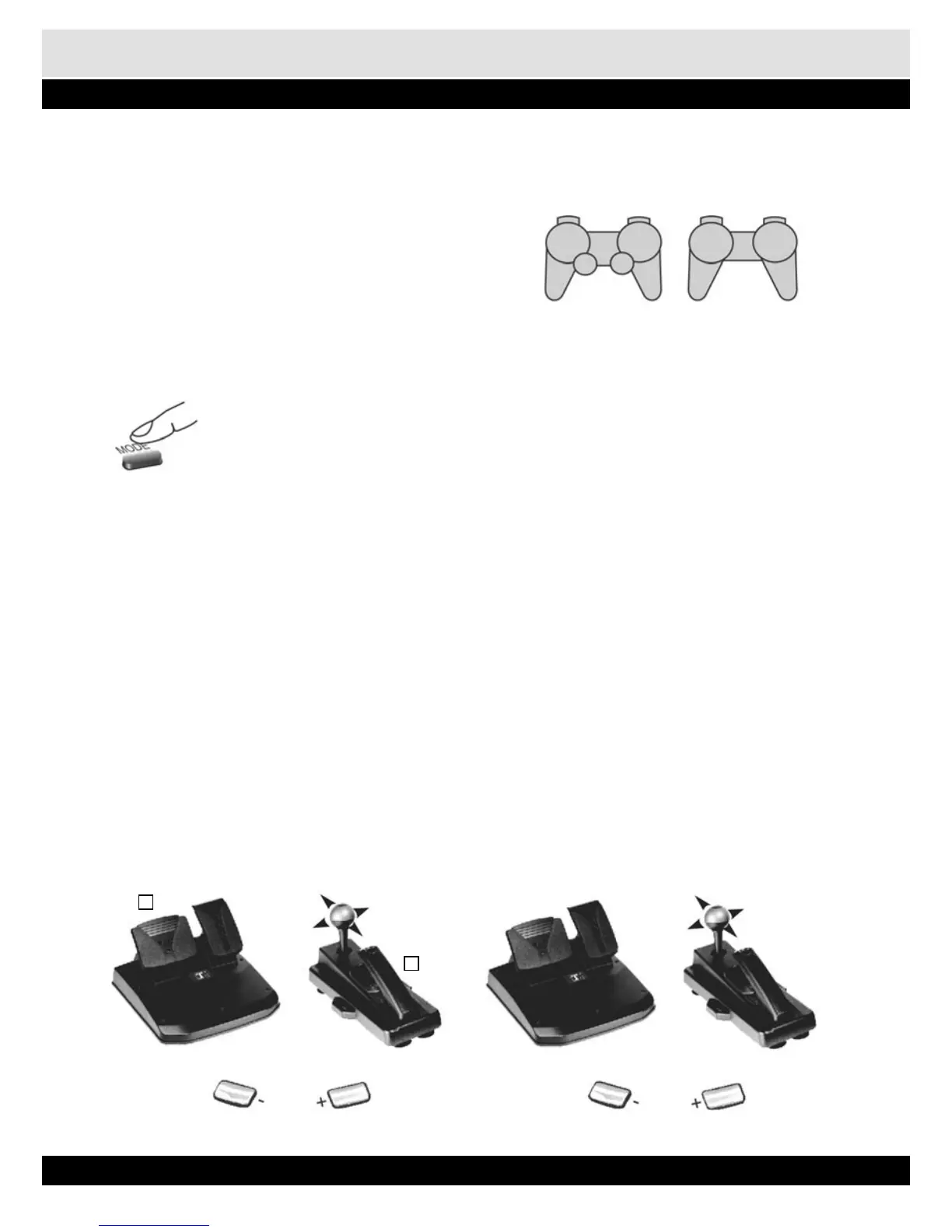
4. Factory setting of Foot Pedals & Gear Shifter
For PS2/PSX For PC
X
R1
Y - axis
Y + axis
R2
L1
L2
L1
R1
7 8
5
8
6
7
4


 To Next Page