EasyManua.ls Logo

COMSOL PBW10BK - User Manual

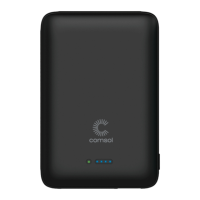
COMSOL PBW10BK
2 pages
Print Icon
To Next Page IconTo Next Page
Loading...
• Provides 360% extra battery for an average smartphone
#
• Supports 10W wireless fast charging for compatible devices
such as Samsung Galaxy Series and more
• Supports 7.5W Apple wireless fast charging for iPhones with
wireless charging
• Supports 5W wireless charging for all Qi enabled devices
• Silicone suction cups to maintain phone charging position
• 18W USB-C PD (Power Delivery) port can fast charge an
iPhone 8 or later from 0 to 50% in 30 minutes
• High output 18W USB-A port for fast charging large devices
• Rechargeable more than 500 times
• Four LED indicators to show remaining capacity
Features
* Check with device manufacturer for Qi wireless compatibility
#
360% extra battery based on an iPhone 8 with 1821mAh battery
• iPhone 12 / 12 Pro/Max/Mini
• iPhone 11 / 11 Pro
• iPhone SE/XS/XS Max/XR
• iPhone X/8/8 Plus
• Samsung S20/S10/S9/S8
• Samsung Note 20/10/9
• Google Pixel 5/4/3
• Xiaomi Mi 10/v 9
Compatible with Qi-enabled devices* including
• Wireless Standard: WPC/Qi (v1.2.4)
• Watt Hour Rating: 37Wh
• Micro USB Input: DC 5V/2A
• USB-C PD Input: DC 5V/3A 9V/2A 12V/1.5A
• USB-C PD Output: DC 5V/3A 9V/2A 12V/1.5A
• USB-A QC 3.0 Output: DC 5V/3A 9V/2A 12V/1.5A
• Total Power Output: 18W
• Power Bank Charging Time: 4 to 6 hours
• Wireless Output: 10W / 7.5W / 5W
• Working Frequency: 110 to 205KHz
• Charging Efficiency: >72%
• Size: 101mm x 67.5mm x 22mm
• Weight: 205g
• Certifications: Qi, RCM, RoHS, UN38.3
Specifications
• Using the included USB-A to USB-C cable, connect the larger
USB-A connector to a USB wall charger and the USB-C
connector to the input connector of the power bank
During charging, LED indicators will flash to show charging status
• To charge a phone or tablet using the 18W USB-C PD fast
charge port, use a USB-C to device charging cable
• To charge a phone or tablet using the 18W USB-A QC 3.0 port,
use a USB-A to device charging cable
• Press On/Off button and LEDs will show remaining capacity
• The LEDs will turn off automatically after about 20 seconds
Charging the Power Bank
Checking Remaining Capacity
Power Bank Operation
Made in Chinawww.mycomsol.com.au
iPhone is a trademark of Apple inc.,
registered in the U.S. and other countries.
The ‘Qi’ Symbol is a trademark of the
Wireless Power Consortium.
Model: PBW10BK
10,000mAh Wireless Power Bank Charger
User Manual ver 1.3
Qi Certified
Certification program ensures this
charger has passed rigorous tests
to guarantee safety, compatibility
and energy efficiency.
• Place the power bank on the back of your wireless phone and
press firmly to lock the suction cups to your phone surface
• Press the On/Off button to commence wireless charging
• The wireless charging LED will be green to indicate charging
• If your phone does not start charging, move your phone until
the correct position is found and your phone starts charging
Wireless Charging Operation
• Do not drop, misuse or apply excessive force to your power
bank. Power banks contain batteries and a circuit board with
fragile components that can be damaged if misused. If you
drop or damage your power bank, discontinue use immediately.
• If crushed, punctured, exposed to fire or high temperatures or
disassembled, batteries may catch fire, explode or cause burns.
• If your power bank swells or bulges, stop use immediately and
dispose of the power bank in an appropriate manner.
Continued use may cause the power bank to catch fire or
explode.
• Do not charge the power bank and your device at the same
time. It may cause the power bank to overheat.
• Store power bank in a cool and dry place. Do not store in hot or
humid environments. Eg. In a car or directly in the sun.
• Power bank usage by children should be supervised.
• Do not put your power bank in a handbag, backpack or other
bag where small metal objects can cause a short circuit.
• Do not dispose of power bank in heat or fire.
• All Comsol power banks have safety power cut off features to
stop overcharging & overheating. However, we recommend
disconnecting the power bank once it is fully charged and
removing all cables.
• When charging a device, the power bank may feel warm, this is
a normal operating condition & should not be cause for concern.
• In normal conditions, battery performance will decline over
several years.
• Operating temperature should be between 10˚c to 45˚c.
CAUTION

Question and Answer IconNeed help?

Do you have a question about the COMSOL PBW10BK and is the answer not in the manual?

Summary

Product Features

Charging the Power Bank

Wireless Charging Operation

Power Bank Operation

Checking Remaining Capacity

Product Specifications

Safety Precautions

General Safety Warnings

Avoid dropping, crushing, or exposing the power bank to fire or extreme temperatures to prevent damage or explosion.

Overview

The Comsol PBW10BK is a 10,000mAh wireless power bank charger designed to provide portable power for a variety of Qi-enabled devices. It features both wireless charging capabilities and wired fast charging ports, making it a versatile power solution for smartphones and tablets.

Function Description:

The primary function of the Comsol PBW10BK is to charge compatible electronic devices, both wirelessly and via cable. It offers 10W wireless fast charging for Samsung Galaxy Series and other compatible devices, 7.5W Apple wireless fast charging for iPhones with wireless charging, and standard 5W wireless charging for all Qi-enabled devices. For wired charging, it includes an 18W USB-C PD (Power Delivery) port capable of fast charging an iPhone 8 or later from 0 to 50% in 30 minutes, and a high-output 18W USB-A QC 3.0 port for fast charging larger devices. The power bank itself is rechargeable and designed for more than 500 charge cycles.

Important Technical Specifications:

  • Model: PBW10BK
  • Battery Capacity: 10,000mAh
  • Wireless Standard: WPC/Qi (v1.2.4)
  • Watt Hour Rating: 37Wh
  • Micro USB Input: DC 5V/2A
  • USB-C PD Input: DC 5V/3A, 9V/2A, 12V/1.5A
  • USB-C PD Output: DC 5V/3A, 9V/2A, 12V/1.5A
  • USB-A QC 3.0 Output: DC 5V/3A, 9V/2A, 12V/1.5A
  • Total Power Output: 18W
  • Power Bank Charging Time: 4 to 6 hours
  • Wireless Output: 10W / 7.5W / 5W
  • Working Frequency: 110 to 205KHz
  • Charging Efficiency: >72%
  • Size: 101mm x 67.5mm x 22mm
  • Weight: 205g
  • Certifications: Qi, RCM, RoHS, UN38.3
  • Operating Temperature: 10°C to 45°C

Usage Features:

  • Wireless Charging: To initiate wireless charging, users place their wireless phone on the back of the power bank, press firmly to engage the silicone suction cups, and then press the On/Off button. A green LED indicates active wireless charging. If charging doesn't start, the phone should be repositioned until it does. The silicone suction cups help maintain the phone's charging position.
  • Wired Charging (USB-C PD): For fast charging phones or tablets via the 18W USB-C PD port, a USB-C to device charging cable is required.
  • Wired Charging (USB-A QC 3.0): For charging phones or tablets via the 18W USB-A QC 3.0 port, a USB-A to device charging cable is used.
  • Power Bank Recharging: The power bank is recharged using the included USB-A to USB-C cable. The larger USB-A connector connects to a USB wall charger, and the USB-C connector connects to the input port on the power bank. LED indicators flash during charging to show status.
  • Remaining Capacity Check: Pressing the On/Off button displays the remaining battery capacity via four LED indicators. These LEDs automatically turn off after approximately 20 seconds. The LED pattern indicates capacity:
    • One flashing LED: Less than 5%
    • One solid LED: 5% to 25%
    • Two solid LEDs: 25% to 50%
    • Three solid LEDs: 50% to 75%
    • Four solid LEDs: 75% to 100%
  • Compatibility: Compatible with a wide range of Qi-enabled devices including various iPhone models (12/12 Pro/Max/Mini, 11/11 Pro, SE/XS/XS Max/XR, X/8/8 Plus), Samsung models (S20/S10/S9/S8, Note 20/10/9), Google Pixel (5/4/3), and Xiaomi Mi 10/v 9. Users are advised to check with their device manufacturer for Qi wireless compatibility.
  • Battery Life: Provides approximately 360% extra battery for an average smartphone (based on an iPhone 8 with 1821mAh battery).

Maintenance Features & Cautions:

  • Durability: The power bank contains batteries and a circuit board with fragile components. Users are advised not to drop, misuse, or apply excessive force, as this can cause damage. Discontinue use immediately if dropped or damaged.
  • Safety:
    • Do not crush, puncture, expose to fire or high temperatures, or disassemble, as batteries may catch fire, explode, or cause burns.
    • If the power bank swells or bulges, stop use immediately and dispose of it properly, as continued use may lead to fire or explosion.
    • Do not charge the power bank and a device simultaneously, as this may cause overheating.
    • Store the power bank in a cool, dry place, away from hot or humid environments (e.g., inside a car, direct sunlight).
    • Supervise children when using the power bank.
    • Avoid placing the power bank in a bag with small metal objects, which could cause a short circuit.
    • Do not dispose of the power bank in heat or fire.
  • Overcharge/Overheat Protection: All Comsol power banks feature safety power cut-off features to prevent overcharging and overheating. However, it is recommended to disconnect the power bank once it is fully charged and remove all cables.
  • Normal Operation: It is normal for the power bank to feel warm during device charging. Battery performance will naturally decline over several years under normal conditions.

COMSOL PBW10BK Specifications

General IconGeneral
BrandCOMSOL
ModelPBW10BK
CategoryBattery Charger
LanguageEnglish

Related product manuals