
 Need help?
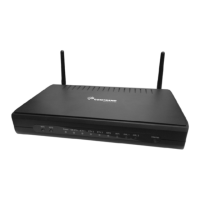
Do you have a question about the Comtrend Corporation NexusLink 3112u and is the answer not in the manual?
Provides essential guidelines for the safe installation and use of the device.
Highlights critical safety warnings and cautions for device operation and maintenance.
Details the primary features and capabilities of the NexusLink 3112u router.
Guides on physical setup, ports, power, and reset button usage for the device.
Explains the meaning of front panel LED indicators for device status and connectivity.
Lists factory default IP, subnet mask, and login credentials for initial access.
Covers DHCP and Static IP modes for configuring network interface settings.
Step-by-step guide for logging into the device's web user interface.
Details WAN interface name, type, VLAN ID, and connection status.
Provides statistics for LAN, WAN, XTM, and xDSL interfaces.
Displays the routing table, including destination, gateway, and metric.
Shows ARP information and DHCP lease details for network management.
Details active NAT sessions and IGMP proxy configurations.
Covers IPv6 info, neighbor discovery, and routing table configurations.
Illustrates connected devices on the router's network.
Displays wireless station information and site survey data.
Guides on adding or removing ATM, PTM, and ETH WAN connections.
Covers NAT settings including Virtual Servers, Port Triggering, DMZ Host, and IP Mapping.
Configures primary and secondary LAN interface settings, including IPv6 autoconfig.
Covers basic wireless settings and security configurations for the WLAN.
 General
| Brand | Comtrend Corporation |
|---|---|
| Model | NexusLink 3112u |
| Category | Router |
| Language | English |

 To Next Page