Need help?
Do you have a question about the Comtrend Corporation VR-3071 Series and is the answer not in the manual?
Basic guidelines for unpacking, installation, use, and maintenance of the electronic device.
Safety warnings, user information, and FCC compliance guidelines.
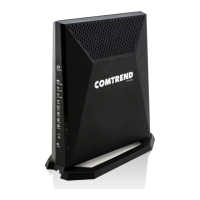
Overview of the VR-3071 Home Gateway, its features, and capabilities.
Instructions for physical installation and setup of the device hardware.
Description and function of ports, buttons, and indicators on device panels.
Factory default IP address, username, password, and WLAN access settings.
Steps for configuring IP settings, including DHCP and Static IP modes.
Instructions on how to log in to the device's web user interface.
Information and status of WAN connections, including refresh and release options.
Provides LAN, WAN, ATM, and xDSL traffic statistics.
Displays routes, ARP, DHCP, NAT sessions, and network map.
Configuration for adding or removing ATM, PTM, and ETH WAN connections.
Network Address Translation configuration options (Virtual Servers, Port Triggering, DMZ).
Configuration of Local Area Network (LAN) interface settings (VLAN, IPv6, UPnP).
Functionality for controlling access to outside networks (Time Restriction, URL Filter).
Features for home network sharing and access (Print Server, DLNA, Storage).
Configuration settings for wireless network interfaces (SSID, Security, WPS).
Advanced security settings, including IP and MAC filtering.
Manages traffic prioritization for network performance.
Manages routing functions (Default Gateway, Static Route, Policy Routing).
Domain Name System configuration options (DNS Server, Dynamic DNS).
Allows selection of DSL modulation modes for optimal performance.
Advanced wireless configuration options (SSID, Security, WPS, MAC Filtering, WDS).
Performs individual tests to check connection status.
Executes ping and trace route tests to analyze network paths.
Includes backup, update, and restore default settings.
Configures, enables, and views system logs for monitoring.
Manages user account access and permissions for the device.
Allows firmware upgrades from a locally stored file.
Rules for traffic filtering at the Network layer (Outgoing and Incoming).
Rules for filtering Layer 2 traffic, effective in WDS mode.
Setting up Layer 2 interfaces (ATM, PTM, Ethernet).
Instructions for setting up WAN connections (PPPoE, IPoE, Bridging, PPPoA, IPoA for IPv4/IPv6).
 General
| LAN Interface | Ethernet |
|---|---|
| Wireless Frequency Bands | 2.4 GHz |
| Maximum Wireless Speed | 300 Mbps |
| Number of LAN Ports | 4 |
| LAN Port Speed | 10/100 Mbps |
| Security Protocols | WEP, WPA, WPA2 |
| QoS | Yes |
| Standards | IEEE 802.3, IEEE 802.3u, IEEE 802.11b/g/n |
| Wireless Standard | 802.11b/g/n |
| Power Supply | 12V DC |
| Type | Wireless Router |

 To Next Page