MT series remote control intelligent turntable user guide
Copyright reserved by Shenzhen ComXim Technology Co., Ltd. 2017
9
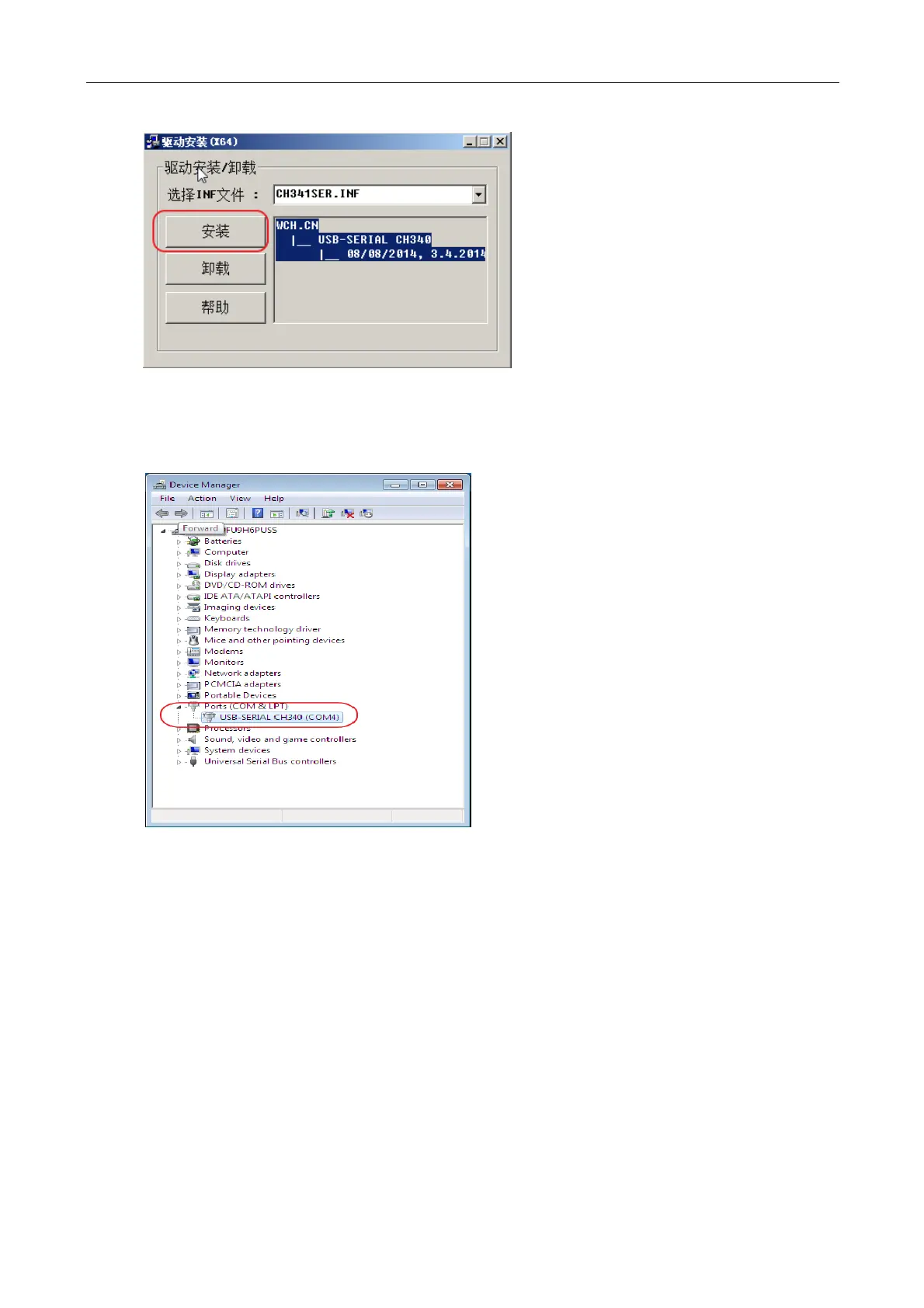
Figure 10 Install USB Driver
Install the drive, power the turntable, connect the turntable and the computer with the USB line, open
the device manager, and see a multiple COM interface on the port. This is the USB port of the COM
corresponding to the turntable.
Figure 11 Port of USB interface turntable
Second Step : Using Turntable X software to connect USB turntable
Open TurntableX software,Select the COM option showed on Figure 12, select the port corresponding to the
turntable in the drop-down menu, and click the connection turntable.



 To Next Page