MT series remote control intelligent turntable user guide
Copyright reserved by Shenzhen ComXim Technology Co., Ltd. 2017
23
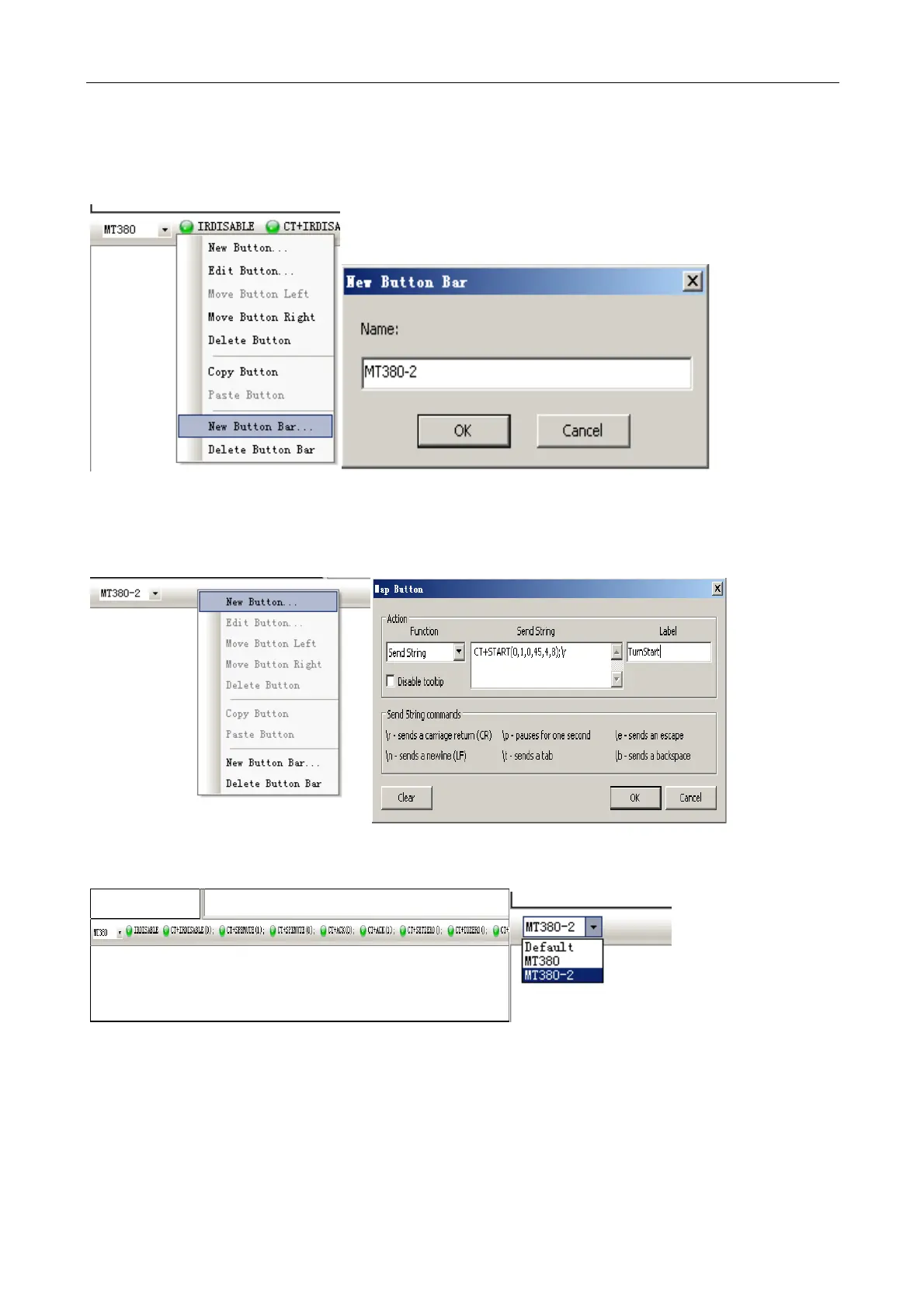
b) Create a new button toolbar and add a button to the toolbar named MT380-2.
c) New shortcut button and add a button to press the time to send the string, SecureCRT needs to be added at
the end of the command "\r", CT+START (0,1,0,45,4,8); \r.
d) In accordance with their own needs to add a number of buttons and common control buttons.
e) Or directly in the command input text box, enter the command, enter the next issue.



 To Next Page