MT series remote control intelligent turntable user guide
Copyright reserved by Shenzhen ComXim Technology Co., Ltd. 2017
22
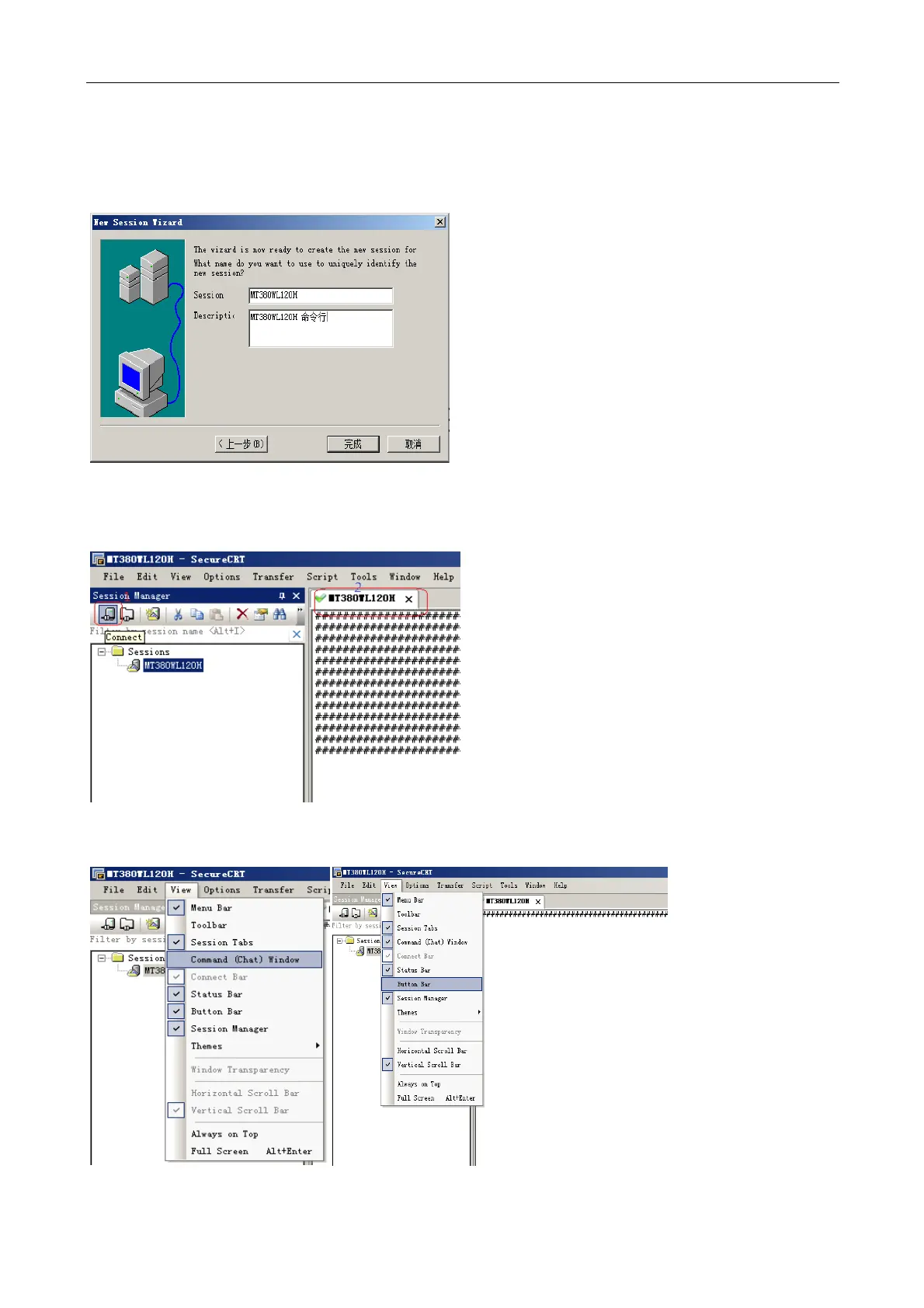
Step4: fill in your favorite session name, this example is named MT380WSL120H, click Finish button.
Step5: click the connect button connected devices, the form on the right side of the software will continue to
receive communication link detection character (character of the heartbeat) "#" that equipment, software and
the connection is successful.
Step6: this device is connected to complete. The following tips for SecureCRT, familiar with the user to skip.
a) SecureCRT to open the command window and custom button toolbar.



 To Next Page