MT series remote control intelligent turntable user guide
Copyright reserved by Shenzhen ComXim Technology Co., Ltd. 2017
21
9.1 SecureCRT
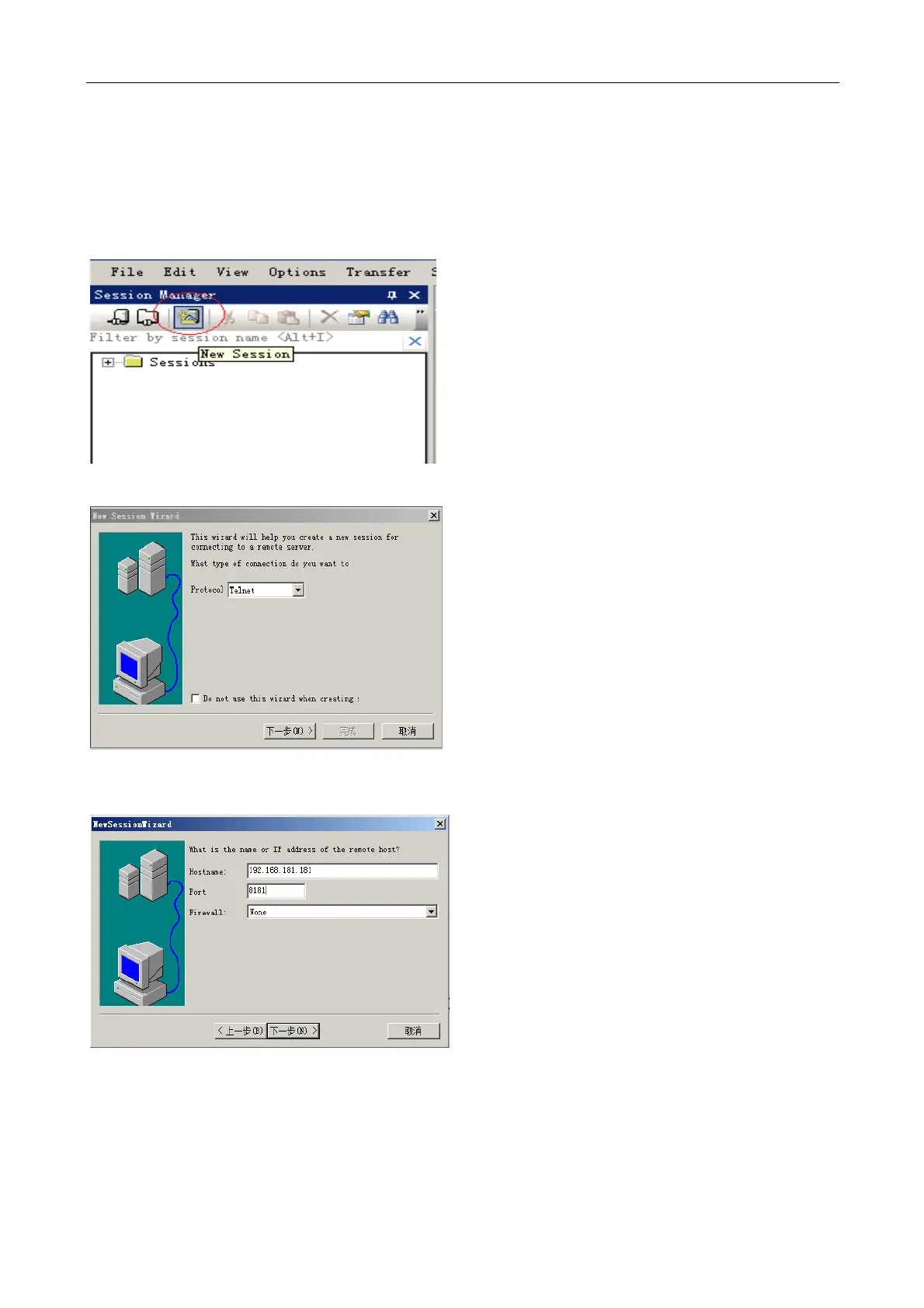
Step1: create a session, as shown in the figure below and click the button to create a session.
Step2: protocol type selection Telnet.
Step3: fill in the MT380/600WL series turntable IP address and port number, IP address: 192.168.181.181, port
number: 8181.



 To Next Page