Quick Guide
7. Motion detection.
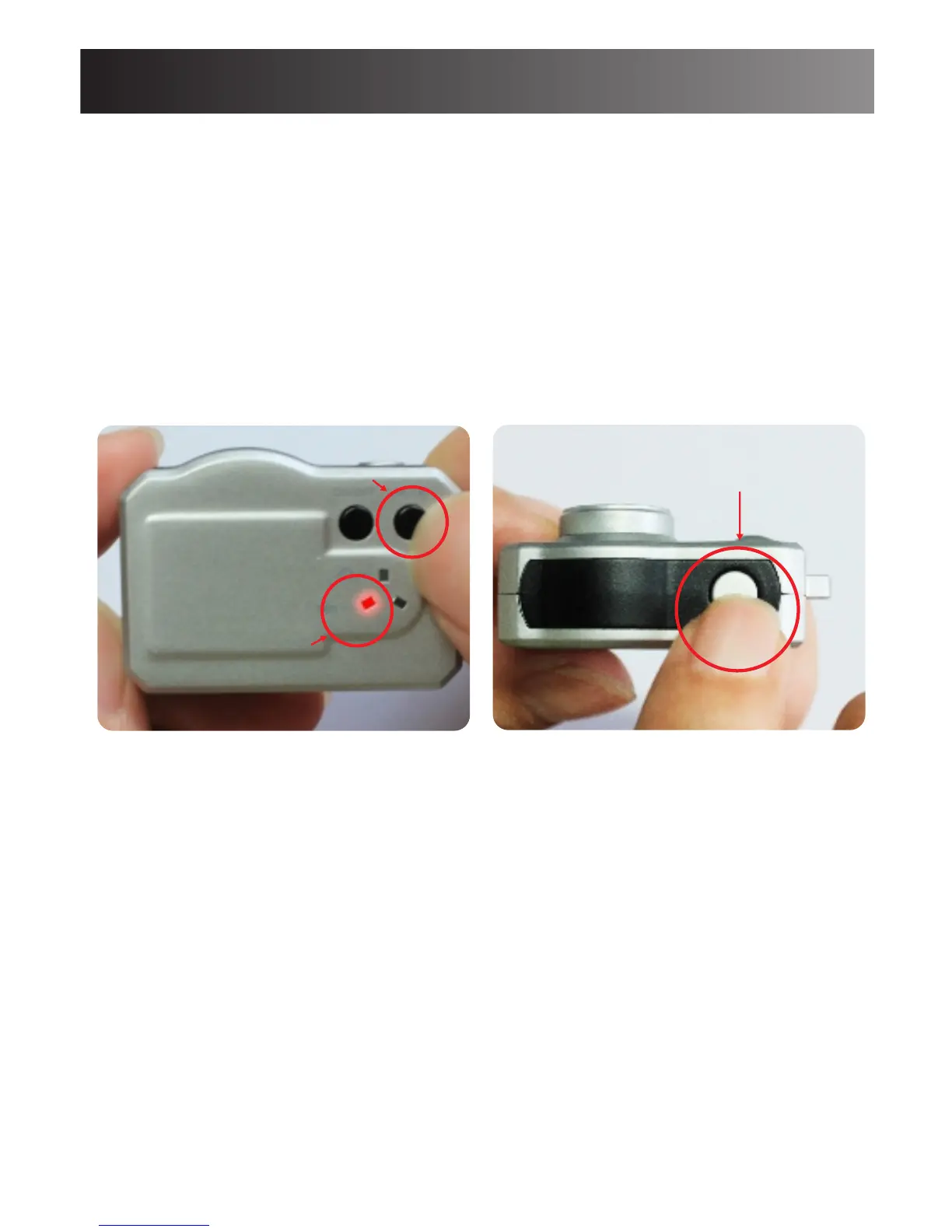
Short press on Mode button to switch into Motion
detection standby mode.
The Red indicator will be on.
Short press on OK button to enter into Motion
detection mode.
The Red indicator will flash slowly.
When there’s a motion, the Red indicator will flash
quickly and then goes off
Important notice:
-The activated motion is about 2 minutes per file.
-When there’s no more motion, the camera will be
back into motion detection standby mode. The Red
indicator will flash slowly.
Short press on
OK button
Mode button
Red indicator
7



 To Next Page