Special function:
8
1.Time setting.
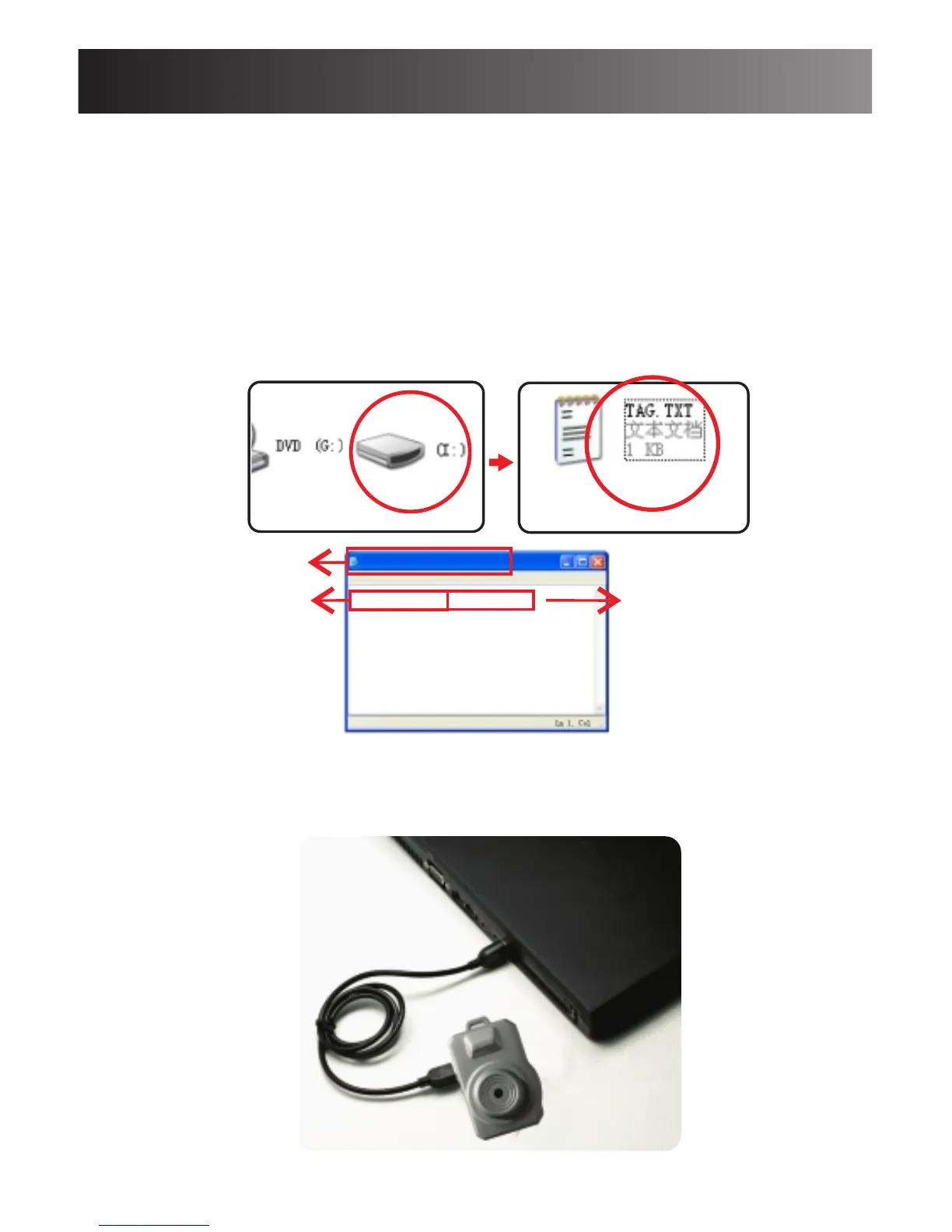
-Insert Micro SD card into the camera ,and connect it
to your computer, find a text file: TAG.TXT under the
root directory.
-2011-01-0123:59:59
-Open TAG.TXT, modify the date and time exactly
according to file and format.
-Reboot the camera to enable the updated date and time.
2.PC Camera
Connect the camera to computer using the provided USB
cable.Press any button to switch it into PC camera mode.
TAG.TXT
file Edit Format View Help
File name
Year/Month/Day
Hour/Minute/Second
2011-01-01 23:59:59



 To Next Page