Step 4 (Connecting the WiFi Cam to your WiFi
router to remotely view the WiFi Cam on your
mobile/smart phone.)
12
Setting up camera
Click here
Setting up camera
Before you connect the WiFi Cam to your WiFi
router for remote viewing, please make sure you
have already connected your mobile/smart phone
as directed on the previous page.
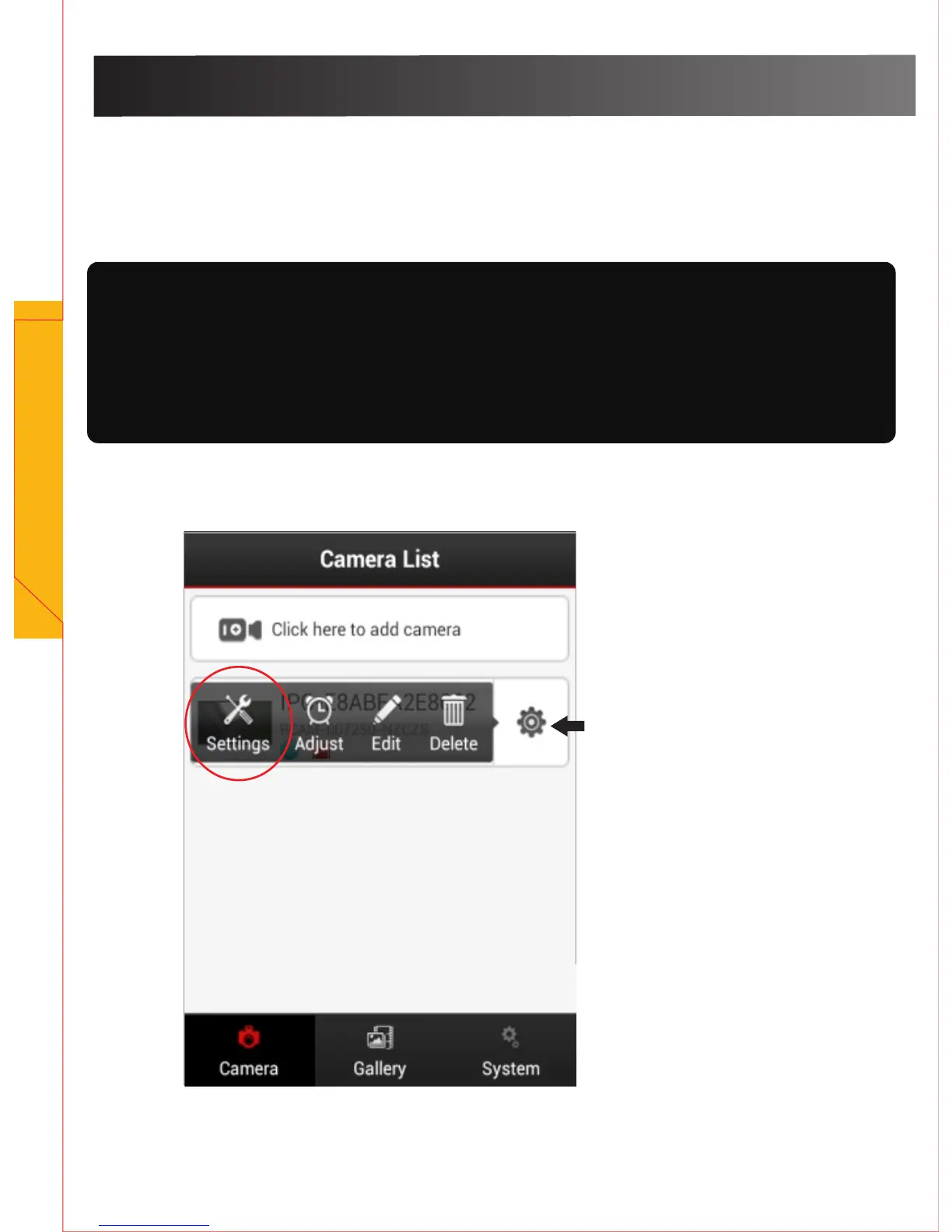
Click the gear tool to view and choose settings.


 To Next Page