Step 3 (Adding the WiFi Cam to your APP now
on your smart phone)
-Open the “Mini WiFi Cam” App and choose
“Click here to add camera”
Click here to add camera
8
Setting up camera
Setting up camera
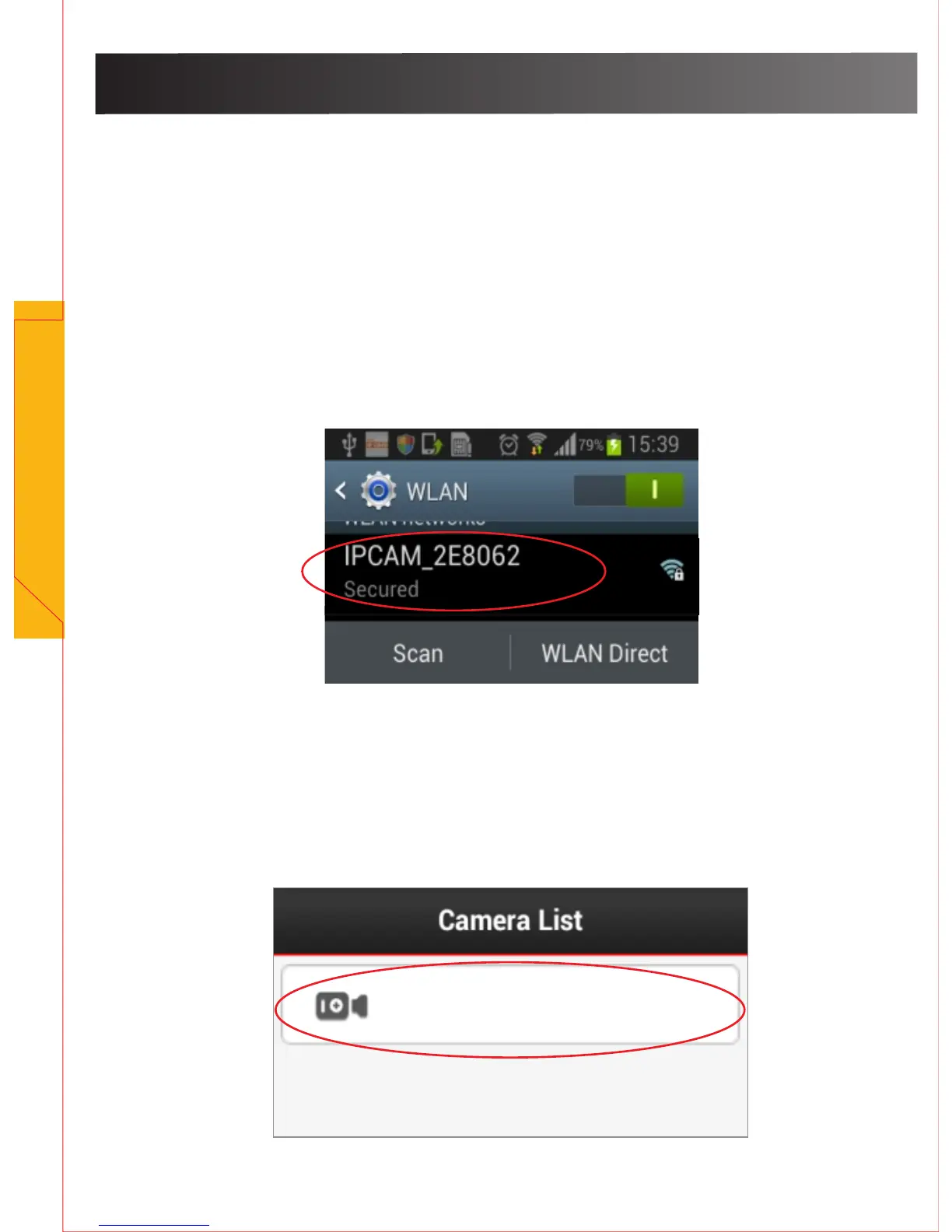
Step 2 (Setting up a connection between the WiFi Cam and
your mobile/smart phone)
- Power on the WiFi Cam. Wait until you see the IR LED turns off
- Change your phone’s WiFi connection to “ IPCAM_XXXXXX”,
This will be displayed on yourphone as six (6) digits including
letters and numbers.
- Connect your phone to the WiFi Cam’s WiFi hotspot.


 To Next Page