7DEEP LEARNING PLUS QUICK START GUIDE
COMPANION MODE SETUP
CONNECTING DL PLUS WITH SUPPORTED CONCEPT PRO RECORDER
Please follow the steps below to connect a DL PLUS product with a supported Concept Pro IP/AHD recorder:
1. Install the DL PLUS product on the same network as the desired, compatible Concept Pro
video recorder (e.g., VUHDIP Series NVR).
Note: A firmware upgrade may be required for the video recorder to work with DL PLUS.
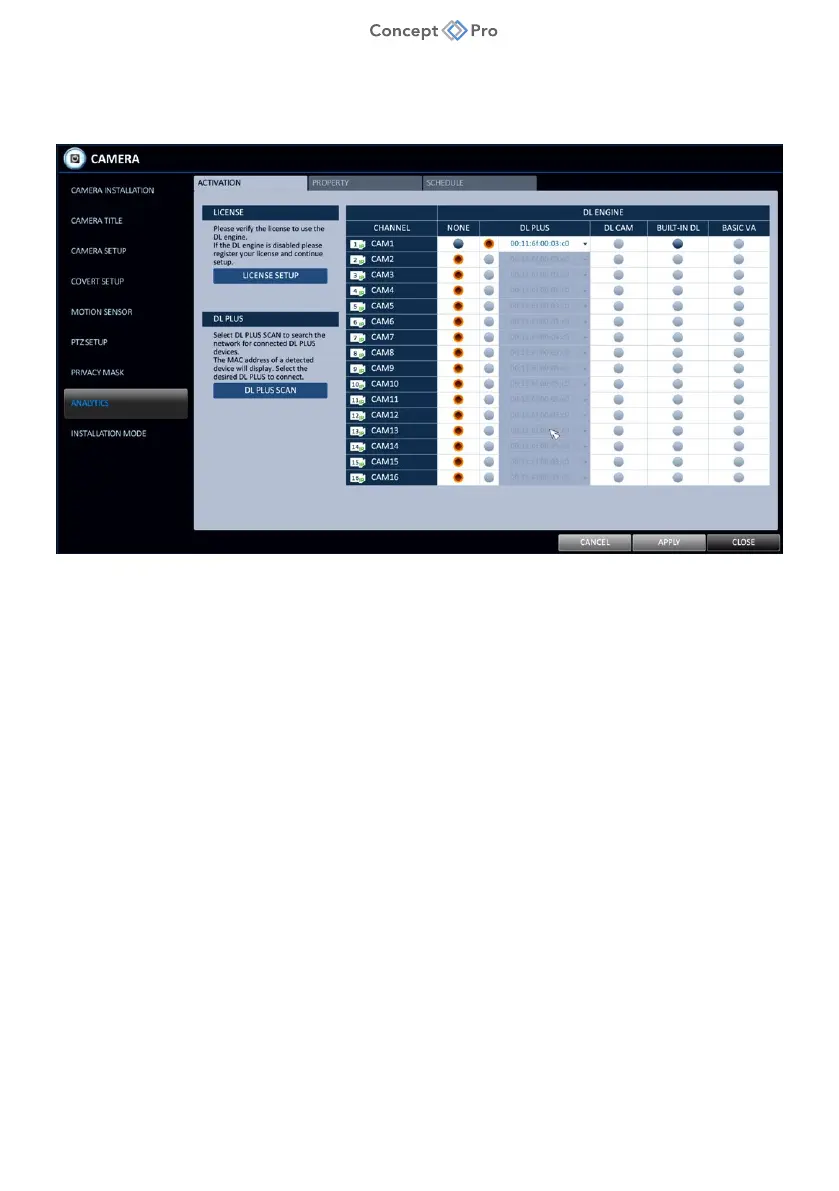
2. From the Concept Pro Video Recorder user interface, navigate to <MENU> - <SYSTEM
SETUP> - <CAMERA> - <ANALYTICS> menu.
3. Under the <ACTIVATION> tab, select the <DL PLUS SCAN> button to scan the network
for any connected DL PLUS products. The DL PLUS device MAC address should appear
under the DL PLUS column. Select the DL PLUS button for each channel that will be
configured to use DL PLUS algorithms. Click <APPLY>.



 To Next Page