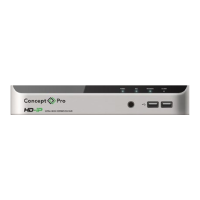
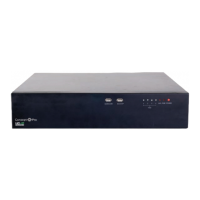
The provided manual describes the Concept Pro VUHDIPL-4, VUHDIPL-8, and VUHDIPL-16 Network Video Recorders (NVRs), which are high-definition NVRs designed for network video surveillance systems. These devices are used for connecting and powering network video cameras, recording video, and providing various monitoring and management features.
Function Description:
The Concept Pro NVRs serve as the central hub for a network video surveillance system. They connect to IP cameras, record video streams, and allow users to view live and recorded footage. The NVRs support Power over Ethernet (PoE) for connecting and powering network video cameras, simplifying installation. They can be connected to the internet, a router, or a hub for remote access and management. The devices offer multiple video output options (VGA, HDMI, BNC spot out for VUHDIPL-16) for connecting to display monitors. Alarm input and output terminals are available for integrating with external alarm systems, and an RS-485 port allows connection to peripheral control equipment like keyboards. The NVRs also feature USB ports for connecting input devices (mouse) and external storage (memory drives).
Important Technical Specifications (based on available information):
- Models: VUHDIPL-4 (4-channel), VUHDIPL-8 (8-channel), VUHDIPL-16 (16-channel).
- PoE Ports: Ethernet ports for connecting and powering network video cameras, with a maximum of 15W per channel.
- Video Outputs:
- VGA: Up to 1920x1080 display resolution.
- HDMI: Up to 3840x2160 display resolution.
- BNC Spot Out (VUHDIPL-16 only): For connection to a spot monitor.
- Network Ports: Dedicated Ethernet/WAN (UPLINK) port for internet/router/hub connection. VUHDIPL-16 also has a LAN (DOWNLINK) port for an 8CH PoE Expansion Hub accessory.
- Alarm Inputs: AI1, AI2, GND terminals.
- Alarm Outputs: N/O, N/C, COM relay output port.
- Communication: RS-485 port.
- Power Input: DC48V.
- Storage: Internal hard disk support for recording, with a maximum backup capacity of 20GB for single archive operations.
- Video Compression: Supports H.265 and H.264 codecs.
- Bit Rate Control: Constant Bit Rate (CBR), Variable Bit Rate (VBR), and VBR+ (for CVP5325 series cameras).
- Smart Storage Compression (SSC): Reduces maximum bit rate to 4Mbps for main stream and 1Mbps for sub stream, adjusting based on recording FPS.
Usage Features:
- Quick Start Guide: Included for initial setup.
- Setup Wizard: Guides users through initial configuration steps, including password creation, date/time settings, and network configuration.
- User Interface: Accessible via connected monitors and a mouse.
- Remote Control: Included for navigating menus and accessing key features.
- Status Bar: Provides quick access to menus (System Setup, Record Setup, Search, Archiving), user ID display, UI mode toggle, split-screen view, panic recording, alarm overview, network status, disk information, and current time/date.
- Quick Menu: Offers functions like channel display, playback, digital zoom, snapshot capture, PTZ control, and camera channel assignment.
- Recording Profiles:
- Automatic Configuration: Offers predefined profiles:
- Continuous Record (Long Duration/Low Quality or High Quality/Short Duration).
- Motion Record (records only when motion is detected).
- Alarm Record (records only when an alarm event occurs).
- Motion/Alarm Record.
- Intensive Motion Record (continuous low quality, high quality on motion).
- Intensive Alarm Record (continuous low quality, high quality on alarm).
- Intensive Motion/Alarm Record.
- Manual Configuration: Allows for customized recording profiles and schedules.
- Video Analytics: Supports features like line crossing, area entrance/exit, loitering, stopped, and object removed detection (requires compatible Concept Pro cameras and licenses). Licenses can be added automatically or manually.
- Regions of Interest (ROI): Allows cameras to apply optimal image quality to specific areas and lower quality to outside areas, reducing bit rate. Auto ROI intelligently tracks moving objects.
- Searching Recorded Video:
- Time Search: Allows specifying date and time from a calendar, with color-coded bars indicating recording types (Light Green: Pre-Recording, Green: Continuous, Blue: Motion, Red: Alarm, Yellow: Panic).
- Thumbnail Search, Event Search, Text-in Search: Other search options.
- Archiving:
- Allows selecting recorded data by date, channel, log, codec, and player for archiving.
- Supports export to external USB storage devices.
- Supports reserving data to the internal hard disk, protecting it from overwriting.
- Web Access: Allows remote access and management via a PC connected to the network using Internet Explorer (recommended for full functionality) or other web browsers like Firefox and Chrome (with reduced functionality).
- Mobile App Access (Concept Pro Viewer):
- Available on iOS App Store and Android Play Store.
- Supports adding devices via QR Code, DDNS Details, or IP Address.
- Sequrinet Integration: Requires registration/login to Sequrinet for Easy IP and Push features.
- NVR Setup via App: Allows scanning a QR code from the NVR to automatically populate MAC address, then manually entering nickname, user ID (ADMIN), and password.
Maintenance Features:
- Hard Disk Information: The status bar's [DISK] icon displays updated hard disk information, including whether disks are set to Overwrite (OW).
- Firmware Updates: While not explicitly detailed, NVRs typically support firmware updates for bug fixes and new features.
- Data Management: Archiving features allow for backing up important video data to external storage or reserving it on the internal disk.

 Need help?
 General

 To Next Page