pg. 3
OPERATION (AUTOMATIC)
Prepare paper to be shredded. Remove paper clips and make sure to feed no more than the recommended
sheet capacity at one time. It is advisable in order to calibrate the shredder’s cutting mechanism
to shred 4 individual sheets of paper for the rst few shredding cycles. This will allow the internal
lubrication to be equally redistributed to all the moving parts in the cutter assembly.
IMPORTANT!
SAFETY INTERLOCK SWITCH:
This shredder can ONLY be used with the supplied wastebasket for safety reasons. The wastebasket
and shredder have special built-in safety features designed to protect the user.
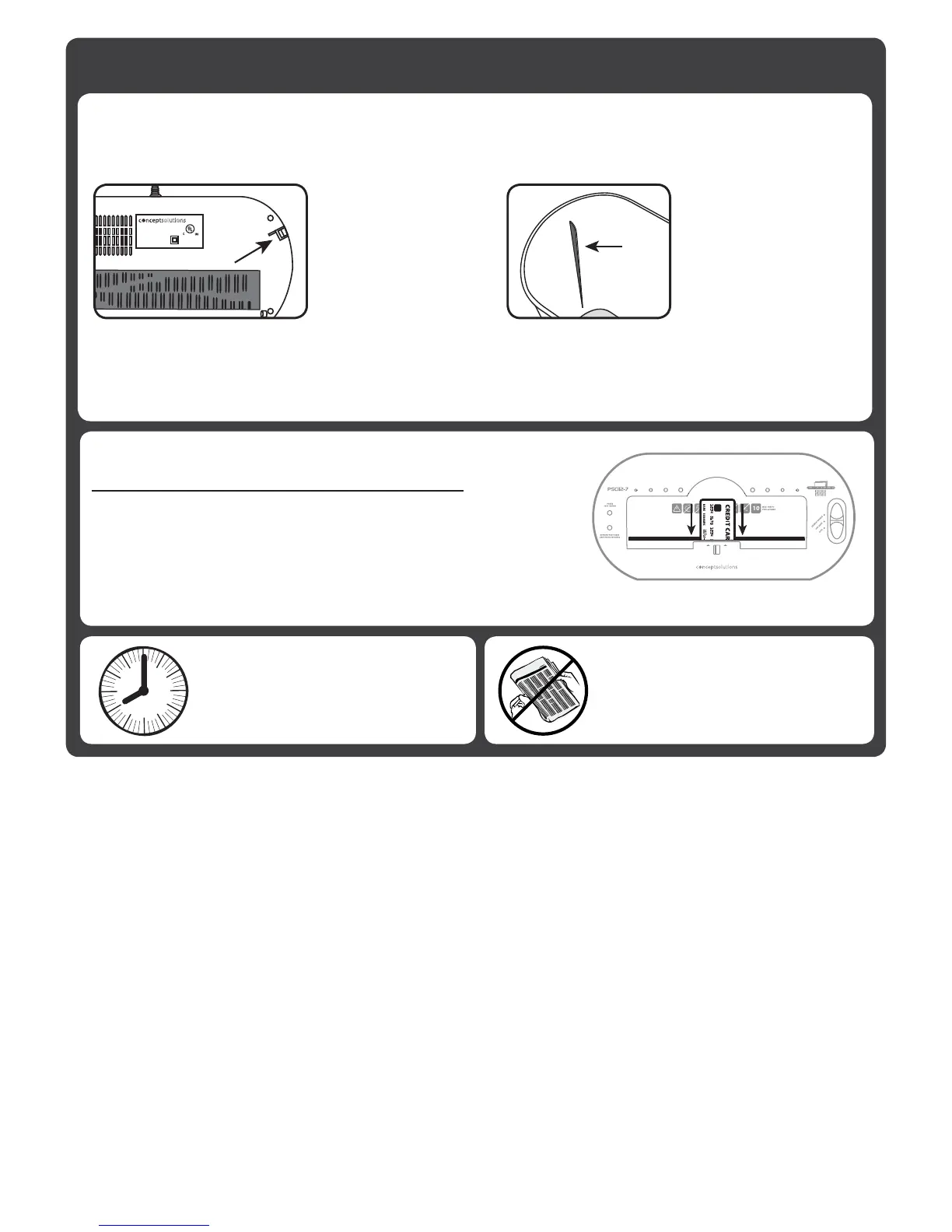
TheshreddertopMUSTbepositionedsothatthe“INTERLOCKLATCH”tsintothe“INTERLOCK
SWITCH” slot - otherwise the shredder will not operate. The basket should always be level. If one side
of the shredder top is higher than the other, the INTERLOCK LATCH will not be completely inserted into
the INTERLOCK SWITCH. Wiggle the shredder top until it is snugly and evenly placed on the basket.
SHREDDING CREDIT CARDS:
This shredder is designed primarily to shred paper.
CONTINUOUS RUN
TIME: 2 MINUTES ON
& 30 MINUTES OFF.
Occasional shredding of credit cards will not damage the shredder.
Excessive shredding of credit cards could reduce the life of
the blades.
** INSERT CREDIT CARDS INTO SHREDDER VERTICALLY**
DO NOT SHRED
NEWSPAPER.
Newspaper inks will cause the
shredder to seize and break.
1. Locate the
INTERLOCK SWITCH
slot on the bottom of
the shredder.
2. Locate the
“INTERLOCK LATCH”
on the inside of the
shredder basket.
1. Slide the main switch to the AUTO position to activate the
standby mode. In AUTO, the shredder does not make any
noise until paper is inserted.
2. The shredder automatically STARTS when paper is placed
in the feed opening and STOPSwhennishedshredding.
IMPORTANT NOTE:
If paper is wider than the feed
openingandyoufoldittot,the
paper thickness increases and the
recommended capacity may be
exceeded.
USING REVERSE
Use the “Reverse” setting to safely remove paper jams from the paper entrance of the shredder:
1. Slide the switch to the REV position to clear the jam.
2. Return the shredder into AUTO or OFF position.
3. Repeat if necessary until the paper jam has been cleared.


 To Next Page
 Loading...